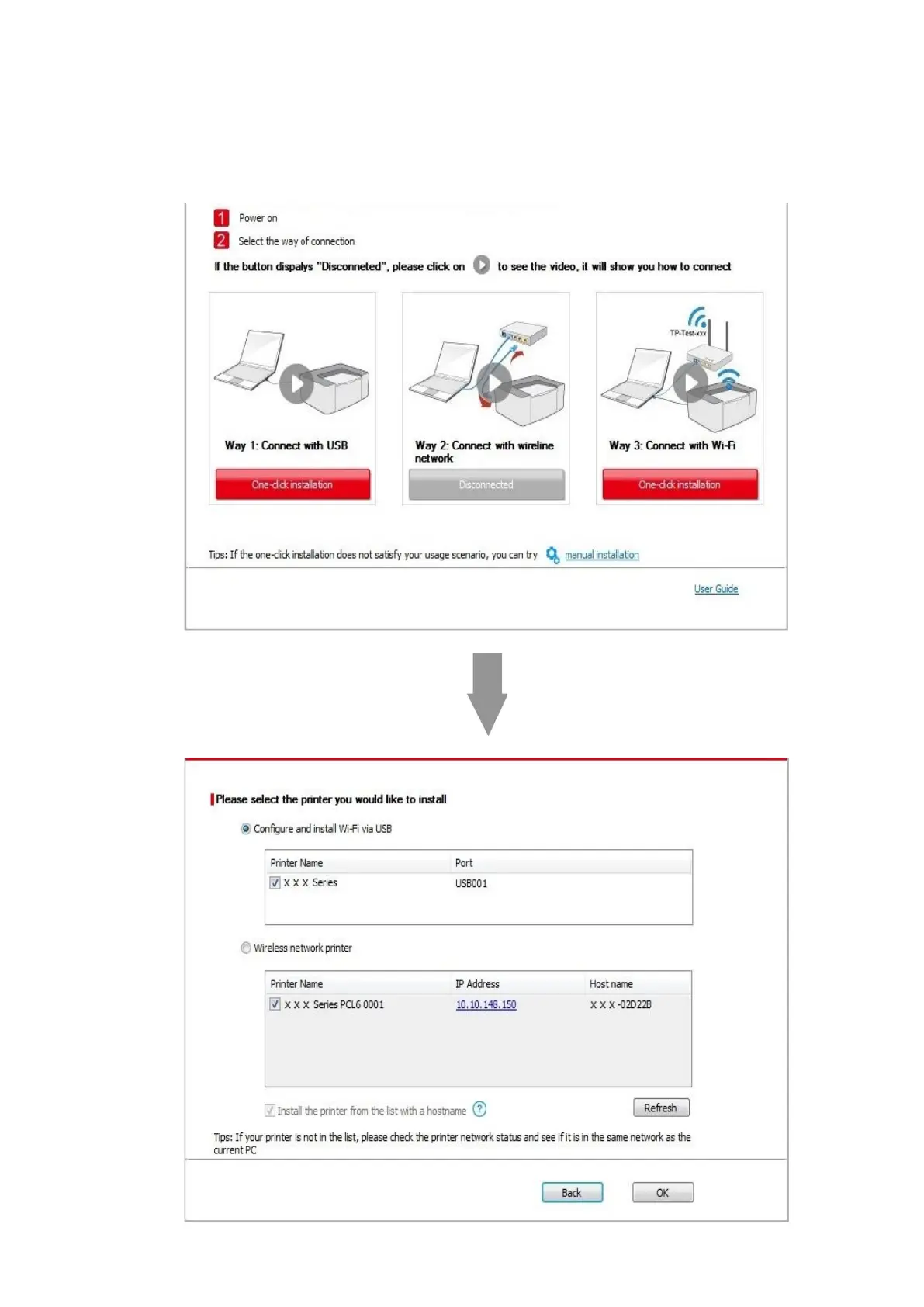
• If your software has searched more than one printers, the printer list interface will pop up.You need to configure the
current printer which is connected via USB cable to wireless network and install driver. Please select "Configure the print
via USB and install" on the printer list interface and check the USB printer option. Click the "Confirm" button, and the
wireless network configuration interface will pop up. Input the wireless SSID and password that you need, then click
"Confirm" button, and enter into installation process. The process may need some time, and the duration is related to
your computer configuration, please wait patiently.


 To Next Page