Waves eMotion LV1 Classic User Guide | Chapter 1: Mixer
Window Window
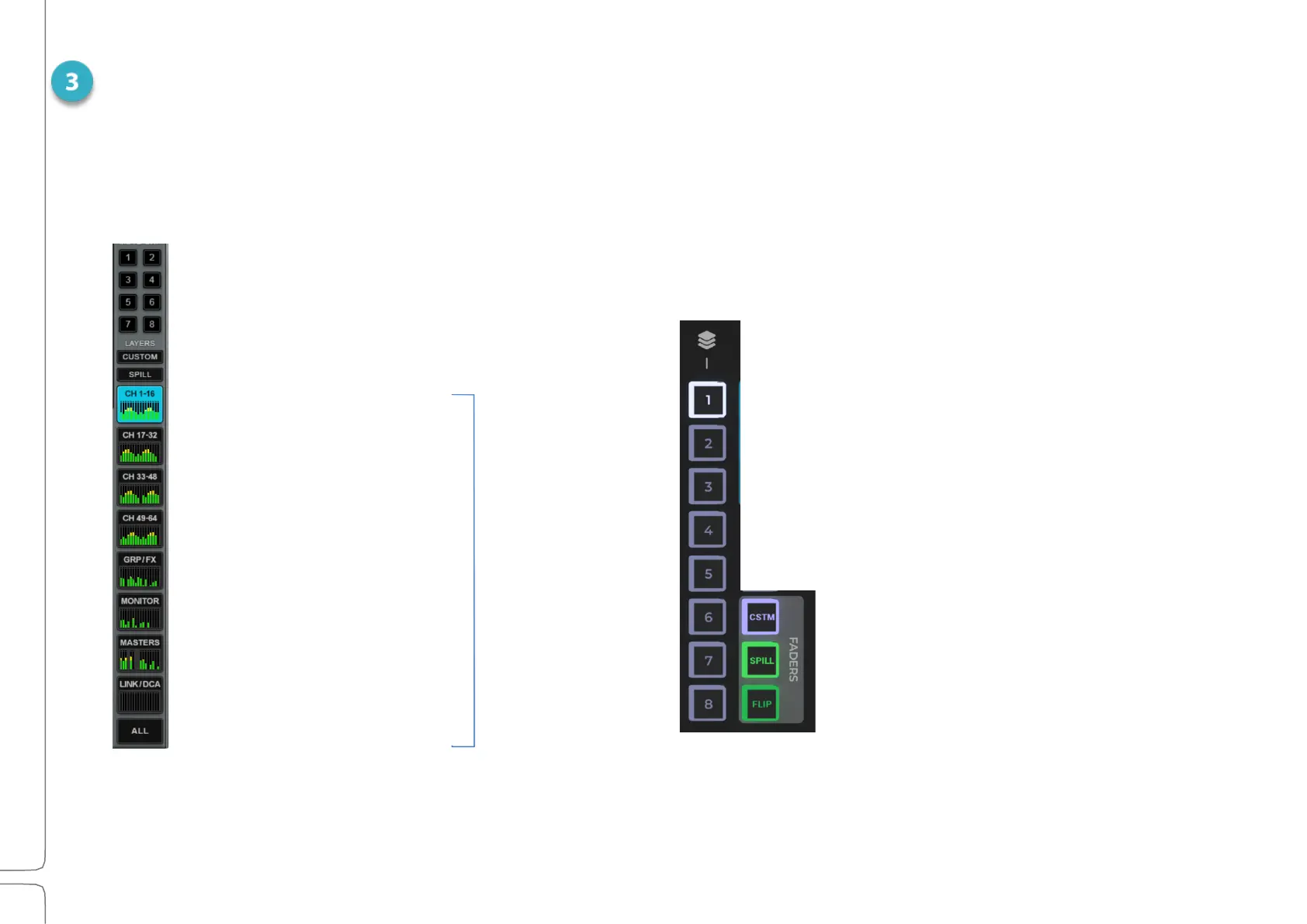
MIXER LAYERS
Mixer Layers represent categories of channels. Layers address different types of channel types, and each layer has its own
view. Mixer Layers can be selected from the touch surface or the fader bank.
TOUCHSCREEN LAYER SELECT
Recall mute groups
User-defined custom layers
Spill layer enable
Channels 1–16
Channels 17–32
Channels 33–48
Channels 49–64
Groups/FX Aux
Monitor Aux
Masters
Link / DCA fader
All layers in a single view
FADER BANK LAYER SELECT
LAYER SELECT
On the fader bank, factory layers are
selected with the eight numbered
layer buttons.
The Custom layer and the Spill and
Flip functions are accessed using the
three buttons at the bottom right
corner



 To Next Page