Waves eMotion LV1 Classic User Guide | Chapter 2: Channel
Window Window
E
XTERNAL
I
NSERT
L
ATENCY
C
ALCULATION
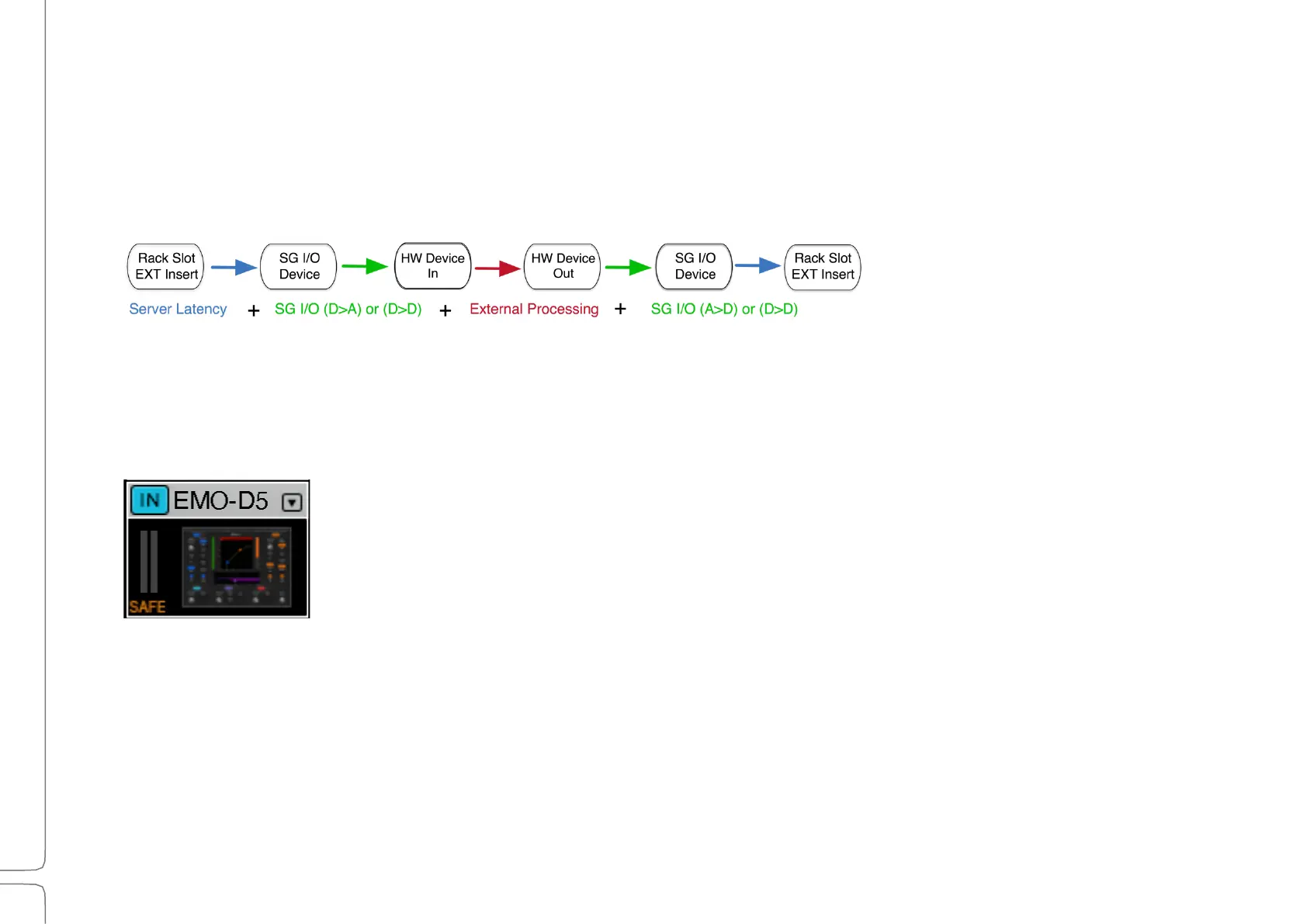
The latency of an external insert is determined by its path, which depends on the type of processing being
performed. The diagrams below illustrate how latency is calculated in three different situations.
1:
P
ROCESSING WITH AN
E
XTERNAL
D
EVICE
An external insert is sent to and from an external device, via one or more SoundGrid I/O devices.
R
ECALL
-S
AFE
P
LUGIN
Recall-safe prevents plugin parameter changes during scene recalls. In this mode plugin
parameters are unaffected by scene changes, even if the plugin is within the scope of a scene
change and has not been set as recall-safe in the Show window (see Show window > Recall
Safe).
Set plugin safe status at the bottom of the Plugin menu. A plugin that is recall-safe is
indicated with an orange/brown Safe indicator.
Scene changes do not alter rack structure (e.g., add, remove, or move plugin).
M
ONO
-
TO
-S
TEREO
P
LUGINS
Normally, a stereo plugin cannot be inserted into a mono rack. However, you can add a mono-to-stereo plugin to a
mono rack. From that point in the rack’s signal flow (below the mono-to-stereo plugin) the rack becomes stereo and
only stereo plugins can be added below it. Mono plugins can still be inserted above the mono-to-stereo plugin.



 To Next Page