26 2576780000/00/02-2018
Conguration
Programming current transformers
Switching to programming mode
• Simultaneously press buttons 1 and 2 in order to switch to pro-
gramming mode. If a user password was programmed, the pass-
word request will appear with “000”. The rst digit of the user
password ashes and can be changed with button 2. The next
digit is selected by pressing button 1 and will begin ashing. If
the correct combination was entered or if no user password was
programmed, the device will enter programming mode.
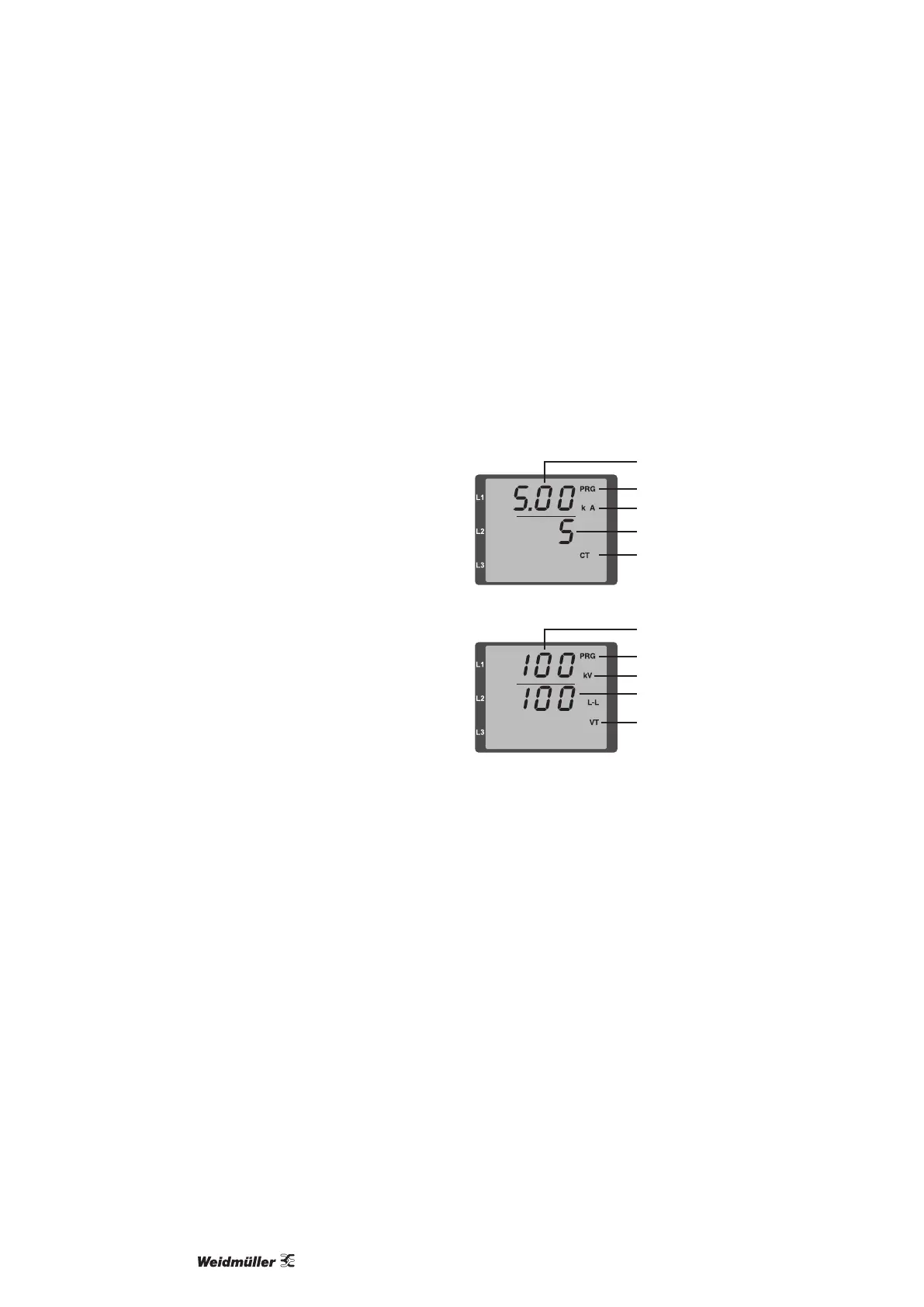
• The symbols for the programming mode (PRG) and for the cur-
rent transformer (CT) appear.
• Conrm the selection with button 1.
• The rst digit of the input area for the primary current starts
ashing.
Current transformer primary current input
• Change the ashing digit with button 2.
• Select the next digit to be changed with button 1. The selected
digit to be changed starts ashing. If the entire number is ash-
ing, the decimal point can be moved with button 2.
Current transformer secondary current input
• Only 1 A or 5 A can be set as the secondary current.
• Select the secondary current with button 1.
• Change the ashing digit with button 2.
Leaving programming mode
• Simultaneously press buttons 1 and 2 to exit the programming
mode.
Programming voltage transformers
• Switch to the programming mode as described. The symbols for
the programming mode (PRG) and for the current transformer
(CT) appear.
• Use button 2 to switch to the voltage transformer setting.
• Conrm the selection with button 1.
• The rst digit of the input area for the primary current starts
ashing. The ratio of primary to secondary voltage of the volt-
age transformer can be set in the same way as the assignment
of the current transformer ratio of primary to secondary current.
Current transformer symbol
Units display
Current transformer, primary
Programming mode
Current transformer, secondary
Units display
Voltage transformer, primary
Programming mode
Voltage transformer,
secondary
Voltage transformer,
symbol



 To Next Page