372576780000/00/02-2018
Commissioning
Installation of USB driver
With internet access or authorisation for automatic updates of the
driver library:
With all current operating systems (e.g. Windows 7) the required
drivers are automatically installed the rst time the device is con-
nected to the USB interface of the computer.
• Connect the power supply voltage for the Energy
Meter 610/610-PB, as a minimum.
• Connect the Energy Meter 610/610-PB to a suitable USB inter-
face on the computer with a USB cable.
• The installation of the system drivers required starts and runs
automatically.
• After successful installation the device can be used.
Checking the USB installation
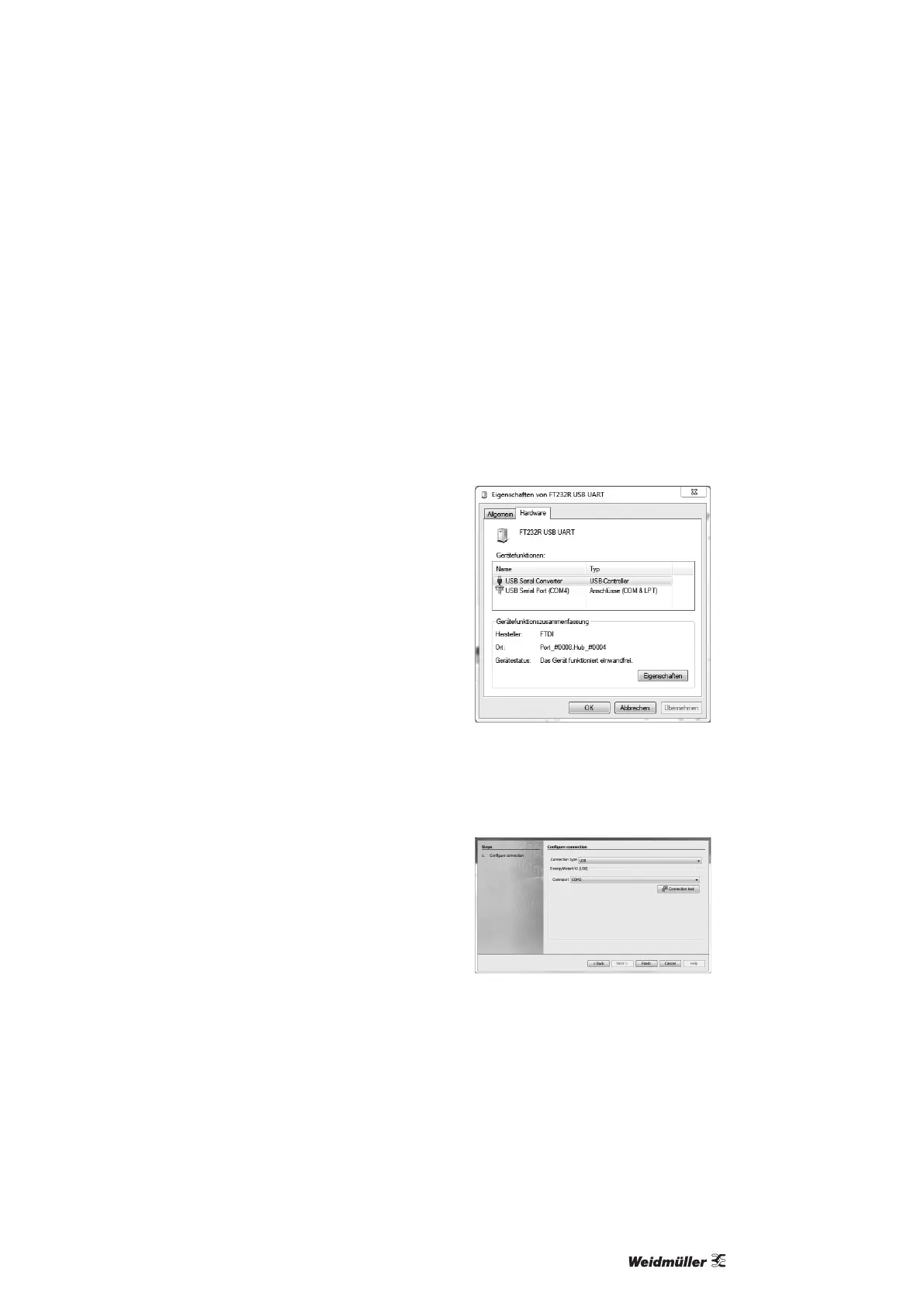
• Open the Devices and printers window in Windows 7 via the
control panel, for example.
• Open the Properties of the device FT232 USB UART by double-
clicking. Further information about the device can be found in
the General and Hardware tabs.
• Change to Hardware. Under device functions a USB Serial Con-
verter and a USB Serial Port (COMx) should be shown after a
successful installation, whereby x reects the virtual COM port.
• In Windows XP this information can be found in the hardware
area of the device manager under USB Universal Controller.
• Start the ecoExplorer go software and integrate the Energy
Meter 610/610-PB with the assistant (New le...). After selecting
the connection type (USB) and the interface of the COM port
(COMx, see above) the USB connection can be used.



 To Next Page