42 2576780000/00/02-2018
Commissioning
Digital outputs
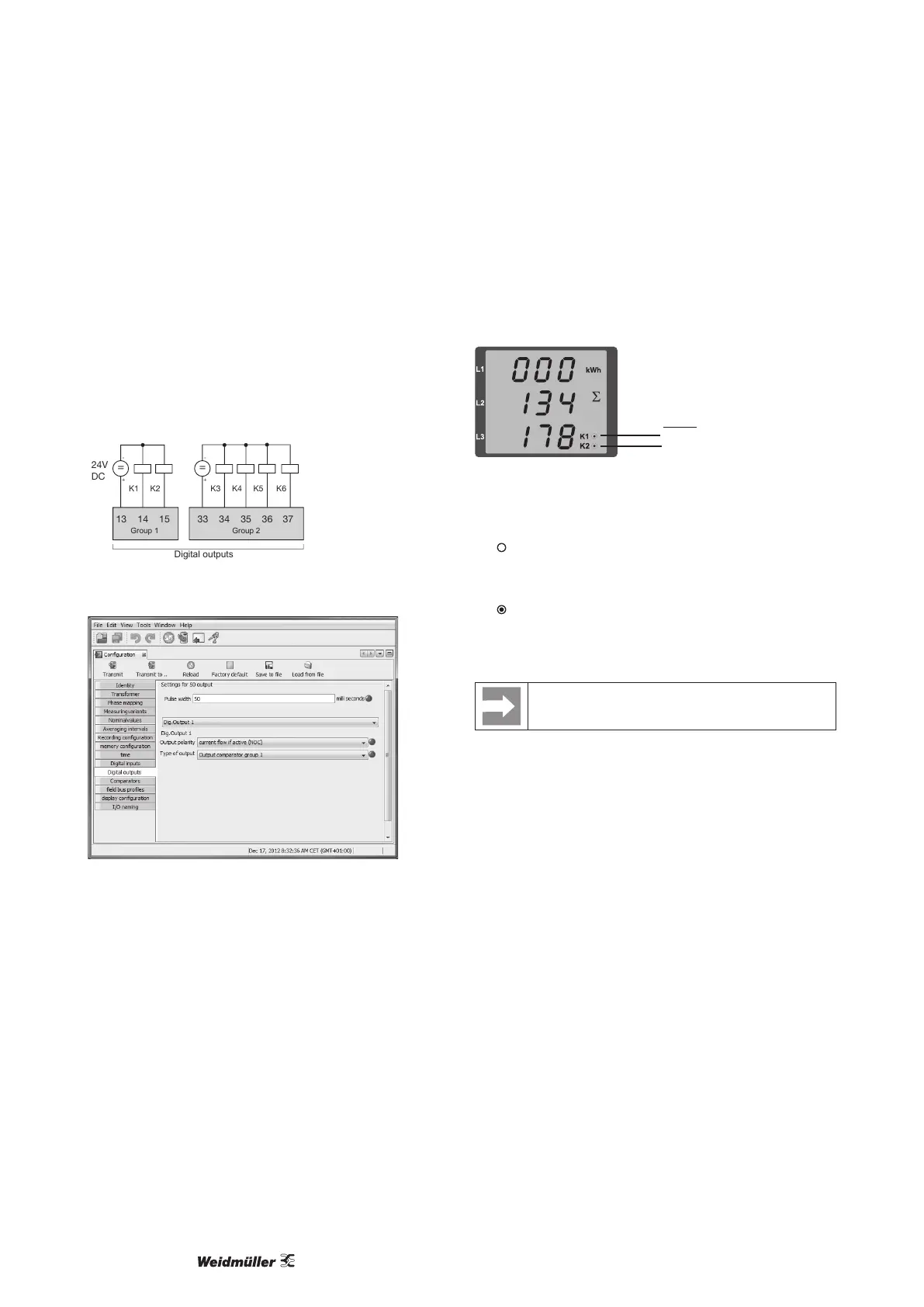
The Energy Meter 610/610-PB have 6 digital outputs, whereby
these are split into two groups of 2 and 4 outputs (see illustration
below).
The User can allocate different functions to the digital outputs.
The functions can be programmed by using the conguration
menu of the ecoExplorer go software.
Digital-Ausgänge
33 34 35 3613 14 15
24V
DC
K1 K2
=
-
+
K3 K4
K5
=
-
+
Gruppe 1 Gruppe 2
37
K6
Fig.: Digital outputs of group 1 and group 2
Fig.: Software ecoExplorer go, conguration menu
Digital outputs 1 and 2 — Status displays
The status of the switching outputs of group 1 is indicated by circu-
lar symbols in the display of the Energy Meter 610/610-PB.
Status digital output 1
Status digital output 2
Group 1
Digital output stati
The current ow can be < 1 mA.
Digital output 1: Addr. 608 = 0
Digital output 2: Addr. 609 = 0
The current ow can up to 50 mA.
Digital output 1: Addr. 608 = 1
Digital output 2: Addr. 609 = 1
Since the indication is updated once per second, faster
status changes of the outputs can not be displayed.



 To Next Page