38 2576780000/00/02-2018
Commissioning
Probus interface (only Energy Meter 610-PB)
Probus proles
A Probus prole contains the data to be exchanged between a
Energy Meter 610-PB and a PLC. It is possible to read out meas-
urement values and statuses via eight user-dened and four fac-
tory pre-congured Probus proles.
A Probus prole can:
• Retrieve measurement values from the Energy Meter 610-PB.
• Set the digital outputs in the Energy Meter 610-PB.
• Query the status of the digital inputs in the Energy Meter 610-PB.
Each Probus prole can hold a maximum of 127 bytes of data. If
more data has to be transferred, simply create additional Probus
proles.
• Every Probus prole has a prole number. The prole number
is sent by the PLC to the Energy Meter 610-PB.
• The 8 user-dened Probus proles (prole numbers 0 to 7) can
be edited with the ecoExplorer go software.
• Factory pre-congured Probus proles (prole numbers 8 to
11) cannot be changed.
Activate outputs/tariffs via Probus
To set the outputs or the tariffs an appropriate prole must be se-
lected. Alongside the 1st byte used for the prole selection three
further bytes can be used to:
• Switch outputs
• Control tariffs and energy meters
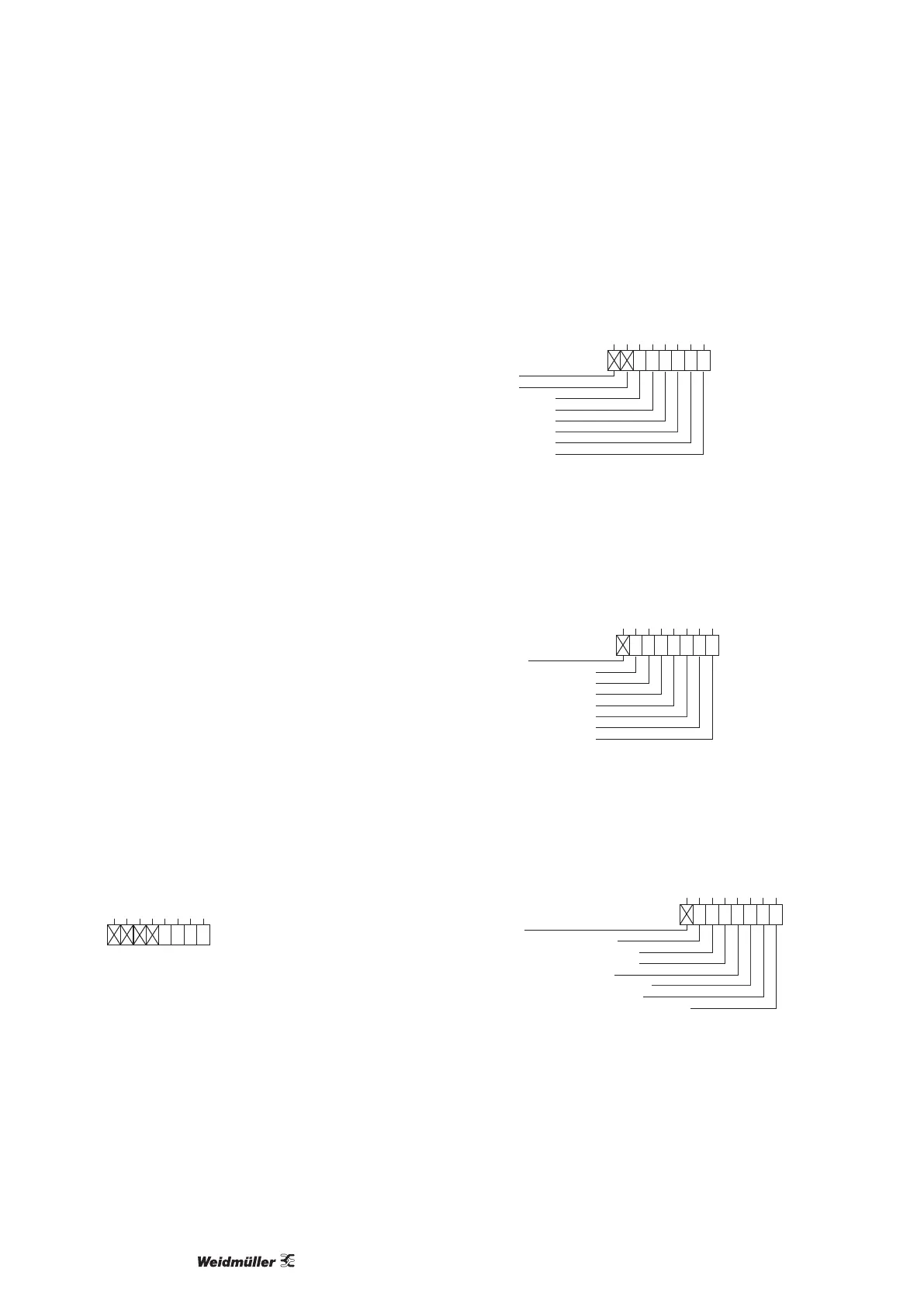
Prole number selection (1st byte):
Byte 1 enables the selection of the Probus prole number 0 to 11.
The output range of the PLC must contain this byte as a minimum.
Within the byte, bits 0 to 3 describe the prole number, bits 4 to 7
are unused.
Bit:
0
7
0
6
0
5 4
0
1
3
0
0
2
0
0
1
0
0
0
Fig.: Example: Prole number 8 selected (Binary representation)
Switching digital outputs (2nd byte):
Setting or clearing the bits in byte 2 (“Probus remote” type) ena-
bles the setting of the digital outputs 1 to 6. Bits 6 and 7 are not
used.
Unused
Unused
Digital output 6
Digital output 5
Digital output 4
Digital output 3
Digital output 2
Digital output 1
Bit:
0
7
0
6
0
0
5
0
0
4
0
0
3
0
1
2
0
1
1
0
1
0
Fig.: Example: Output 1-3 set
Control tariffs (3rd byte):
Setting or clearing the bits enables the selection of tariffs 1 to 7. Bit
7 is not used. If several tariffs are set in the byte then the tariff
with the least signicant bit is selected. If byte 3 is used, then
byte 4 should be set!
Unused
Tariff 7 (0=inactive, 1=active)
Tariff 6 (0=inactive, 1=active)
Tariff 5 (0=inactive, 1=active)
Tariff 4 (0=inactive, 1=active)
Tariff 3 (0=inactive, 1=active)
Tariff 2 (0=inactive, 1=active)
Tariff 1 (0=inactive, 1=active)
Bit:
0
7 6
0
0
5
0
0
4
0
0
3
0
1
2
0
0
1
0
0
0
0
Fig.: Example: Tariff 3 selected
Control tariffs (4th byte):
Setting or clearing bits 0 to 6 of byte 4 enables a selection of en-
ergy meters for the tariff set. Each tariff can have up to 7 energy
meters allocated to it.
Unused
Energy meter for apparent energy
Energy meter for reactive energy (cap.)
Energy meter for reactive energy (ind.)
Energy meter for reactive energy
Energy meter for active energy (delivered)
Energy meter for active energy (drawn)
Energy meter for active energy (without backstop)
Bit:
0
7 6
0
0
5
0
0
4
0
0
3
0
0
2
0
0
1
0
0
0
1
Fig.: Example: Apparent energy selected



 To Next Page