392576780000/00/02-2018
Commissioning
Deactivate energy meters / tariffs via Probus
If energy meters are assigned to a tariff then these can be deacti-
vated via byte 3 and byte 4 (cf. activate tariffs via Probus). Here
the selection of the desired tariff is implemented in byte 3 and the
clearing of the associated bits in byte 4 deactivates the energy
meter.
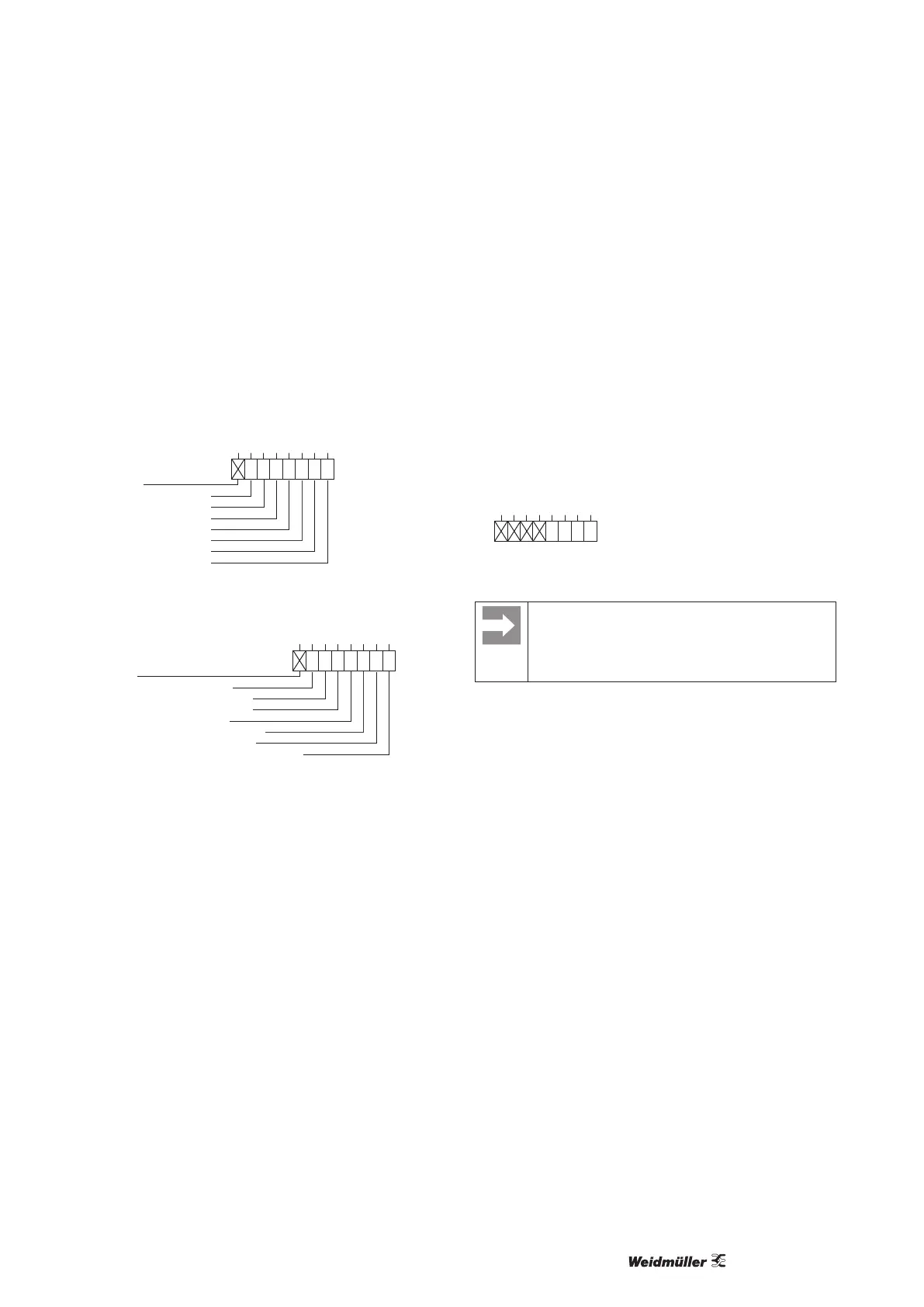
Example:
If the energy meter for active energy (drawn) is set under tariff 3,
the deactivation of the energy meter is implemented as follows:
Unused
Tariff 7 (0=inactive, 1=active)
Tariff 6 (0=inactive, 1=active)
Tariff 5 (0=inactive, 1=active)
Tariff 4 (0=inactive, 1=active)
Tariff 3 (0=inactive, 1=active)
Tariff 2 (0=inactive, 1=active)
Tariff 1 (0=inactive, 1=active)
Bit:
0
7 6
0
0
5
0
0
4
0
0
3
0
1
2
0
0
1
0
0
0
0
Fig.: Byte 3: Tariff 3 selected
Unused
Energy meter for apparent energy
Energy meter for reactive energy (cap.)
Energy meter for reactive energy (ind.)
Energy meter for reactive energy
Energy meter for active energy (delivered)
Energy meter for active energy (drawn)
Energy meter for active energy (without backstop)
Bit:
0
7 6
0
0
5
0
0
4
0
0
3
0
0
2
0
0
1
0
0
0
0
Fig.: Byte 4: Deactivating energy meters
The energy meter is deleted by selecting the tariff (byte 3) and
clearing the bits in byte 4 associated with the energy meter.
If the meter is deleted then a new energy meter can be assigned
to the tariff.
If the deactivation of a tariff is desired then the energy meters
assigned should be deleted rst via bytes 3 and 4 and then
the tariff should be deactivated via byte 3.
Reading out measurement values via the Probus
Selected measurement values can be read out via 4 factory-set
proles and an additional 8 user-dened proles. Here each prole
has a unique prole number with which a PLC can read out the
congured measurement values of a prole.
Example:
Reading out of measurement values from the factory-precong-
ured Probus prole number 8.
The 1st byte should be set to the prole number 8 (dec.) and sent
to the Energy Meter 610-PB.
The Energy Meter 610-PB then delivers the prole number 8 and
the measured values set in prole 8 back.
Bit:
0
7 6
0
5
0
4
0
1
3
0
0
2
0
0
1
0
0
0
Fig.: Byte 1: Prole number 8 selection
The device address can be congured by using the pa-
rameter 000 if the device is used in a Probus-System.
The baud rate in a Probus system is detected auto-
matically and must NOT be set via the address 001!



 To Next Page