432576780000/00/02-2018
Commissioning
Impulse output
The digital outputs can be used for the output of pulses for the
computation of power consumption. For this purpose, a pulse of
dened length is applied on the output after reaching a certain,
adjustable amount of power.
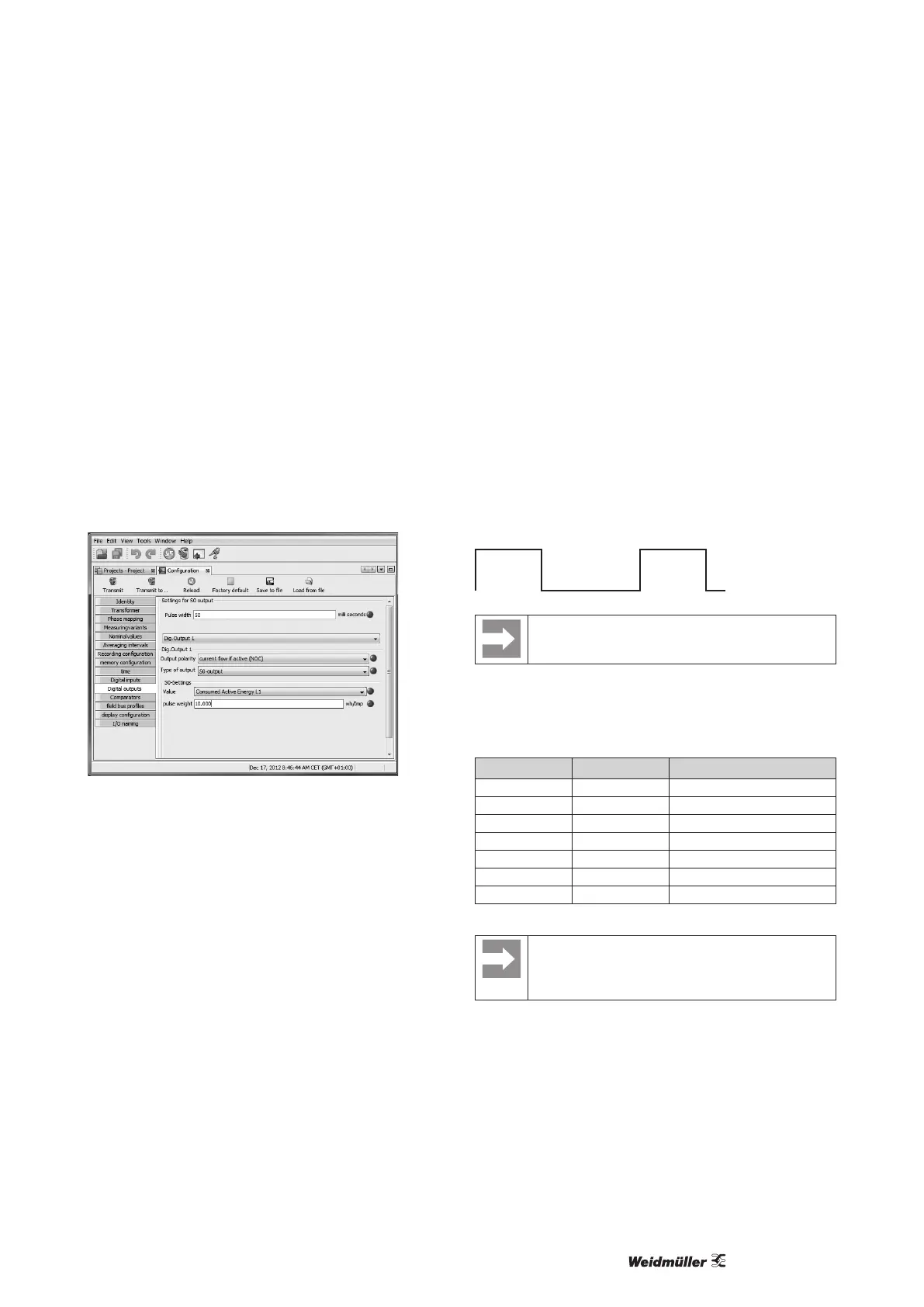
You need to make various adjustments in the software
ecoExplorer go (conguration menu) to use a digital output as a
pulse one.
• Digital output,
• Selection of source,
• Selection of measured value,
• Pulse length,
• Pulse value.
Fig.: Software ecoExplorer go, conguration menu
Pulse length (addr. 106)
The pulse length applies for both pulse outputs and is permanently
xed via parameter address 106.
Adjustment range: 1 to 1000 1 = 10 ms
Default: 5 = 50 ms
The typical pulse length for S0 pulses is 30 ms.
Pulse pause
The pulse pause is at least as long as the selected pulse length.
The pulse pause depends on the measured energy, for example,
and can be hours or days.
Pulse length
10 ms to 10 s
Pulse pause
> 10 ms
Pulse spacing
The pulse spacing is proportional to the power within
the selected setting.
Due to the minimum pulse length and minimum pulse pause, the
values in the table are for the maximum number of pulses per hour.
Examples for the maximum possible number of pulses per hour.
Pulse length Pulse pause Maximum pulses/hour
10 ms 10 ms 180,000 pulses/hour
30 ms 30 ms 60,000 pulses/hour
50 ms 50 ms 36,000 pulses/hour
100 ms 100 ms 18,000 pulses/hour
500 ms 500 ms 3,600 pulses/hour
1 s 1 s 1,800 pulses/hour
10 s 10 s 180 pulses/hour
Measured value selection
When programming with ecoExplorer go software, a
selection of energy values that are derived from the
power values is received.



 To Next Page