EasyManua.ls Logo

Welbilt Merrychef eikon e1s - Page 108

Welbilt Merrychef eikon e1s
148 pages
Print Icon
To Next Page IconTo Next Page
To Previous Page IconTo Previous Page
Loading...
108
eikon e1s
Service and repair guide
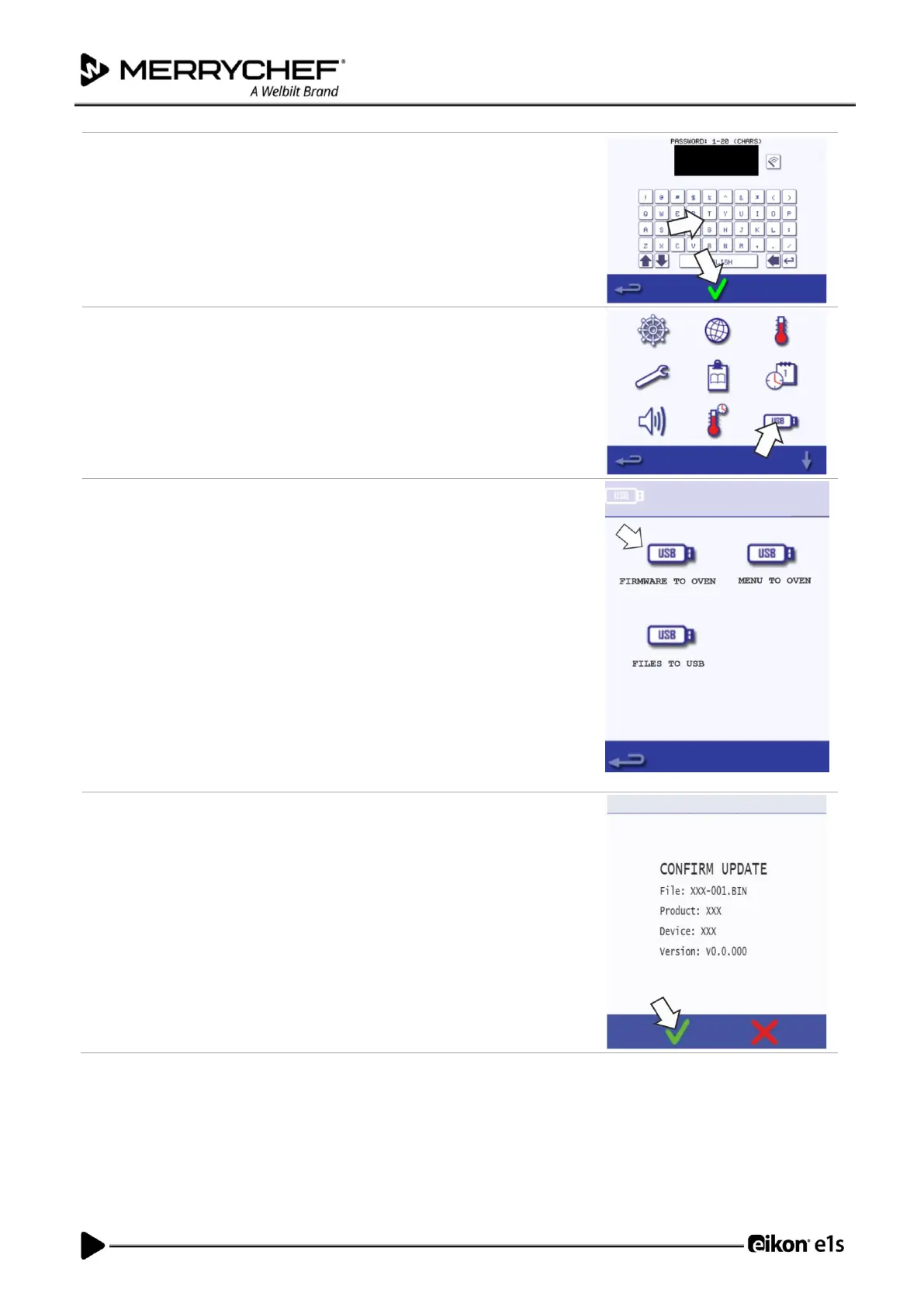
3.
Enter the password and select the green checkmark.
4.
Select the USB symbol from the Settings menu.
5.
Select from the USB screen ‘Firmware’ (for QTS and SRB updates).
6.
Install updates by selecting the correct files.
Updates should be installed in this order:
1. SRB update see below for instructions
2. QTS update see below for instructions
The update screen will display the file version and product. Select the green
checkmark to confirm the installation.


Table of Contents

Related product manuals