eikon e1s
Service and repair guide
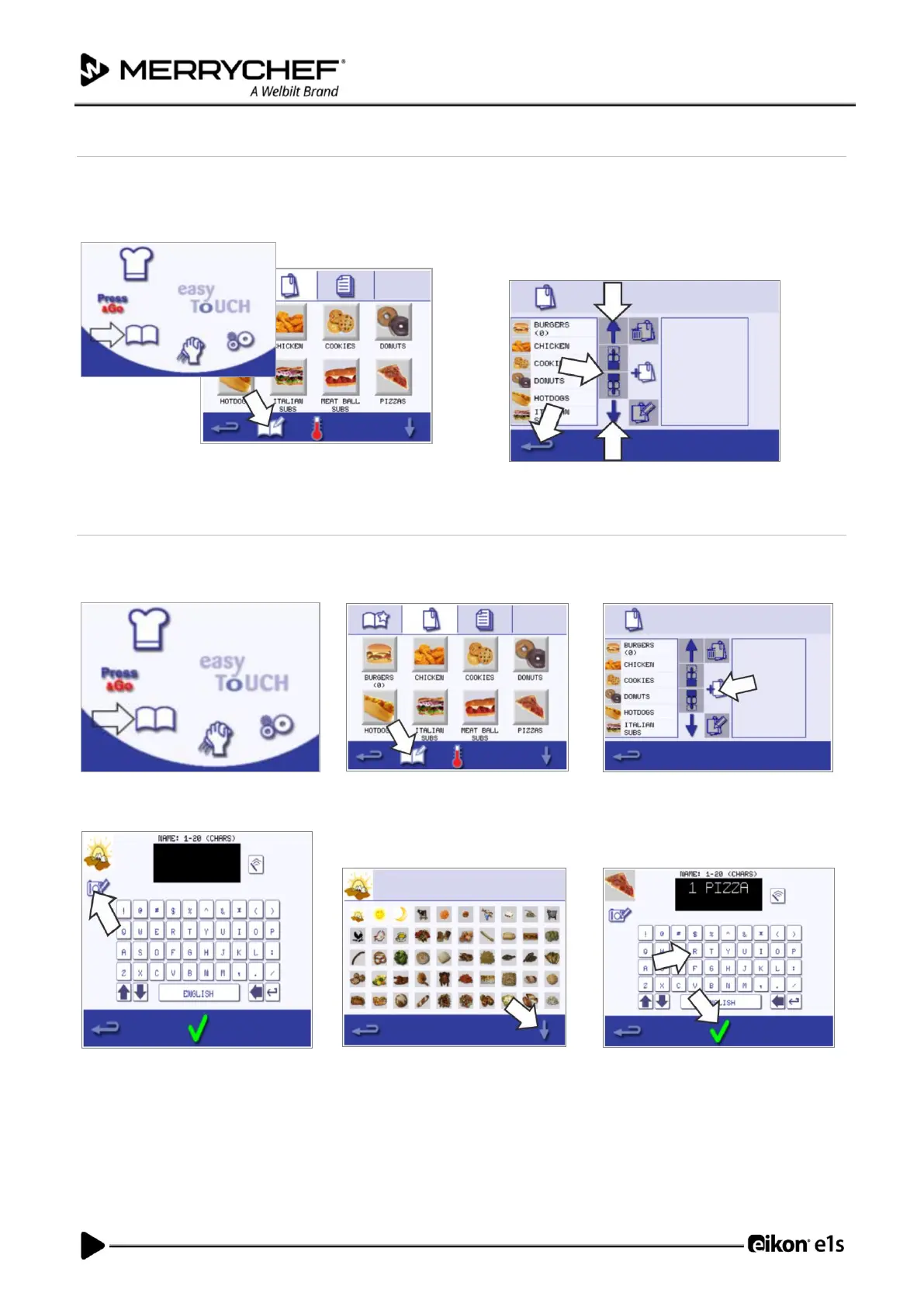
Moving a cooking profile in a list
1. Select the ‘cookbook’ symbol from the main menu
screen and then select the ‘edit cookbook’ symbol in
the cookbook screen.
2. Use the big scroll arrows to locate cooking profile
groups and then use the small arrows in the centre of
the screen to move the selected cooking profile within
the list. Use backspace to return to the cookbook
screen.
Adding a new cooking profile group
1. Select ‘cookbook’ from the main
menu screen.
2. Select the ‘edit cookbook’ symbol
from the cookbook screen.
3. Select the ‘add a new cooking
profile group’ symbol.
4. Select the ‘camera’ symbol to open
a database of pictures.
5. Select a picture for the cooking
profile group. You can use the
scroll arrows at the bottom of the
screen for more pictures.
6. Enter a name for the new cooking
profile group (max. 20 characters)
and press the green checkmark to
save it.













 To Next Page