eikon e1s
Service and repair guide
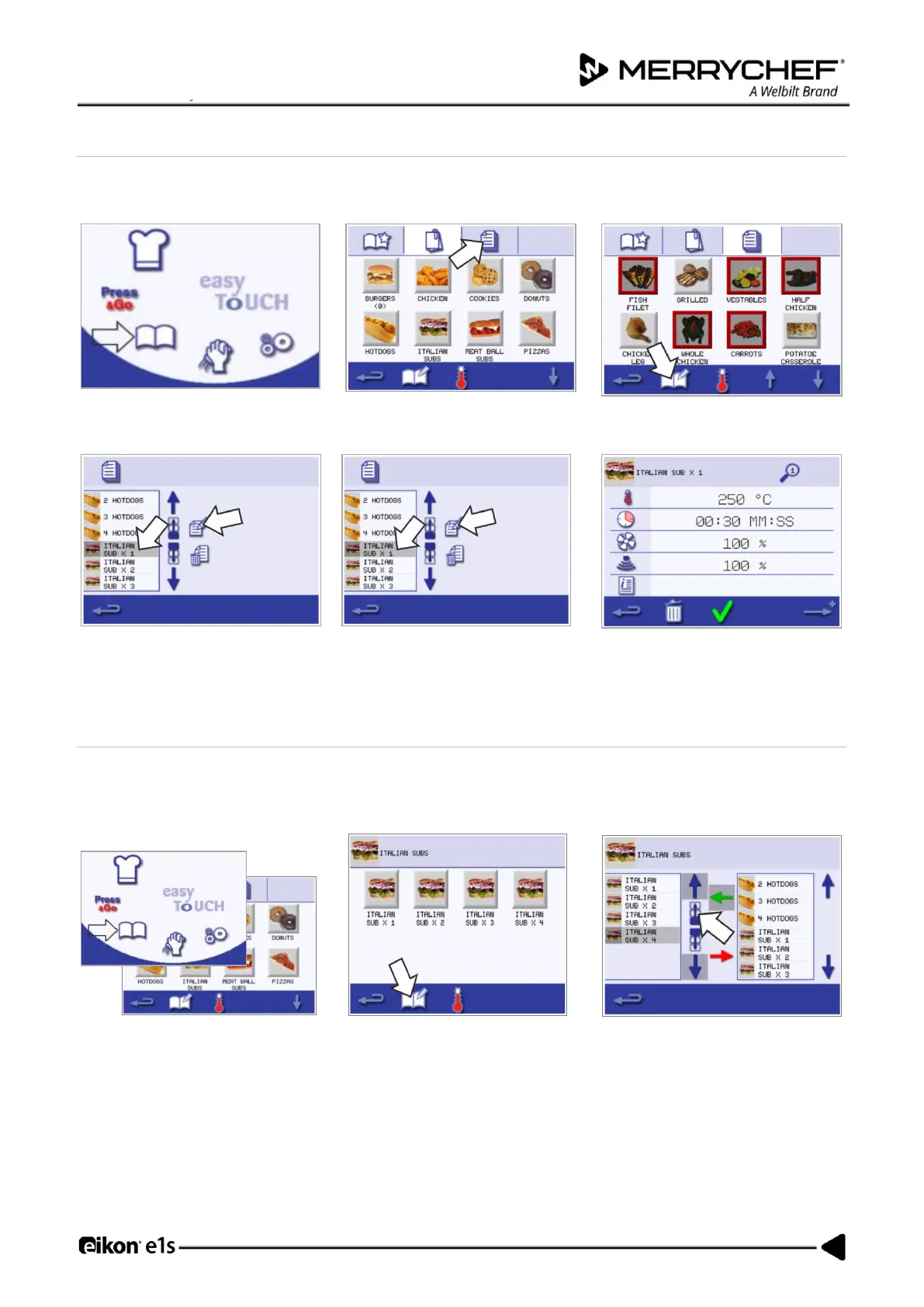
Viewing and editing cooking profiles
1. Select the ‘cookbook’ symbol from
the main menu screen.
2. Select the ‘All menus’ symbol from
the cookbook screen.
3. Select the ‘edit cookbook’ symbol.
4. Use the up/down scroll arrows to
find the cooking profile.
5. Select the ‘view/edit cooking
profile’ symbol.
6. View or adjust the cooking profile
as required.
See Creating Cooking Profile for instructions on how to change cooking profile entries.
Moving a cooking profile in a group of cooking profiles
1. Select the ‘cookbook’ symbol from
the main menu and select the
group of cooking profile to move,
e.g. ‘ITALIAN SUBS’.
2. Select the ‘edit cookbook’
symbol in the selected cooking
profile screen.
3. Select the cooking profile to move
and use the smaller up/down arrows
to move it within the group.













 To Next Page