eikon e1s
Service and repair guide
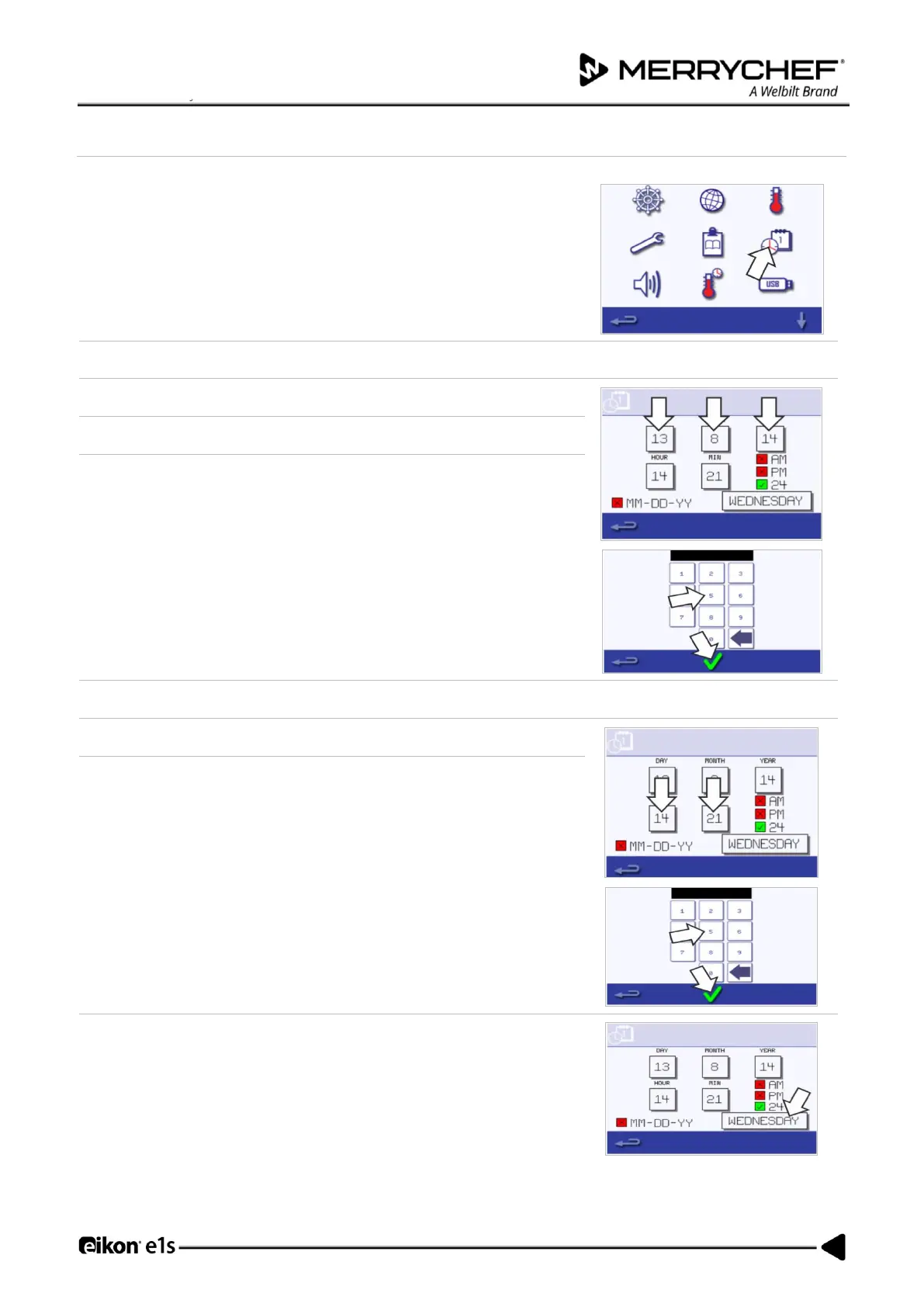
Setting the date and time
1. Select the ‘clock/date’ symbol from the settings menu to display the setting
options.
2. Select ‘MONTH’, enter the correct month on the keypad and select OK.
3. Select ‘DAY’, enter the correct day on the keypad and select OK.
4. Select ‘YEAR’, enter the correct last two digits of the year on the keypad and
select OK.
To display the month first, followed by the day and year, select the ‘MM-
DD-YY’ checkbox.
A correct date supports servicing as the error logs are recorded using these
date settings.
5. Select ‘HOUR’, enter the correct hour on the keypad and select OK.
6. Select ‘MIN’, enter the correct minutes on the keypad and select OK.













 To Next Page