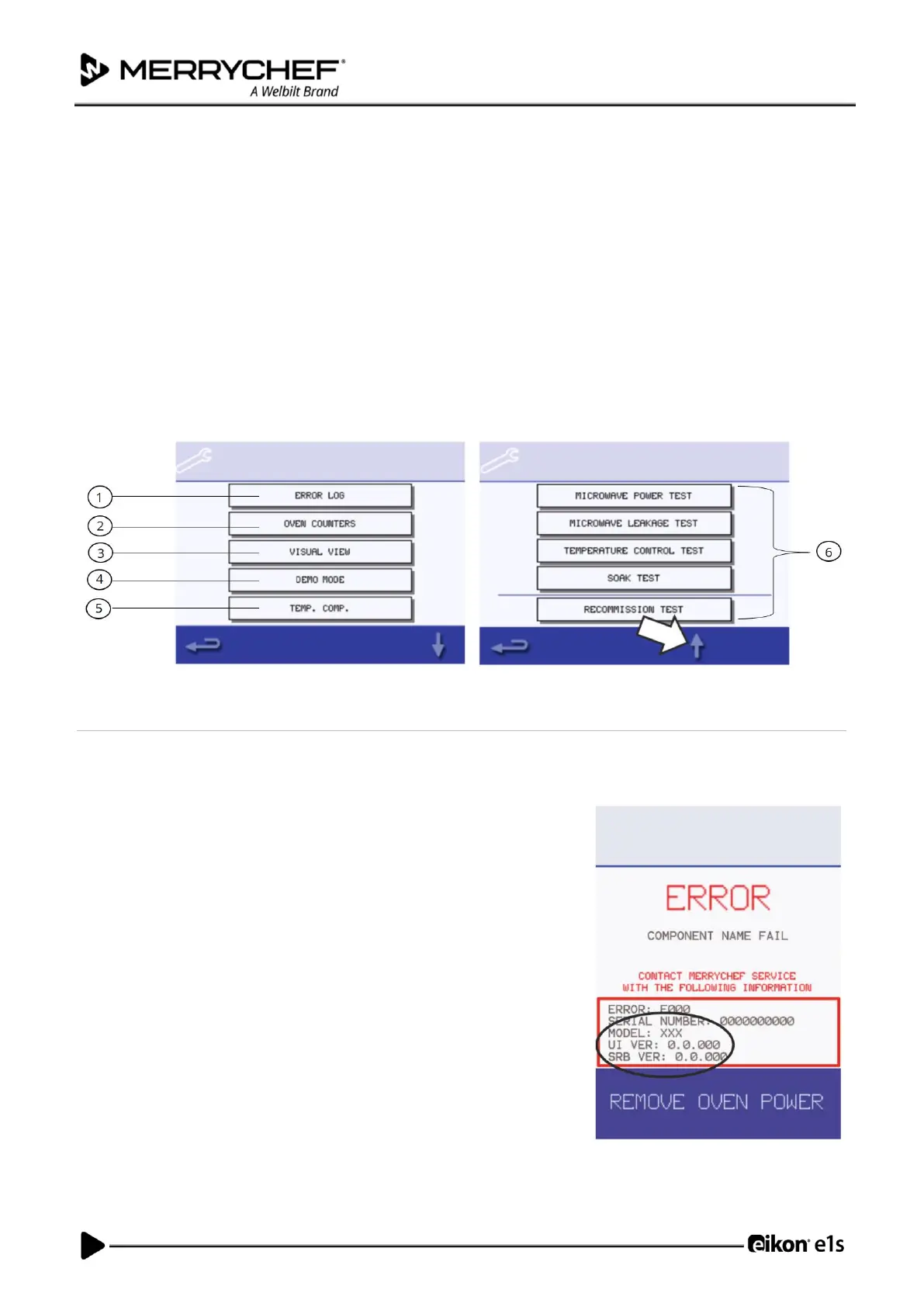
Functions of the Service Mode
Once in ‘Service Mode’, you can do the following by selecting the relevant option on screen:
1. Check the ‘Error Log’ for details of any logged appliance errors.
2. Check the ‘Oven Counters’ to find the usage of components and the controls area temperature within the cabinet.
3. Check the operational performance of the main components using ‘Visual View’.
4. Switch to ‘Demo Mode’. This switches the oven into a demonstration mode where the oven will act as though it is
heating and cooking but does not use the microwave or heating circuits. Can be used for training or customer
demonstrations.
5. The ‘Temp. Comp’. option enables calibration of cavity temperature. Cavity temperature is factory set and should
not require adjustment. If cavity temperature calibration is required, contact the manufacturer.
6. Several tests are available in service mode that ensure the appliance is operating correctly. The up and down
arrows highlighted below can be used to select the required test. Test procedures are covered in Section 3D.
Errors and diagnostics
Viewing error messages
In the instance of a major error, a description of the type of error is shown by the system when switched on. The on-screen
message will show a description of the type of error along with some instructions
on what action to take. The error code as ‘Exxx’ will be displayed and the serial
number of the oven, model, UI (QTS) version and SRB version information are
also displayed as shown on the Error screen.
You can use the error code to determine the nature of the problem by referring
to the error codes in Table 3.7 in Section 3F.
Clearing error messages
You can clear an error message by power cycling the mains power supply to the
oven (not the oven ON/OFF switch).













 To Next Page