EasyManua.ls Logo

Welbilt Merrychef eikon e1s - Viewing the Error Log

Welbilt Merrychef eikon e1s
148 pages
Print Icon
To Next Page IconTo Next Page
To Previous Page IconTo Previous Page
Loading...
87
eikon e1s
Service and repair guide
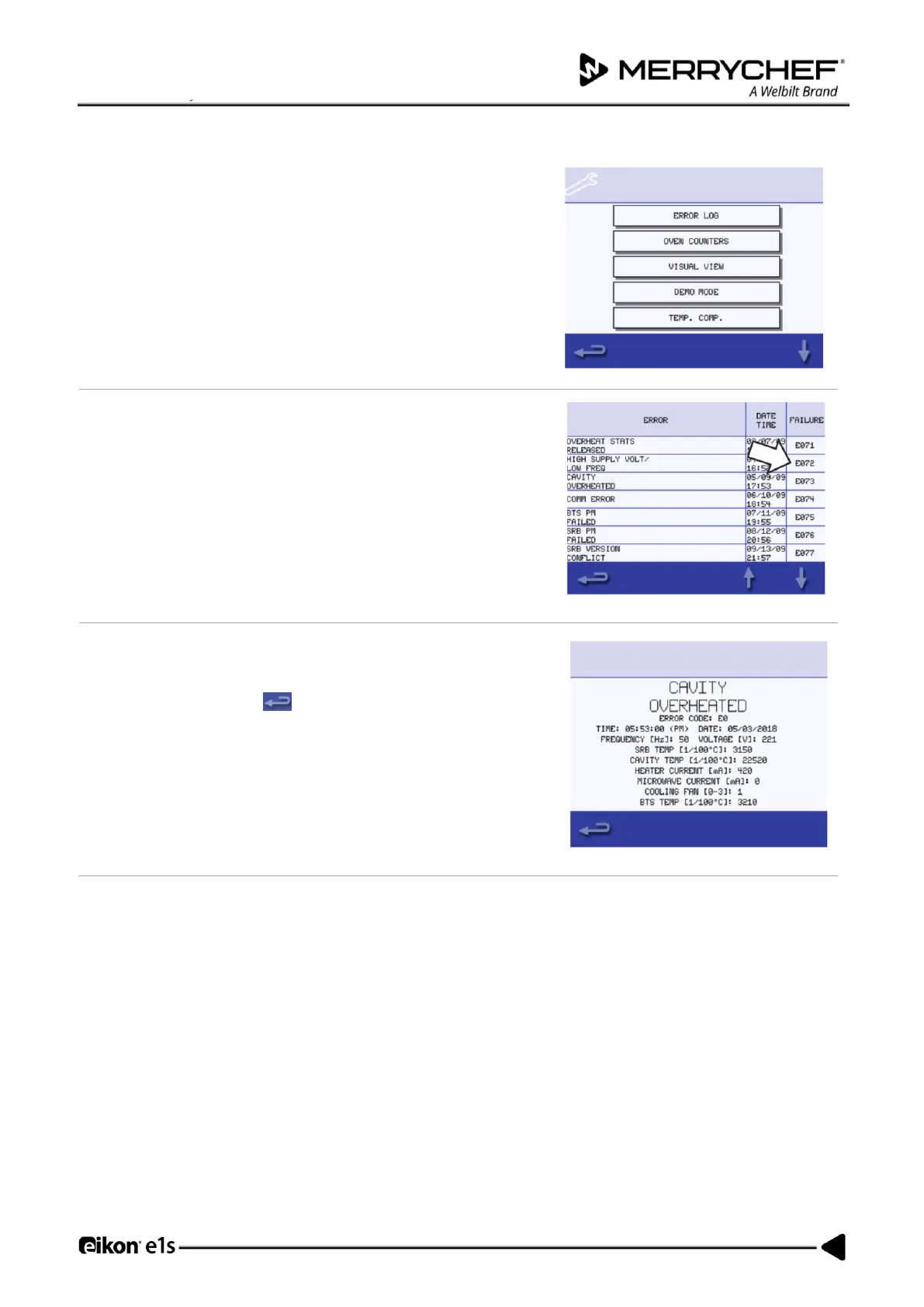
Viewing the Error Log
1.
Enter service mode and select ‘Error Log’ to display a listing of oven
component errors.
2.
Scroll down the list (if necessary) and select an error from the list to
display individual records.
Note: The ‘Failure’ column shows the error code assigned by the
appliance which a service Merrychef Service Engineer may request if
contacted.
3.
A variety of information is displayed for each error. You can also use
the error code to look up details of the fault using the table in 3C
Fault Finding.
Note: Select backspace at any point to return to the error log
and again to return to the Service Menu.

Table of Contents

Related product manuals