eikon e1s
Service and repair guide
Copying error messages onto USB sticks
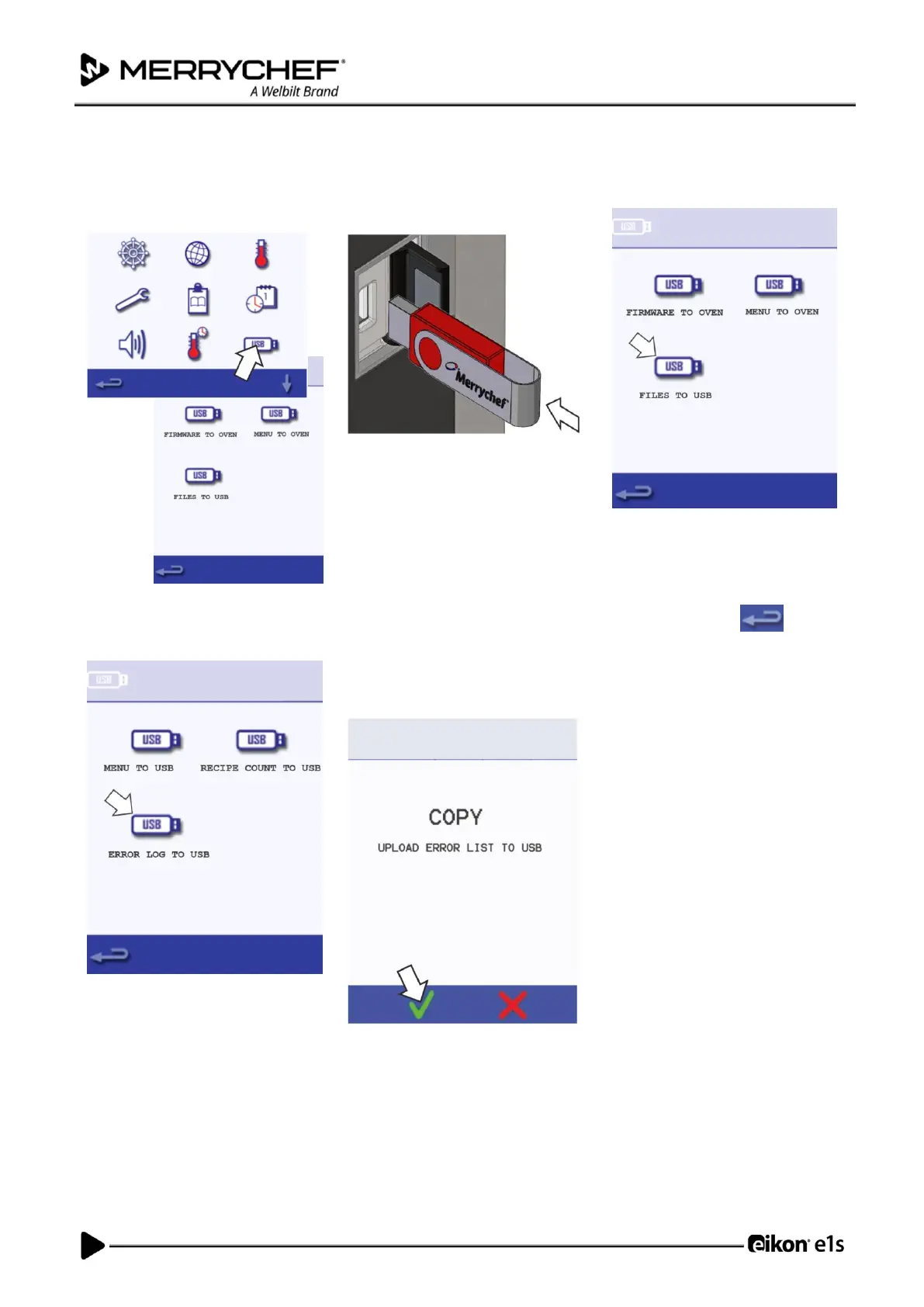
8. Enter settings menu select the
‘USB’ symbol. The USB screen
appears.
9. Open the cover of the USB port
and insert the USB memory stick
into the slot.
Note: The USB memory stick may take
several seconds to load before the
screen will respond.
You can use any USB up to 128GB but
you are advised to format it before use
(FAT32).
10. Select ‘Files to USB’ on the USB
screen.
11. Select ‘Error Log’ on the following
screen.
12. Select the green checkmark to
copy the error log to the USB
memory stick. The upload
progress is shown followed by the
upload status.
13. Select backspace three
times to return to the main menu
and then remove the USB
memory stick.













 To Next Page