eikon e1s
Service and repair guide
2E. Cooking profiles
Creating a cooking profile
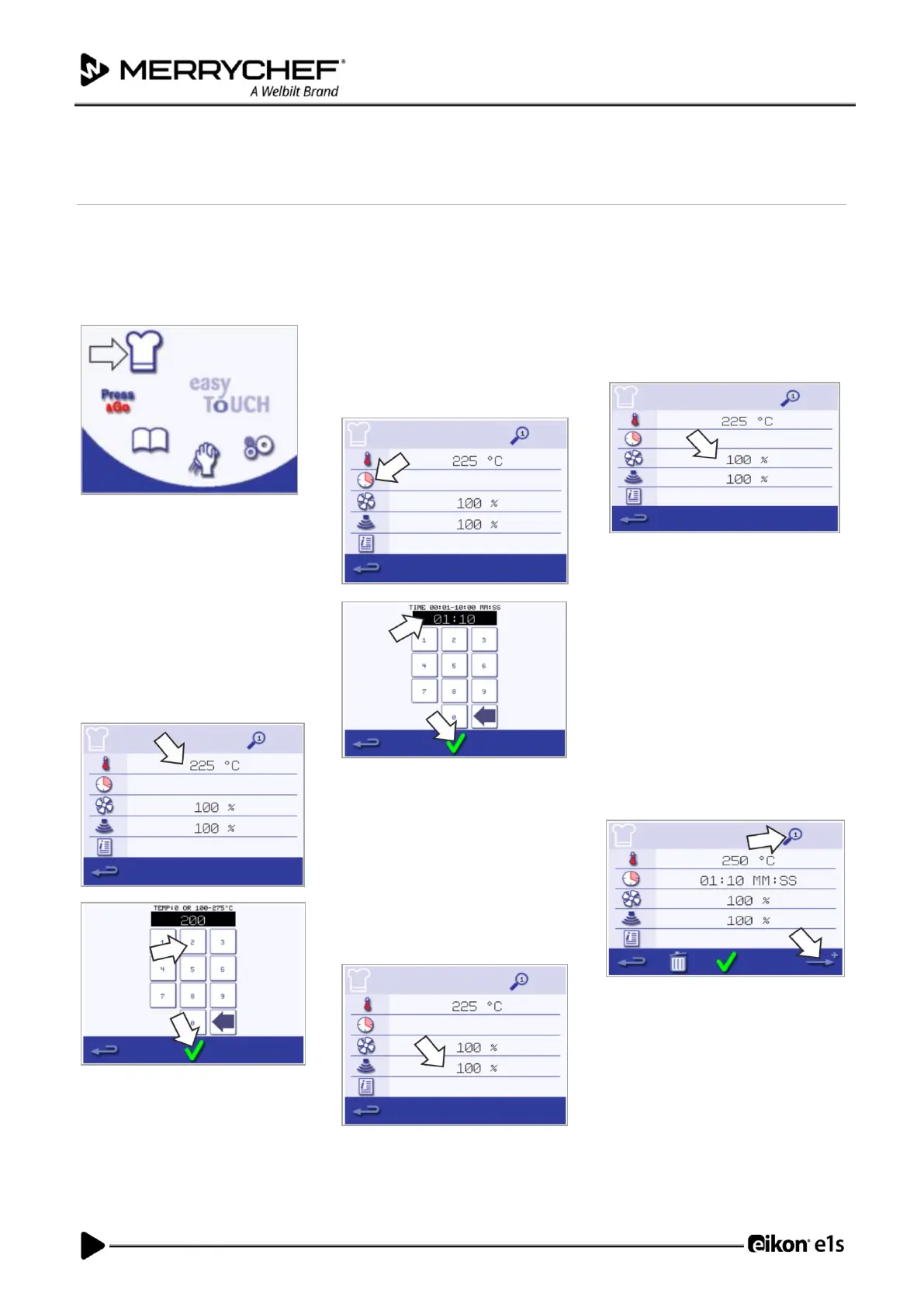
1. Enter development mode
Select the ‘chef’s hat’ symbol from
the main menu screen to enter
development mode.
2. Set the microwave power
The temperature value displays the
set preheating temperature. To
change the temperature, select the
‘temperature’ symbol, and enter a
value within the limits displayed.
Select the green checkmark to
continue.
3. Set the cooking time
Select the ‘clock’ symbol and enter
the cooking time for each stage up
to a maximum of 10 minutes.
Example: Enter 110 = 1 minute and
10 seconds.
Select the green checkmark to save
the inserted value.
4. Set the microwave power
Select the ‘microwave’ symbol and
set the microwave power (0 and 5-
100%).
Select the green checkmark to save
the inserted value.
5. Set the fan speed
Select the ‘fan’ symbol and set the fan
speed within the limits shown on the
screen.
Select the green checkmark to save
the inserted value.
6. Enter instruction for a stage
(optional)
Select the ‘information’ symbol to
enter instruction for a stage. Example:
‘Stage 1 - place a food product into the
cavity‘.
Select the green checkmark to save
the inserted instruction.
Select the right arrow with a ‘plus’
symbol at the bottom to add a new
stage by repeating the steps above.
Note:
• Cooking profiles can have up to a
maximum of six stages.
• The ‘magnifier’ symbol at the top
indicates which stage is displayed.
• Select the left/right arrow at the
bottom to shift between the stages.













 To Next Page