eikon e1s
Service and repair guide
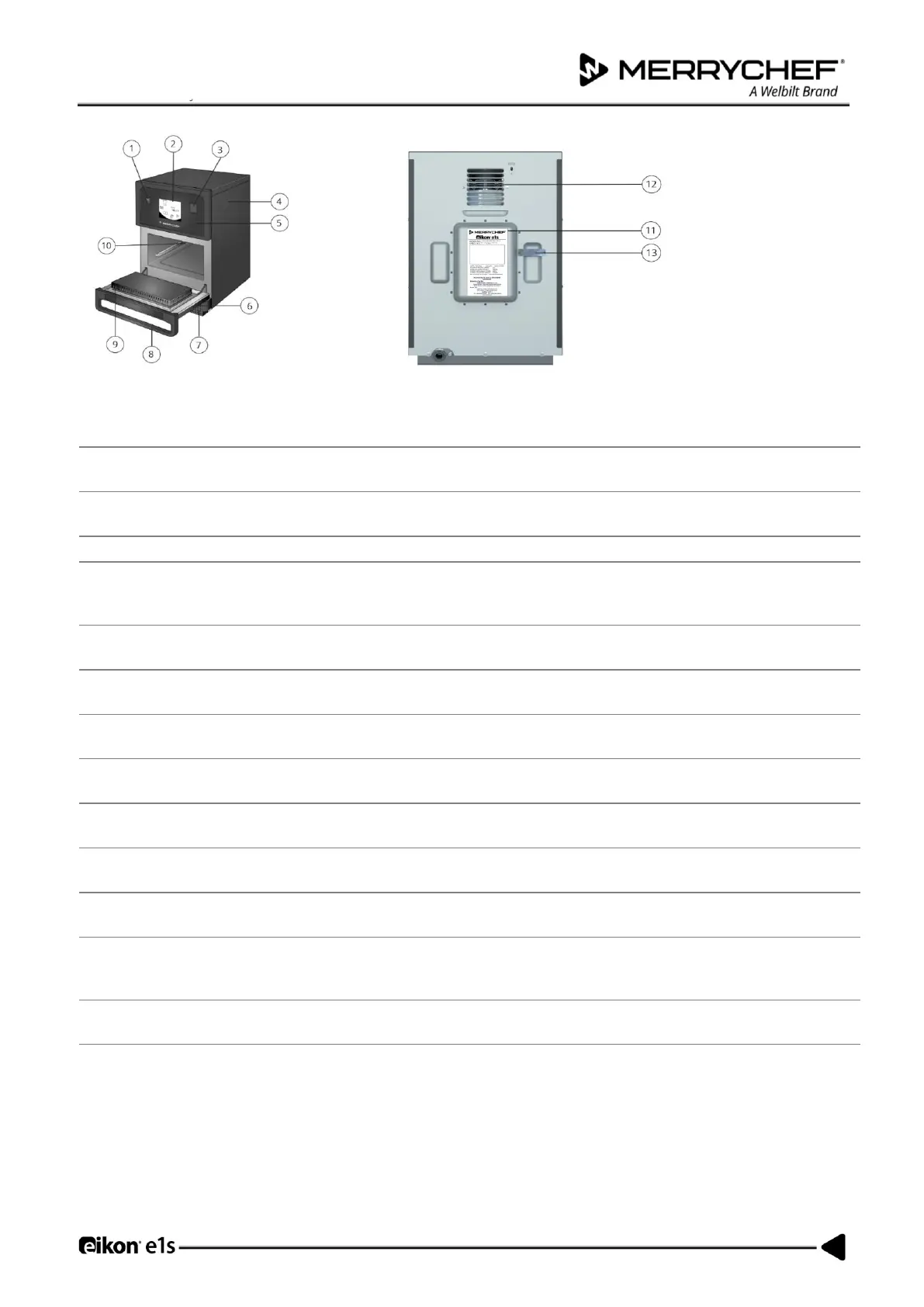
Figure 1.3: e1s front and rear views – parts and safety devices
Used to turn the microwave combination oven on and off. However, turning this switch off
does not isolate the appliance from the electricity supply.
easyToUCH® screen
control panel
The easyToUCH® screen illuminates to alert the user that the appliance is switched on.
A USB socket located under the cover allows updates to programs stored on the appliance.
The cover can only be removed with specific tools. It prevents live parts from being touched
accidentally and prevents access to the moving fan. Always ensure the cover is securely in
place.
Can only be removed using specific tools and prevents live parts from being touched
accidentally. Always ensure the panel is in place.
Protects the user and outside environment from hot steam and microwave energy. Check the
door regularly for damage and replace it if required.
The air filter is part of the ventilation system and should be free of obstruction and cleaned
daily.
The door handle is a rigid bar which is pulled downwards and away from the appliance to
open it.
The tight seals around the door ensure protection from microwave energy leaking from the
cavity. Check the door seals regularly for signs of damage and replace it if required.
The cavity (cooking chamber) is constructed from stainless steel and used for cooking
products. Keep it clean by following the appliance’s cleaning procedures.
A label that is attached at the rear of the oven and states the serial number, model type and
electrical specifications.
Air used to cool internal components and allow steam from the cavity to escape. The air
outlets must be kept free from obstruction and they will not allow microwave energy to
escape into the environment.
A covered pipe from the cavity to the back of the oven to vent steam during cooking and
prevent pressure build up.
Table 1.2: Parts – functions and precautions













 To Next Page