Appendix
3066510_202108 WOLF GmbH | 43
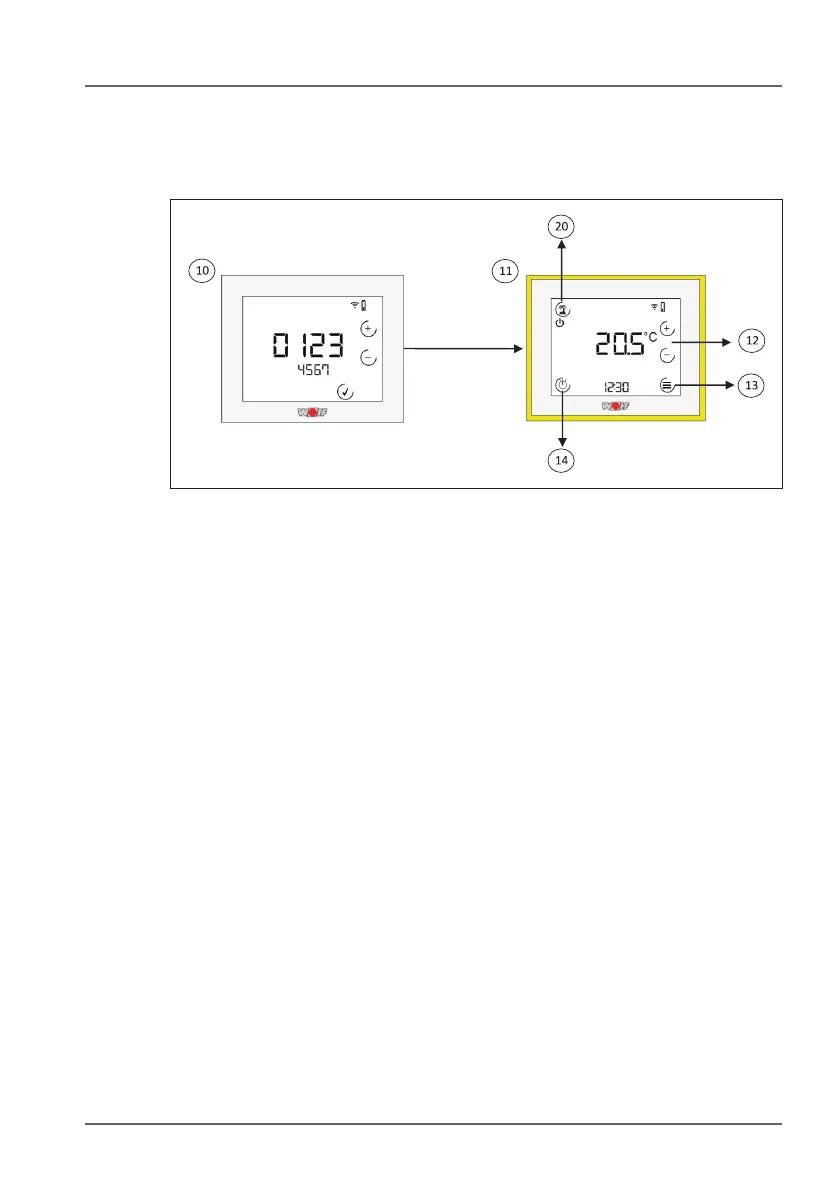
10.2 Remote control HC / MC owchart
10.2.1 Selection menu and standard display (remote control)
1) Heating/mixing circuit selection menu. When it is initialised, the
RM-2 detects a system controller (BM-2 or BM) and therefore
functions as a remote control for a heating/mixing circuit. This
menu is used to assign circuits.
0 = all circuits.
1 - 7 = mixing circuit 1-7.
The circuit that is currently selected will ash.
Use the + and - keys to switch between circuits and press the tick
key to conrm.
➠ The selection menu will only be displayed after a factory reset
(“as long as no function has been assigned to the RM-2”)
► You will need to restart the entire system after assigning it to a
circuit!
► The RM-2 will have to be reset if you want to select a new circuit
for the RM-2!
1! Standard display - remote control. This display will appear as
soon as the RM-2 has been assigned to a circuit. It includes the
current room temperature, the program selected for the heating /
mixing circuit and the status of the heating appliance. A number of
different sub-menus are available. Arrow keys will be displayed in
the event of a fault message (only in combination with the BM-2!).
You can use these keys to switch to the fault page.



 To Next Page