Appendix
3066510_202108 WOLF GmbH | 49
10.3.4 Program selection - controller - heating
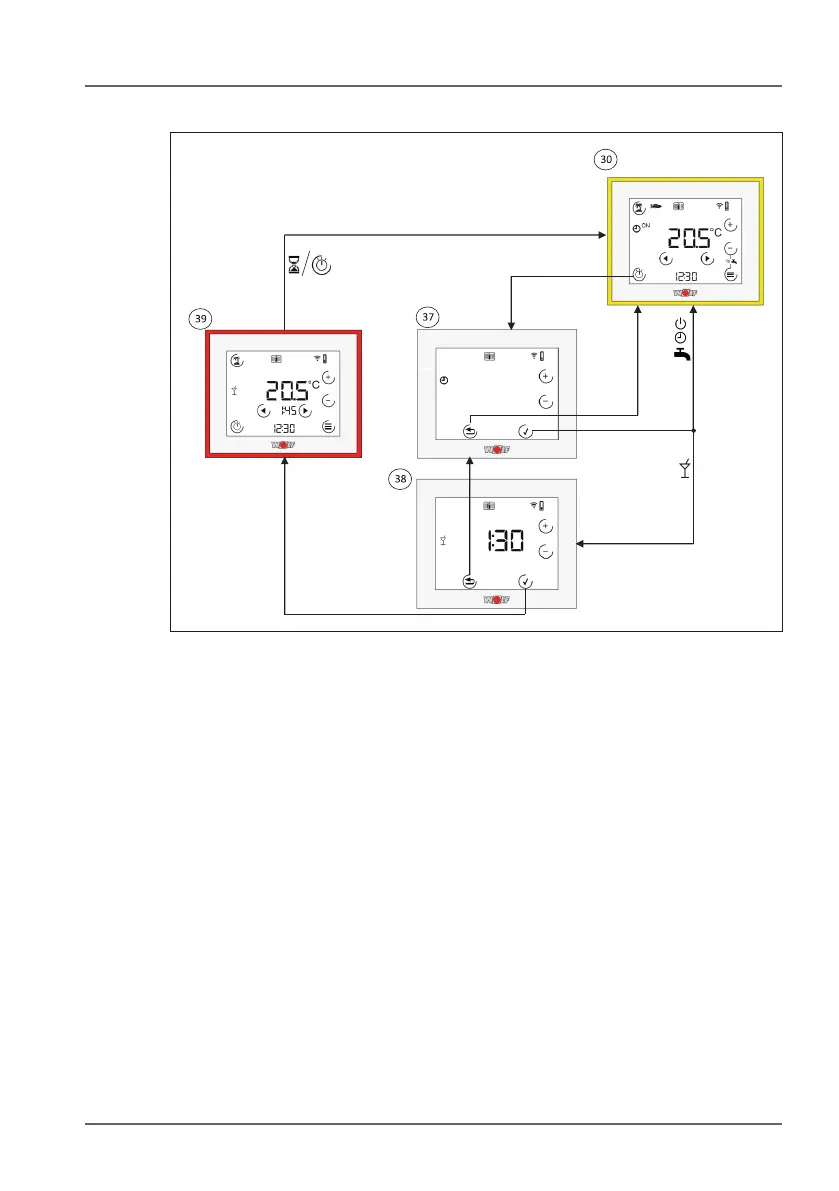
3& Program selection - controller - heating. Use the + and - keys to
switch between program selections. The selected value will ash.
Use the tick key to conrm the program selection or the Back key
to discard your changes.
3* Program selection - party duration. If you select this program, you
have to set how long it will remain active. You can do this using
the + and - keys. The value you have selected will ash. Use the
tick key to conrm or the Back key to cancel.
3( Program selection - party active. Same options as in the
standard view 3). The remaining time is displayed under the
room temperature. Program symbol for Party mode ashes when
active. You can exit Party mode by selecting a different program.
The unit will also exit Party mode automatically after the specied
time has passed.



 To Next Page