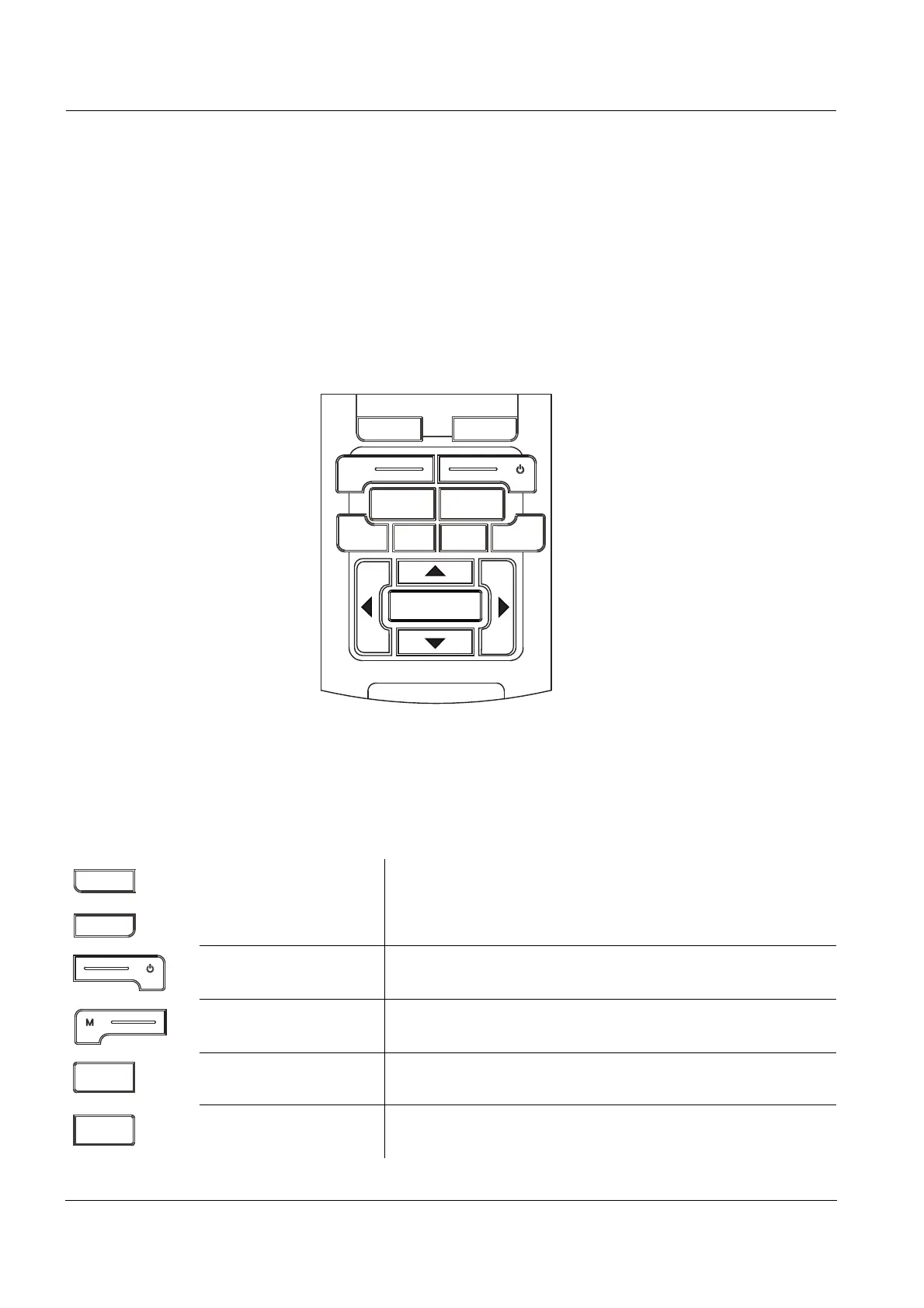
Overview Multi 3430
8
ba75865e08 06/2010
The two USB interfaces (USB-A and USB-B) enable you to:
z Transmit data to
– a USB memory device
–a PC
z Update the meter firmware.
1.1 Keypad
In this operating manual, keys are indicated by brackets <..> .
The key symbol (e.g. <MENU/ENTER>) generally indicates a short
keystroke (under 2 sec) in this operating manual. A long keystroke
(approx. 2 sec) is indicated by the underscore behind the key symbol
(e.g. <MENU/ENTER
_>).
M
F1
F2
ARCAL
PRT ESCRCLSTO
MENU
ENTER
MENU
ENTER
Multi 3430
<F1>:
<F2>:
Softkeys providing situation dependent functions, e.g.:
<F1>/[Info]: View information on a sensor
<On/Off>: Switches the meter on or off
<M>: Selects the measured parameter
<CAL>:
<CAL
_>:
Calls up the calibration procedure
Displays the calibration data
<AR> Freezes the measured value (HOLD function)
Switches the AutoRead measurement on or off














 To Next Page