Xerox
®
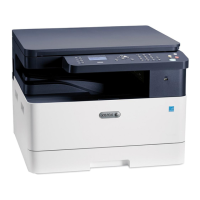
B1025 Multifunction Printer
System Administrator Guide
3
1 Introduction............................................................................................................................... 7
Configuration Overview............................................................................................................ 8
More Information .................................................................................................................... 9
2 Initial Setup .............................................................................................................................11
Physically Connecting the Printer ........................................................................................... 12
Assigning a Network Address ................................................................................................. 13
Accessing Administration and Configuration Settings............................................................. 14
Accessing the Control Panel as a System Administrator .................................................... 14
Accessing Xerox
®
CentreWare
®
Internet Services as a System Administrator.................... 14
Initial Setup at the Control Panel ..................................................................................... 14
Initial Setup in Xerox
®
CentreWare
®
Internet Services ........................................................... 16
Accessing Xerox
®
CentreWare
®
Internet Services ............................................................. 16
Assigning a Printer Name and Location............................................................................ 16
Printing the Configuration Report..................................................................................... 16
Using the Configuration Page .......................................................................................... 17
Selecting Services to Appear on the Control Panel Touch Screen....................................... 17
Changing the System Administrator Password........................................................................ 18
3 Network Connectivity.............................................................................................................19
TCP/IP ................................................................................................................................... 20
Enabling TCP/IP at the Printer Control Panel .................................................................... 20
Configuring the Network Address Manually at the Printer Control Panel ........................... 20
Configuring DNS Settings at the Printer Control Panel...................................................... 20
Configuring IP Settings in Xerox
®
CentreWare
®
Internet Services..................................... 21
SLP ........................................................................................................................................ 23
Configuring SLP ............................................................................................................... 23
SNMP .................................................................................................................................... 24
Enabling SNMP ................................................................................................................ 24
SNMP Advanced Settings ................................................................................................. 24
Configuring SNMPv3.............................................................................................................. 25
Configuring SNMPv1/v2c with SNMPv3............................................................................ 25
WINS..................................................................................................................................... 26
Configuring WINS............................................................................................................ 26
Configuring LPR/LPD.............................................................................................................. 27
Raw TCP/IP Printing ............................................................................................................... 28
Configuring Raw TCP/IP Settings ..................................................................................... 28
Configuring IPP...................................................................................................................... 29
LDAP Server ........................................................................................................................... 30
Adding or Editing an LDAP Server..................................................................................... 30
HTTP ..................................................................................................................................... 32
Enabling HTTP at the Printer Control Panel ...................................................................... 32
Configuring HTTP Settings in Xerox
®
CentreWare
®
Internet Services................................ 32
Google Cloud Print ................................................................................................................. 33


 To Next Page
 Loading...