M
AINTAINING
Y
OUR
P
RINTER
6.12
3
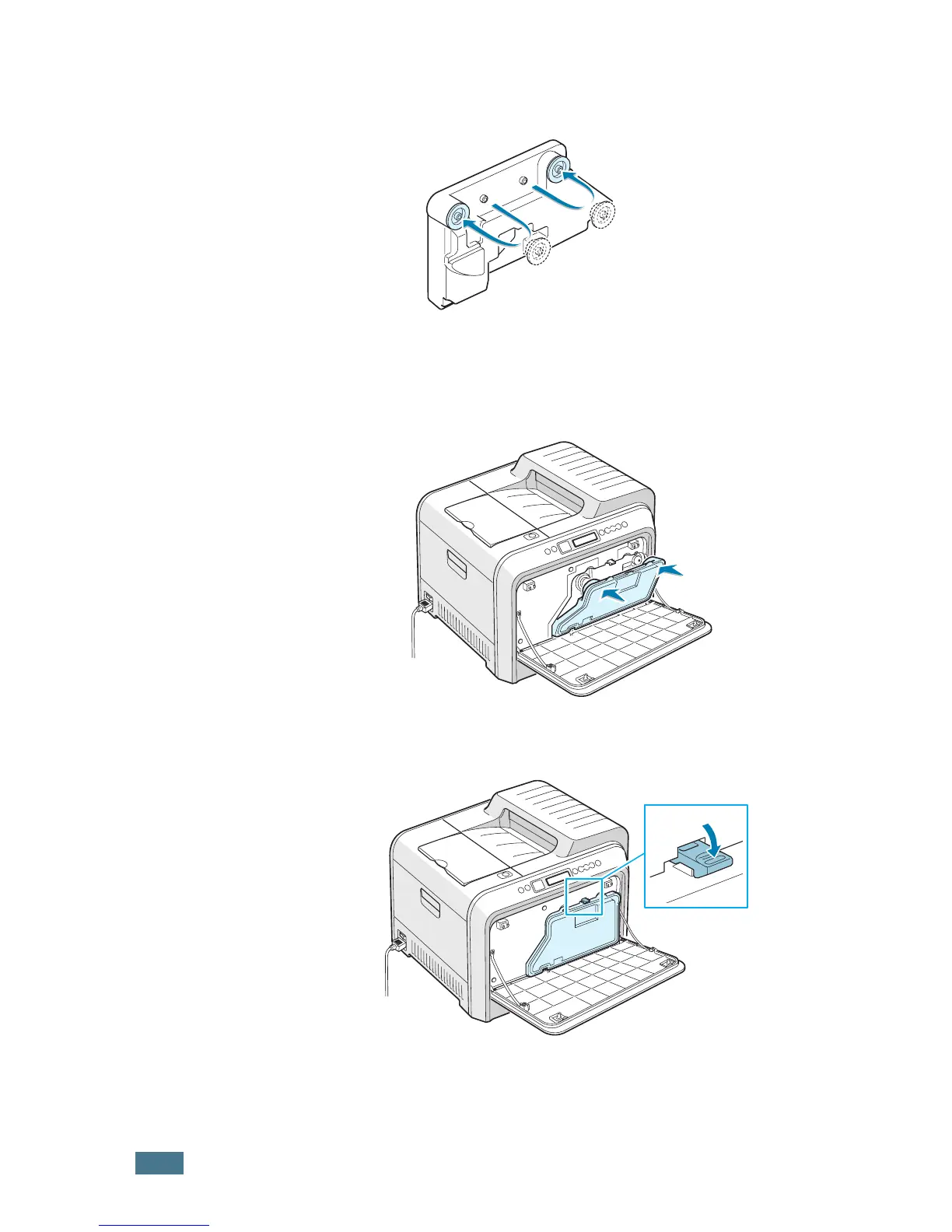
Remove the container’s caps which are attached as shown
below and use them to close the waste cartridge.
4
Take a new waste cartridge out of the package.
5
Insert the lower of the new container into place and then
push it to make sure that it is seated in place.
6
Make sure that the lock lever latches the container.



 To Next Page
 Loading...













