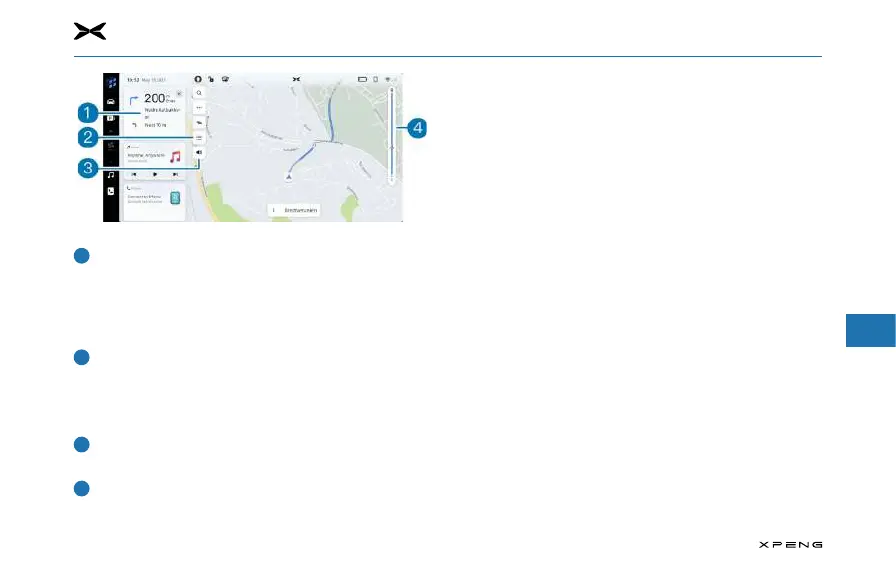
7. Center Information Display (CID)
1
2
3
4
5
6
7
8
9
10
11
177
Turn-By-Turn and Lane Guidance
─
Worrying about what is your next maneuver and which
lane to take in order to make the next turn? Try referring
to this useful and accurate lane guidance tool. Follow the
highlighted lane in this indicator to make the right action
next.
Turn List
─
This shortcut will open the turn list: a detailed list of all
the next maneuver on your route, with informationn
about the distance, road names, ad the possibility to
avoid some specific streets.
Voice guidance on/o
─
Tap this button to turn on/o the voice guidance.
Trac bar and trac event icons (& route overview shortcut)
─
Analog bar to display the real time trac status for the
whole trip. Blue means free flow, while yellow and red
means slow trac flow and serious congestion. Dierent
icons on this bar indicate that there will be certain trac
event ahead of your route so you can make certain
preparations.
─
Tapping the traffic bar will switch between the route
overview and active guidance views.



 To Next Page