7. Center Information Display (CID)
166
Answering CallsAnswering Calls
─
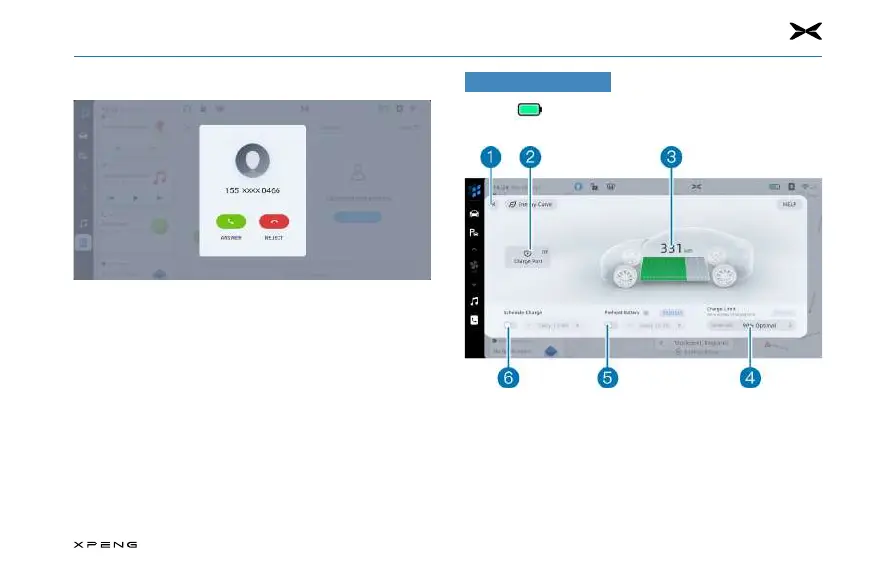
When a call comes in, the number or name of the caller
will be displayed on the dashboard and the CID (if the
caller is in the address book and the contacts have been
accessed by XPENG vehicle) Tap the "Answer" or "Reject"
button on the CID or use the confirmation key on the right
side of the steering wheel to answer and the return key
on the right side of the steering wheel to end the call.
Charging Display
Tap the icon in the status bar of the CID to enter the
charging function panel. Refer to Page 155.
1. Tap to turn o the charging function interface.
2. Tap to open or close the charging port cover.
3. Charging information display area.
4. Tap to set the charge limit value.
5. Tap to turn on or o the Preheat Battery function.
6. Tap to turn on or o the scheduled charging function.



 To Next Page