7. Center Information Display (CID)
180
that mean the most to you no matter where you are.
─
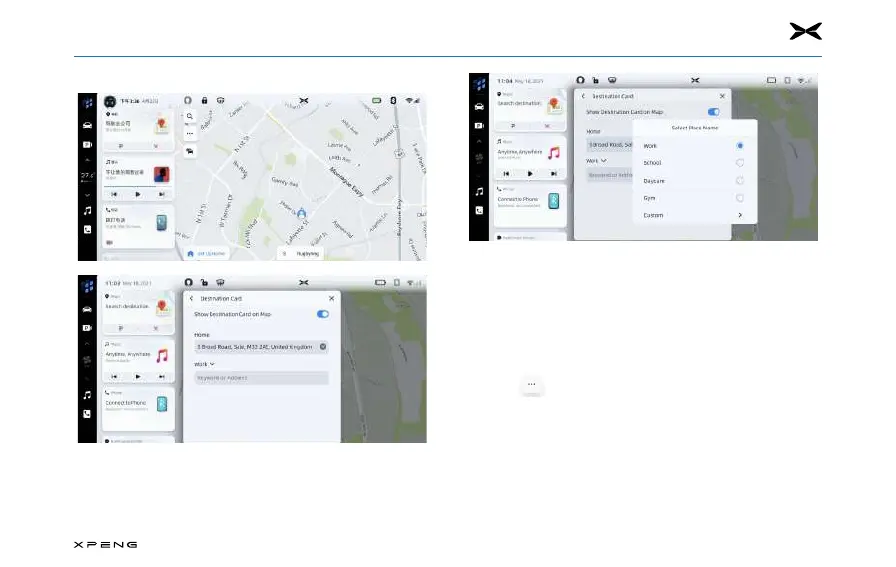
You can manually set key destinations from navigation
home screen in bellowing sequence: clicking “…” -> “More
Settings” -> “Destination Card”. You can set and edit the
address in the box below “Home” and “Work”. You can
also reset ‘Work’ to dierent labels as you prefer.
Options and SettingsOptions and Settings
─
Tap icon to “Options” menu, the following options
are listed:
Map DirectionMap Direction
Touch the icon to change the map type, the icons and labels
will be updated accordingly., available settings include:
─
3D Heading Up: 3D map with head up. In this mode, the
current position icon will always keep the head of the car
facing up, and the map will rotate around it.



 To Next Page