131
Operating and managing the product
7
Upgrade the firmware from “Basic
configuration page” using a firmware
in the external memory device
1
Prepare an external memory device containing
firmware.
2
Insert the external device into the USB port
or microSD slot of the product.
The USB lamp or microSD lamp of the product lights
up or ashes.
3
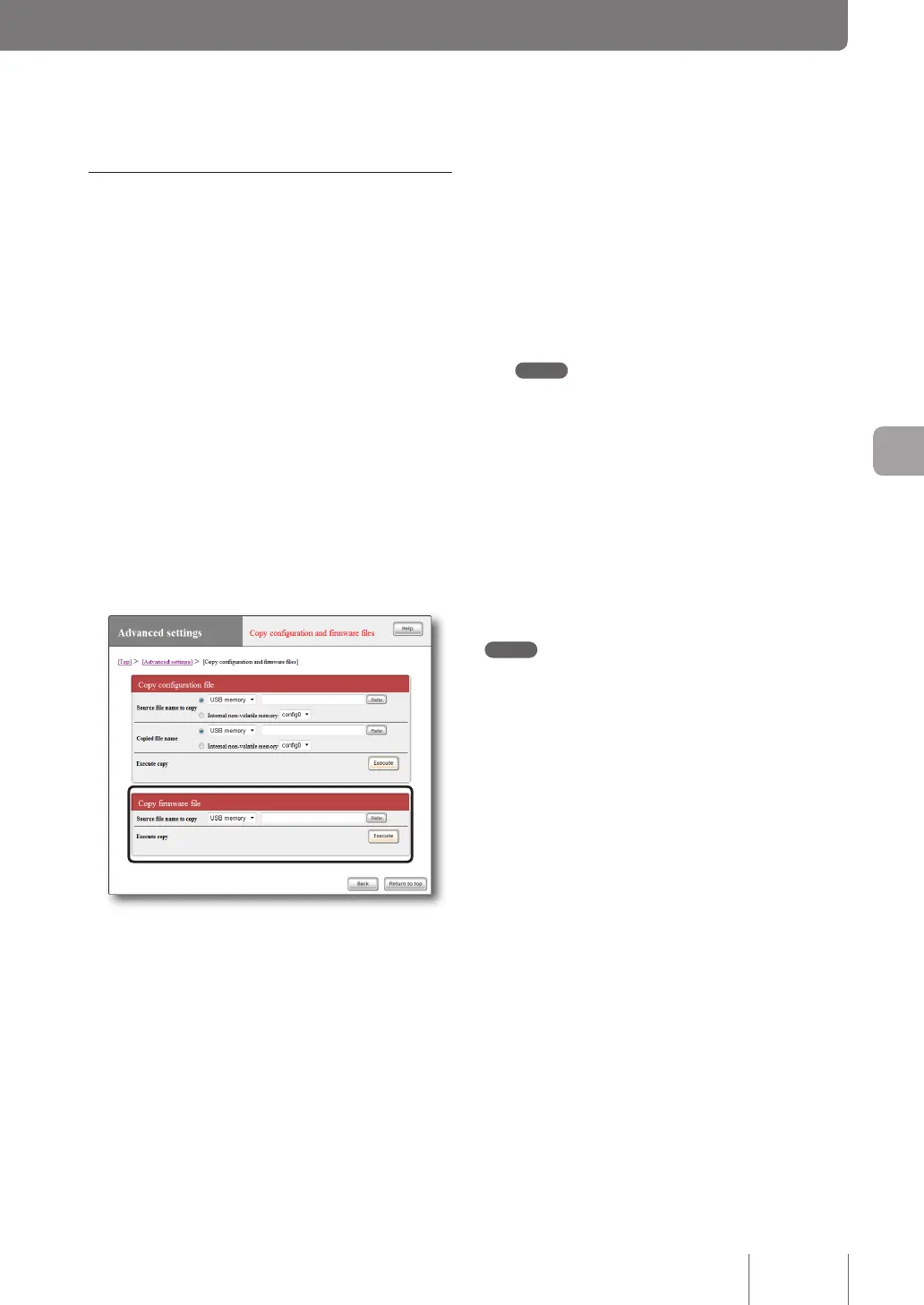
In the “Source file name to copy” field on
the “Copy configuration and firmware files”
screen, specify the firmware file name you
want to load from the external memory device
to the product.
To open the “Copy configuration and
firmware files” screen
From “Basic conguration page”, click the buttons on
the setup screen in the following order:
▶ “Advanced settings” in the top page
▶ “Execute” of “Copy conguration and rmware
les”
4
Click “Execute”.
A conrmation screen appears.
5
Click “Execute”.
The rmware prepared in step 1 is loaded to the
product. After the rmware has been loaded, the
upgrade process begins.
After the upgrade process has been completed, the
product restarts automatically.
Note
If “allow” is selected in the “Startup via external memory”
eld on the “Congure external device” screen, the product
starts by using the rmware in the external memory device.
In this case, do not remove the external device.
6
Hold down the USB button or microSD button
for two seconds.
The USB lamp or microSD lamp of the product goes
off.
7
Remove the external memory device.
Note
If upgrading the rmware from the external device fails, see
“Unable to use USB device” (page 152).



 To Next Page