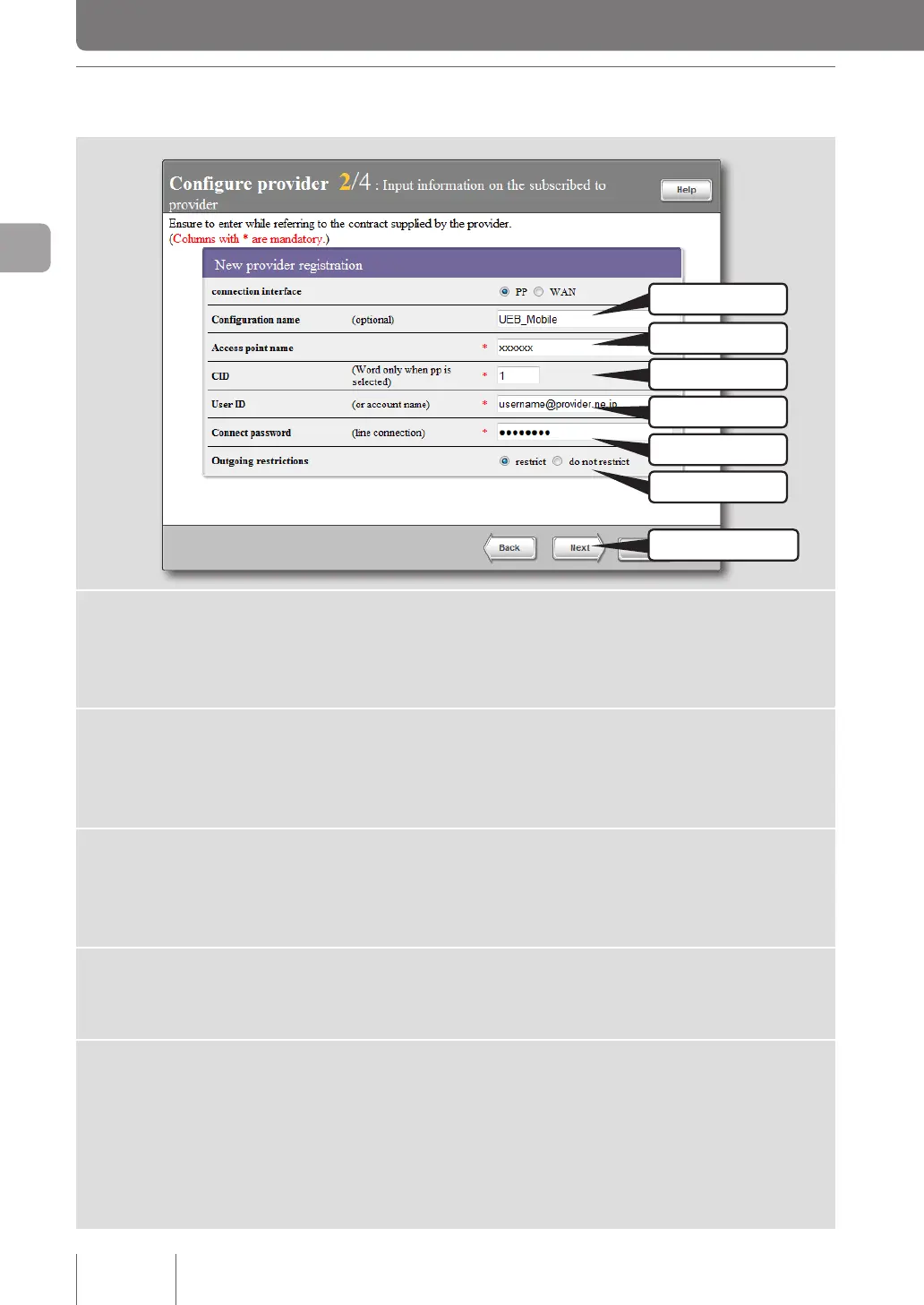
3 Specifying your provider information
1 Fill in
7 Click
2 Fill in
3 Fill in
4 Fill in
5 Fill in
6 Specify
1
Enter the configuration name.
Enter a descriptive destination name. It is a good idea to name the conguration so that you can
easily identify it when it needs to be modied.
2
Enter the access point name.
Enter the access point name provided by your carrier or provider. Entries may vary depending on
your contract plan. Be sure to check the relevant document when entering it.
3
Enter the CID (Context Identifier).
Enter the CID number provided by your carrier or provider. Entries may vary depending on your
contract plan. Be sure to check the relevant document when entering it.
4
Enter the user ID.
Enter the user ID provided by your provider. Be sure to check the relevant document when entering it.
5
Enter your connect password.
Enter the password specied by the provider (or the password you changed). The password is case
sensitive and should be in alphanumeric characters.
Each password character entered is represented by a black dot.
52
Connecting to the Internet
3



 To Next Page