Gaining remote access using L2TP/IPsec
(Continued from the previous page)
5
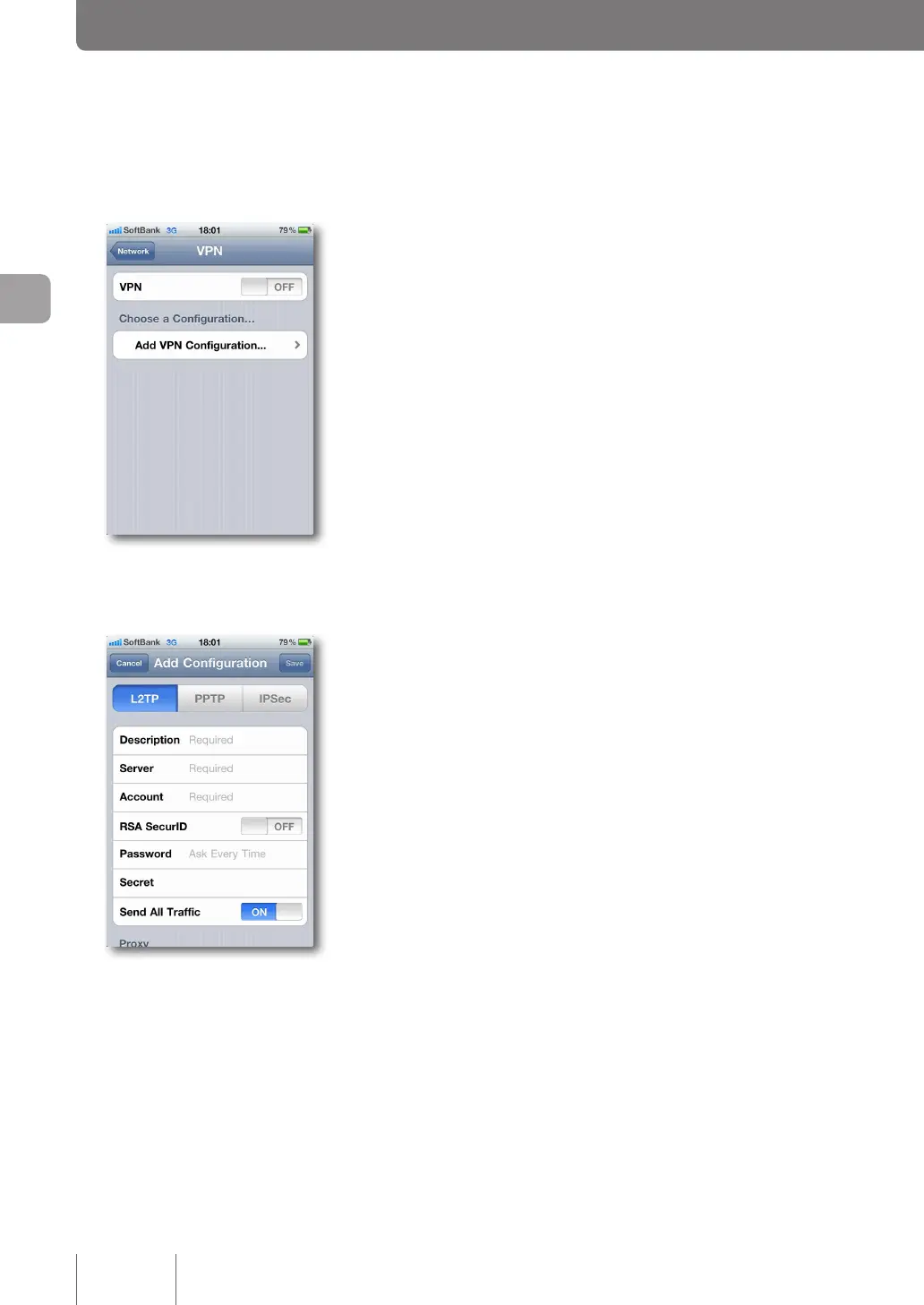
Tap on “Add VPN Configuration”.
6
Select “L2TP” and enter the necessary setup
information.
Description
Type “Yamaha-vpn” as the L2TP client name.
Server
Enter the host address obtained with the netvolante DNS
service or the WAN IP address of the product.
Account
Enter the authentication user ID you set in Step 4 on
page 64.
RSA SecurID
Set it to Off.
Password
Enter the authentication password you set in Step 4
on
page 64.
Secret
Enter the shared key that is congured on the product.
Send All Traffic
Set it to On.
Proxy
Set it to Off.
7
Tap on “Save”.
Now, the setting up of a remote access connection is
complete.
66
Implementing site-to-site VPN connections
4



 To Next Page