6
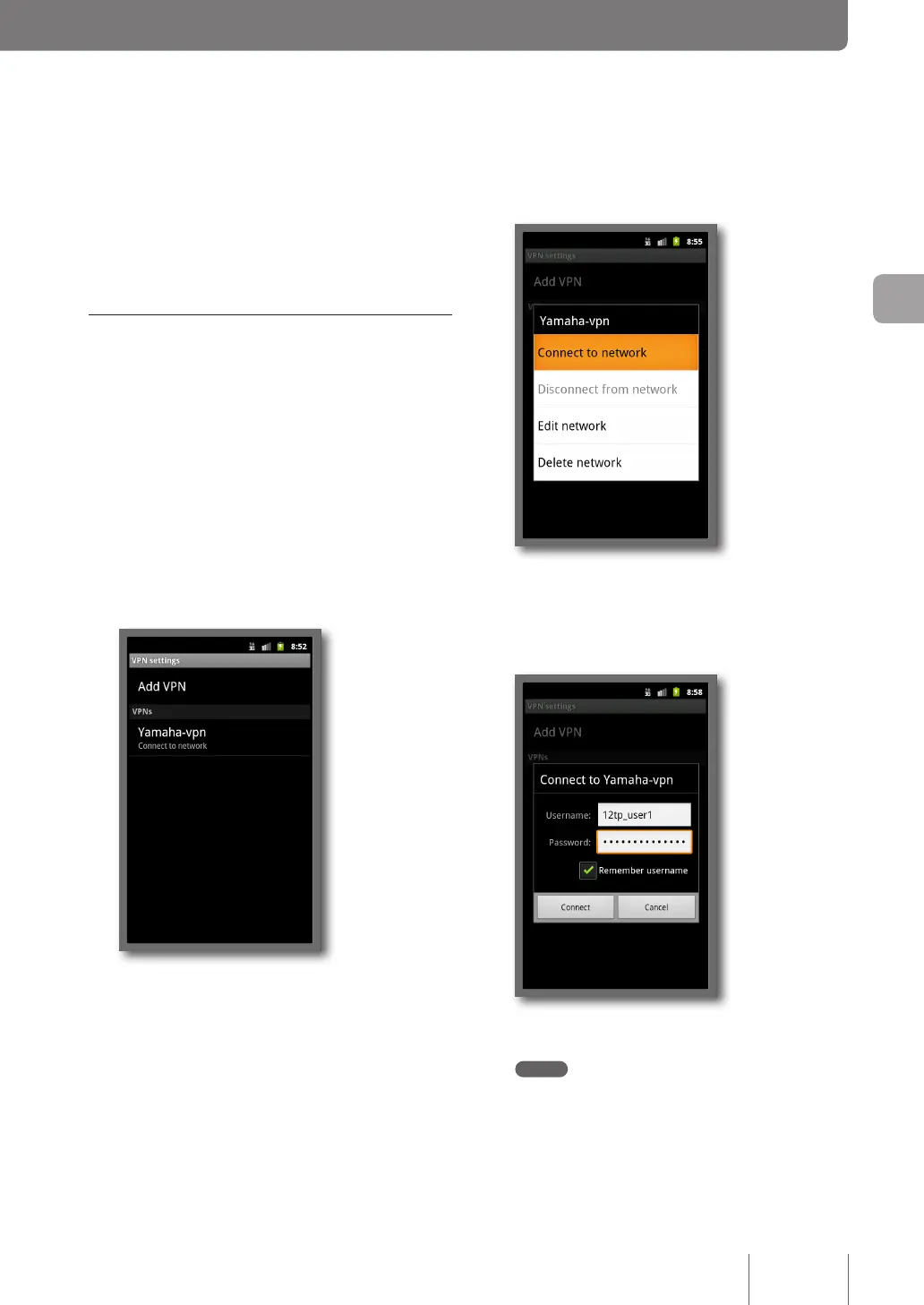
Tap on “Connect to Network”.
7
Enter the authentication user ID in “Username”
and password in “Password” you set in Step 4
on page 64 and tap on “Connect”.
VPN connection to the product now begins.
Note
If you select the “Remember username” check box, you no
longer need to enter the user ID. If you do not select it, you
need to enter the user ID each time you connect to the VPN.
7
Tap Back key.
Now, the setting up of a remote access connection is
complete.
Accessing the product
1
Configure broadband connections and
connect the product to the Internet.
2
Press the Home icon, press “Menu” and tap
on “Settings”.
3
Tap on “Wireless & networks”.
4
Tap on “VPN settings”.
5
Tap on “Yamaha-vpn”.
69
Implementing site-to-site VPN connections
4



 To Next Page