80
Implementing site-to-site VPN connections
4
Gaining remote access using PPTP
(Continued from the previous page)
Gaining remote access from
a PC that has Windows XP
installed
Changing the settings of a PC for
remote accessing
1
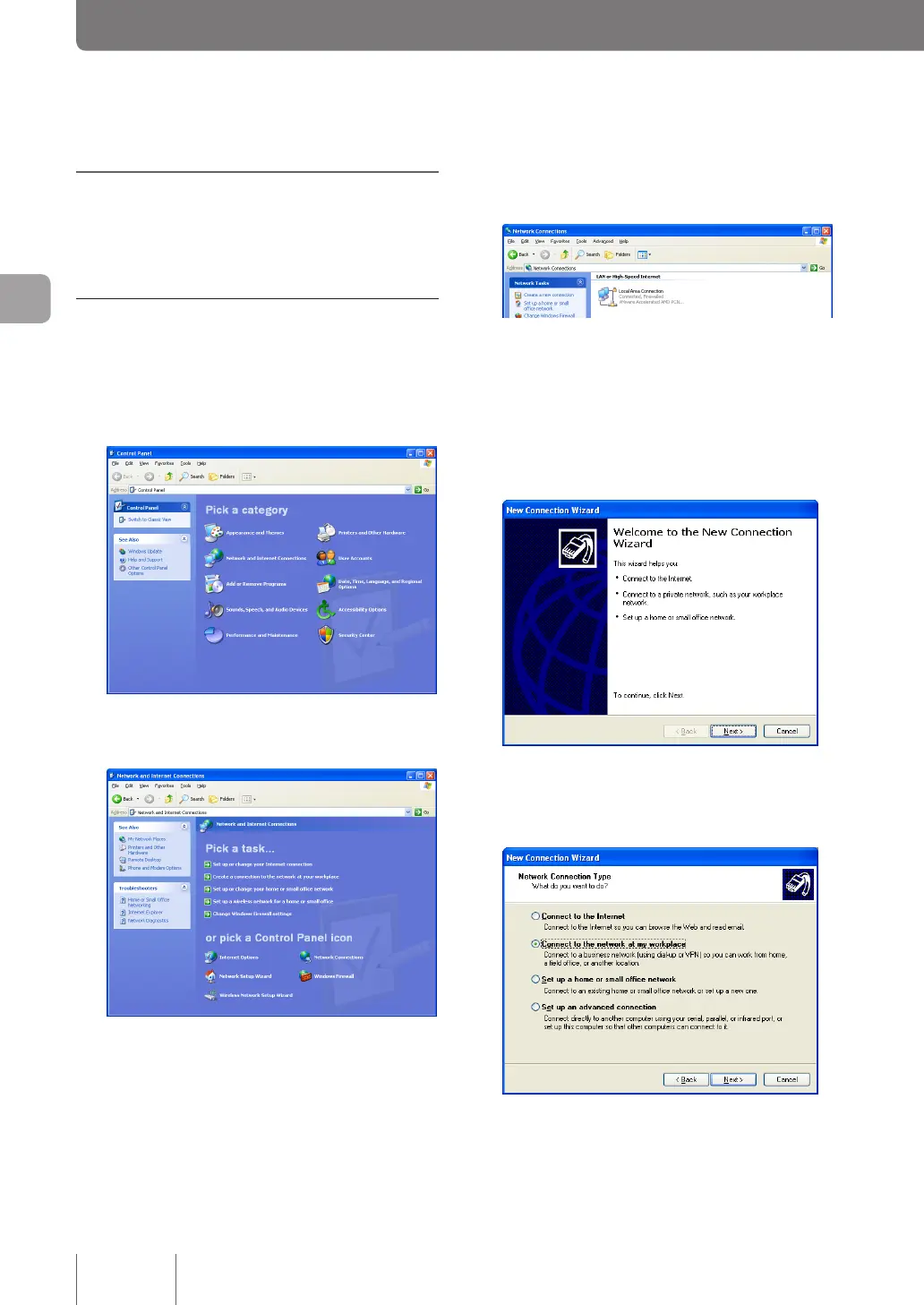
In “Control panel”, click “Network and Internet
Connections”.
2
Click “Network Connections”.
3
Click “Create a new connection”.
The “Welcome to the New Connection Wizard” will
launch.
If the “Location Information” screen appears, enter
your area code, and click “OK”.
4
Click “Next”.
5
Select “Connect to the network at my
workplace” and then click “Next”.



 To Next Page