9
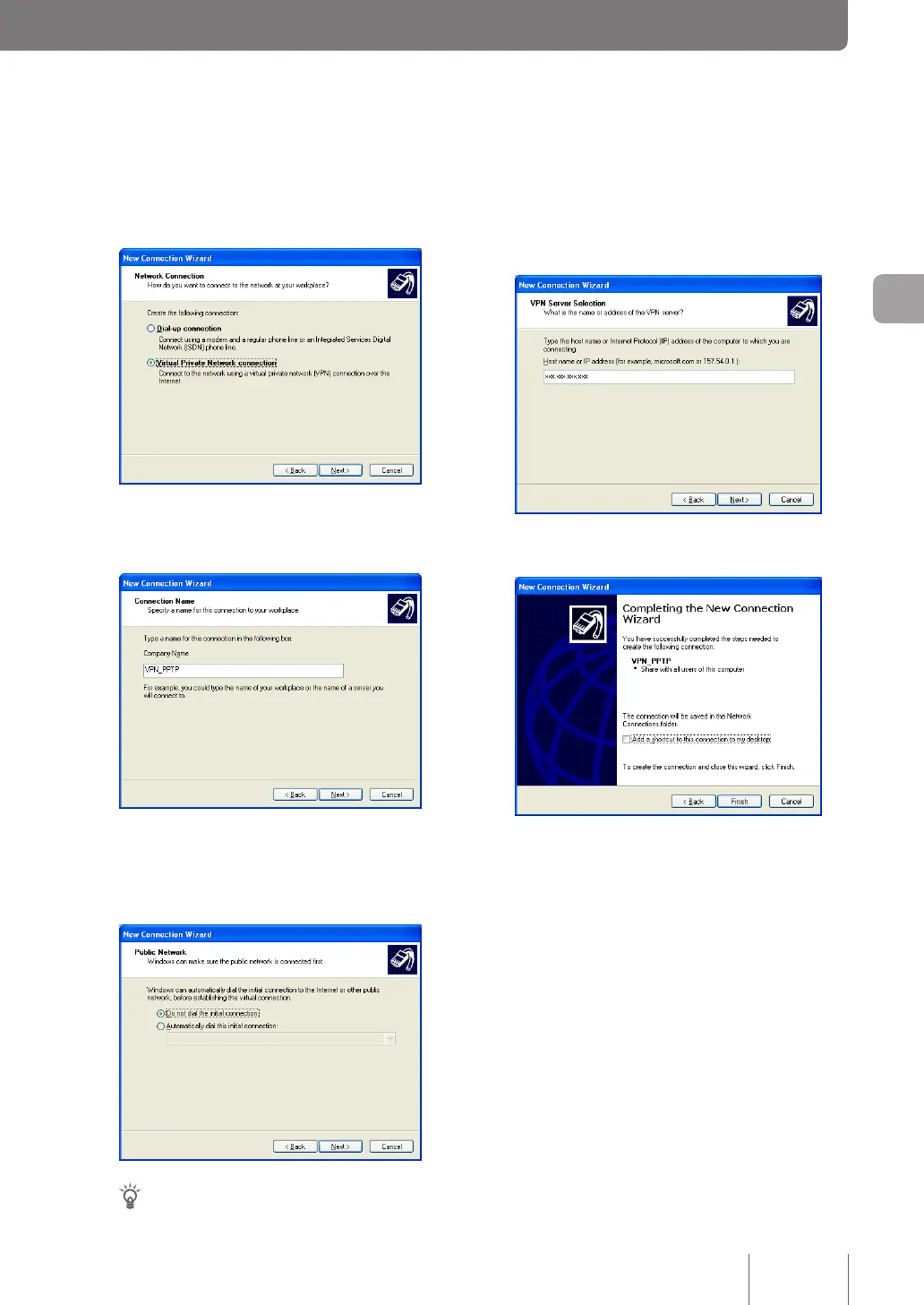
Enter the host address obtained with the
netvolante DNS service or the WAN IP
address of the product and then click “Next”.
10
Click “Finish”.
Now, the setting up of a remote access connection is
complete.
6
Select “Virtual Private Network connection”
and then click “Next”.
7
Type “VPN_PPTP” in “Company Name” and
then click “Next”.
8
Select “Do not dial the initial connection” or
“Automatically dial this initial connection” and
then click “Next”.
Tip
This screen appears if different dial-up settings already
exist. Otherwise, it does not appear.
81
Implementing site-to-site VPN connections
4



 To Next Page