8
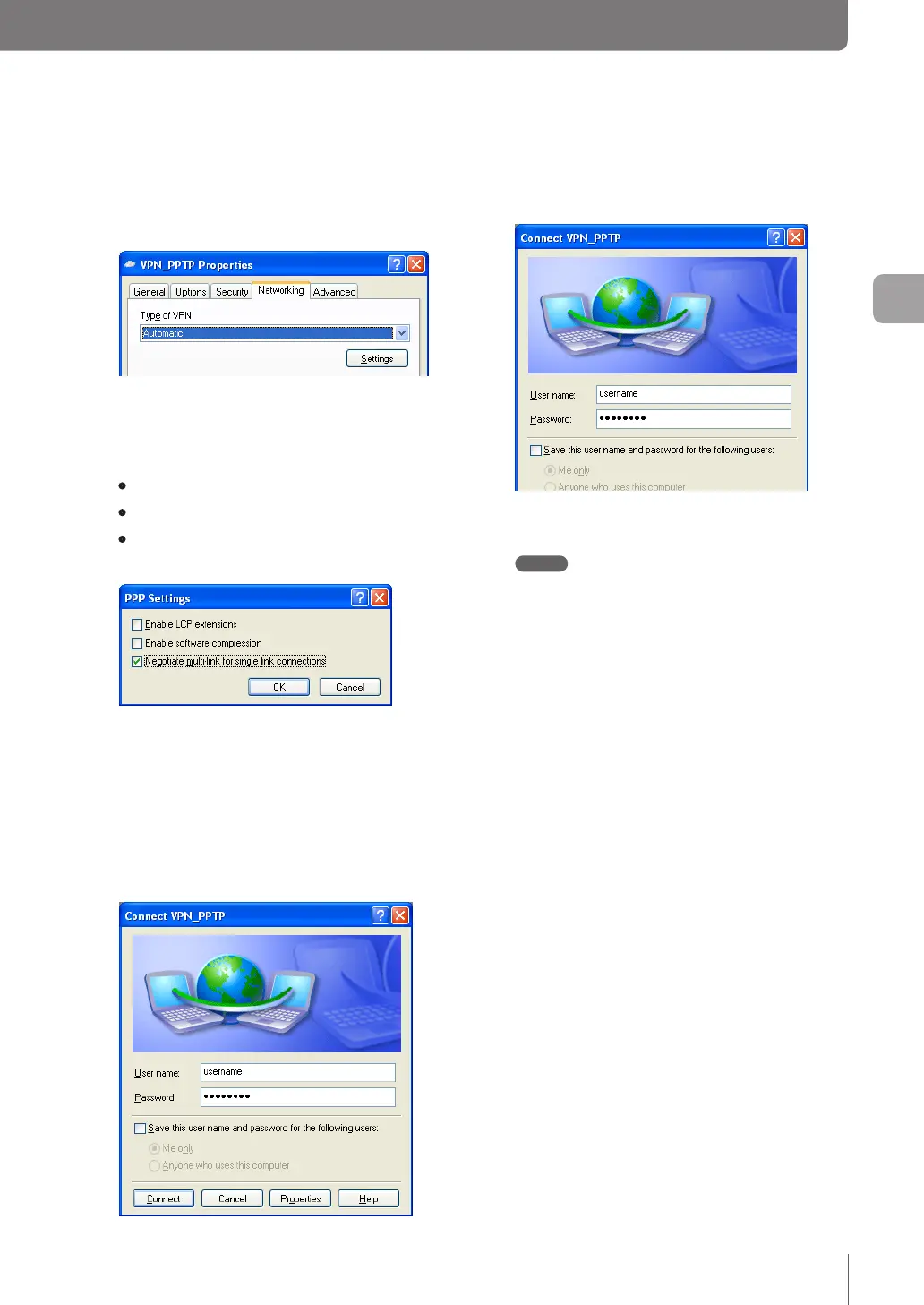
Click “Networking” tab, select “Automatic” for
“Type of VPN” and then click “Settings”.
9
Select the check box as shown below and
then click “OK”.
• Enable LCP extensions: Unchecked
• Enable software compression: Unchecked
• Negotiate multi-link for single-link connections:
Checked
10
Click “OK” in “VPN_PPTP Properties” window
and close the window.
11
Enter the authentication user ID in “User
name” and password in “Password” you set
in Step 4 on page 73.
12
Click “Connect”.
VPN connection to the product now begins.
Note
If you select the “Save this user name and password for
the following users” check box, you no longer need to
enter the password.
13
To disconnect from a VPN connection, click
“Disconnect”.
This breaks a connection to the product.
83
Implementing site-to-site VPN connections
4



 To Next Page