3
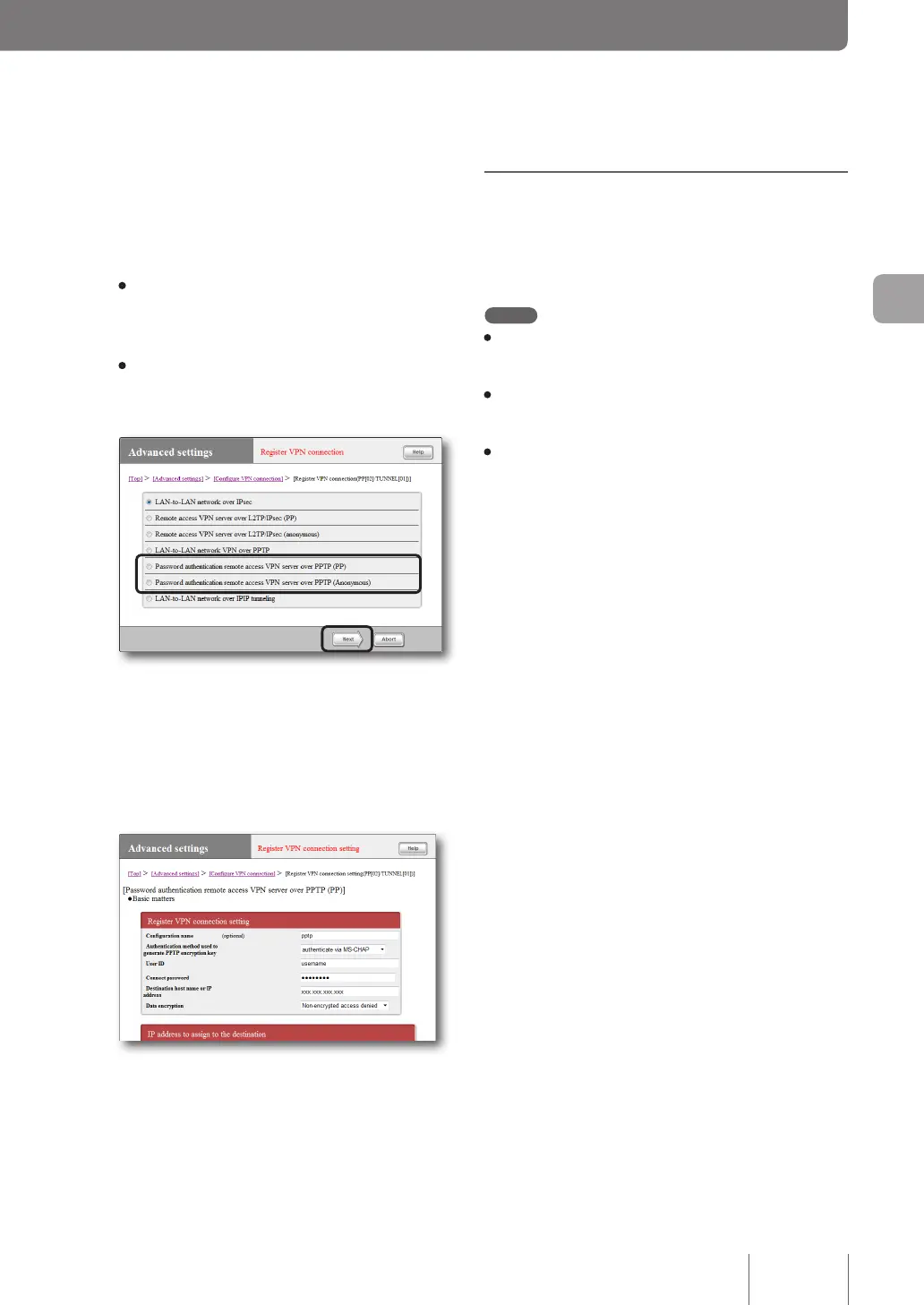
Select your desired authentication method
and then click “Next”.
The “Register VPN connection setting” screen appears.
• PP: Only the specied host name or IP address
is allowed as the destination, and the user ID and
password are used for authentication.
• Anonymous: The destination does not get
restricted, and the user ID and password are used
for authentication.
4
Configure the settings required and then click
“Submit”.
The connection destination is registered.
For more details on the settings, click “Help” on the
setup screen and refer to the description displayed.
(Example of screen displayed when “PP” is selected
in Step 3)
Configuring a server or PC
in the LAN
Remote access requires settings that provide you with
access to the server or PCs in the LAN via TCP/IP protocol.
Note
• The remote access function of the product does not support
Windows NetBEUI protocol or Apple's Mac OS AppleTalk
protocol.
• To share les in Windows, you need to use NetBIOS over
TCP/IP protocol or have a Windows Internet Name Service
(WINS) server.
• To share les in Macintosh, open System Preferences, select
“Sharing” and select “File Sharing” check box.
Configuring the IP addresses of the server and
PCs
Assign a xed private IP address to each PC that allows the
servers or PCs on the LAN to gain external access.
Changing the settings of the file server software
Congure a network share on a server or a PC exposed to
the Internet and set folders, user IDs and passwords exposed
to the Internet.
73
Implementing site-to-site VPN connections
4



 To Next Page