Gaining remote access using PPTP
(Continued from the previous page)
Required settings
For remote access, a router or a PC needs to be congured
as shown below.
Router settings
• Conguring the broadband connection
– The WAN or PP side of the product must be assigned
a global IP address.
– For the terminal connection in which WAN or PP
address is dynamically assigned, it will be necessary
to obtain host names that are available using the
netvolante DNS service (page 104).
– For the network connection, check the global IP
address that is assigned to the WAN or PP side of the
product.
• Registering connection destinations (next section)
Settings required for a server or PC in
the LAN
• Congure a xed IP address.
• Changing the settings of the le server software
Settings required for a PC for remote
accessing
Changing the congurations of a PC that is remotely
accessed (pages 74, 77 and 80)
Registering connection
destinations
Register connection destinations.
Note
• Up to ten users can be registered for PP connection. There
are up to 50 PPTP tunnel connections at a time, including the
ones used in anonymous connections.
• Although any number of users can be registered with
anonymous connections, there are up to 50 PPTP tunnel
connections at a time, including the ones used in PP
connections.
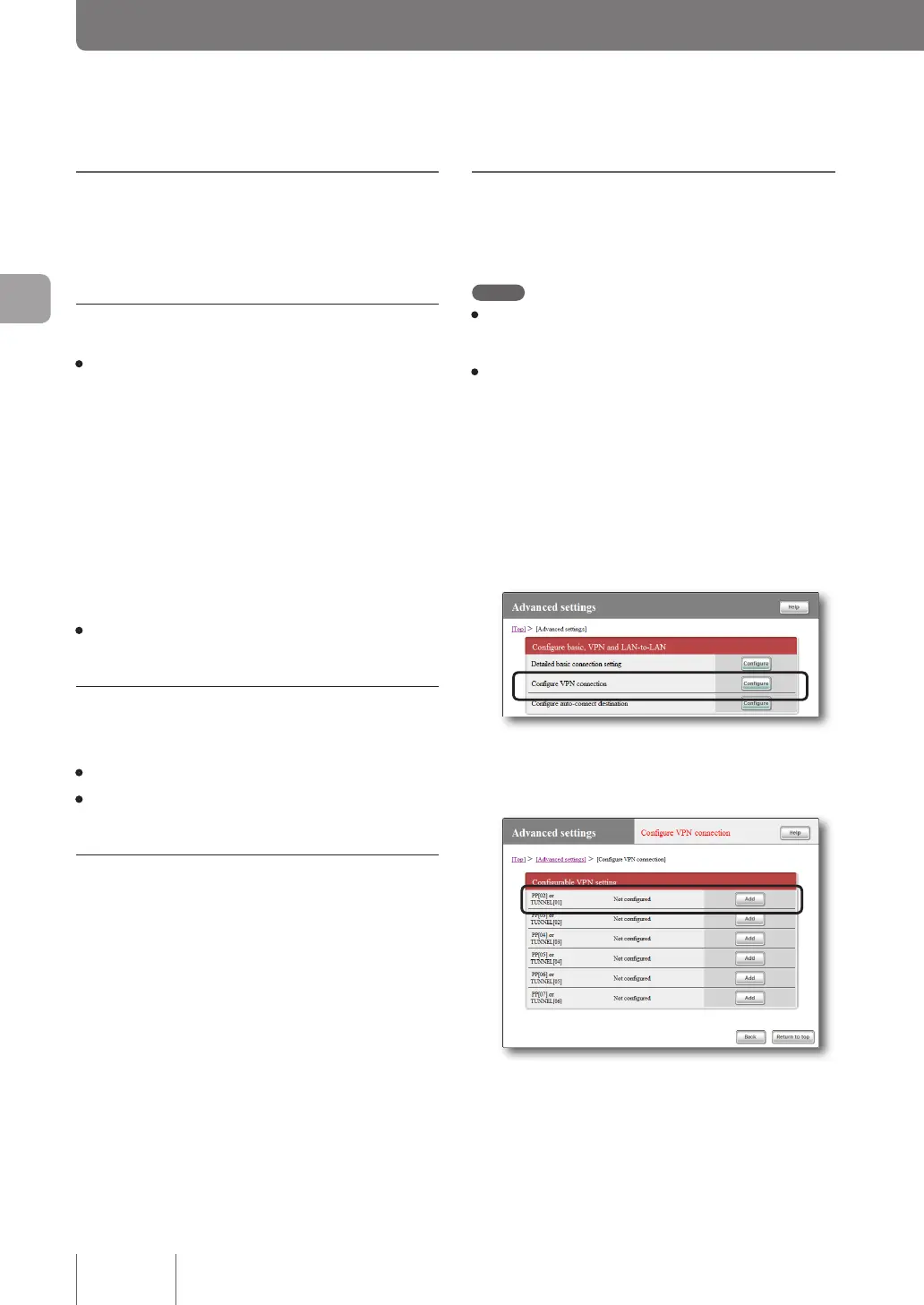
1
On the top page of “Basic configuration
page”, click “Advanced settings”, then click
“Configure” to the right of “Configure VPN
connection”.
2
Click “Add ” to the right of the destination you
want to register.
72
Implementing site-to-site VPN connections
4



 To Next Page