Carl Zeiss Axiotech and Axiotech
vario
3-18 B 40-020 e 06/99
3.4.5.1
Setting of epi-fluorescence using the FL filter slider
• Perform steps described in sections 3.2 and 3.3.
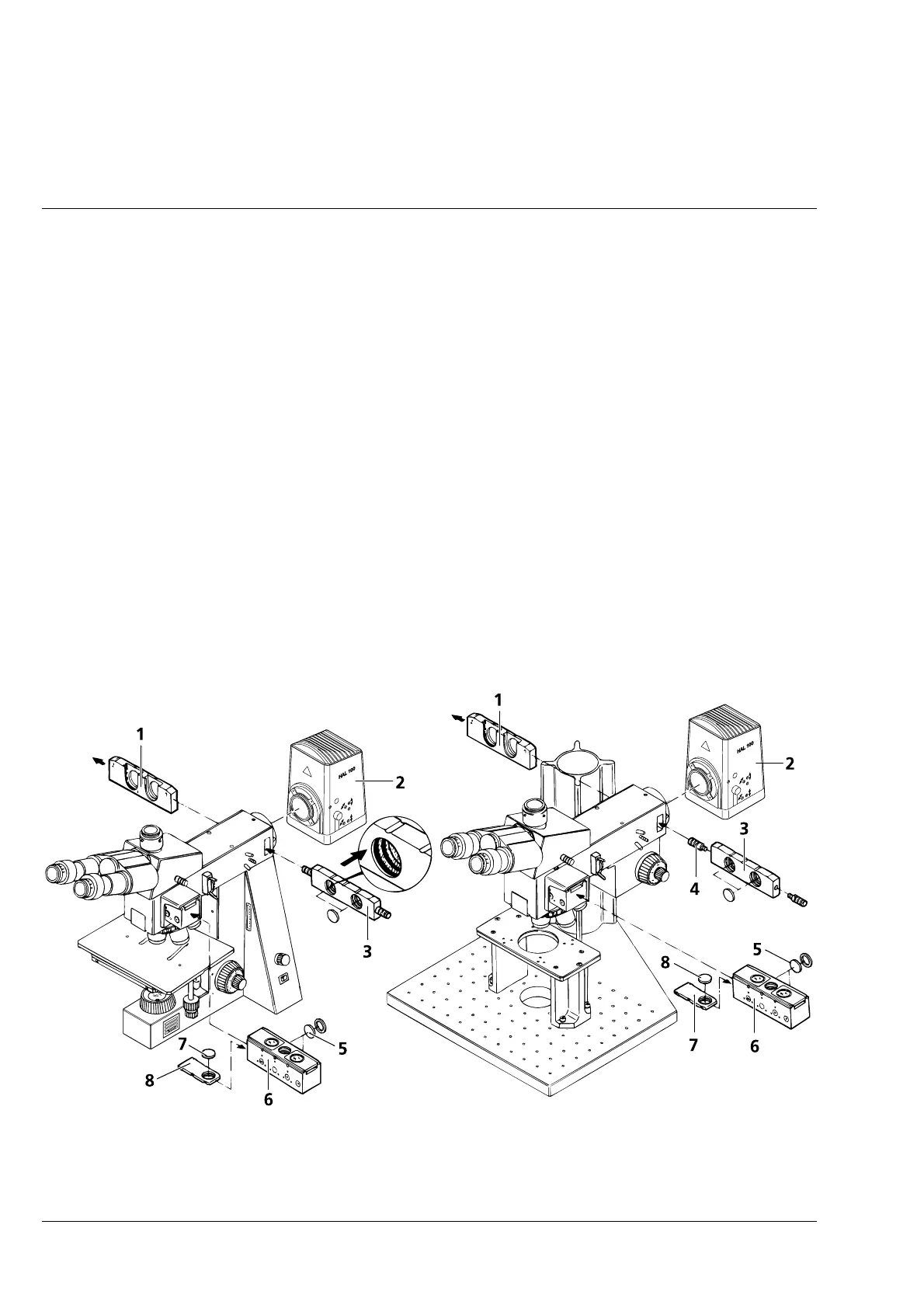
• If required, replace HAL 12 V 100 W halogen lamp ( 3-16/2) of the Axiotech 100 or Axiotech
vario
100
with the HBO 50 illuminator (also see operating manual G 42-160 entitled "Microscope Illuminator
with HBO 50").
• Remove attenuation filter (3-16/5) of brightness position from the HD DIC reflector slider (3-16/6) (see
change of filters in reflector slider, Fig. 3-14).
• Move HD or HD DIC reflector slider (3-16/6) in position H.
• Remove filter slider (3-16/1) from the instrument. Press excitation filters into the filter mount in the
direction of the arrow (see magnified drawing of FL filter slider 3-16/3) and insert the FL filter slider
(3-16/3) equipped with excitation filters.
☞
In the case of the Axiotech
vario
, bolt (3-16/4) must be removed from the FL filter slider, since
otherwise the slider will hit the stand column and cannot be inserted into the beam path.
• Insert barrier filter (3-16/7) into the dust protection slider (3-16/8) and push the slider laterally into the
reflector slider (3-16/6) (brightfield position!).
Fig. 3-16 Setting of epi-fluorescence using the FL filter slider











 To Next Page