Programming - Serial Port
025-9567E 103
If one of the other COM: ports (2 through 4), or a specific baud rate is desired, then you may
open a DOS window and at the command line prompt enter:
“M25CONF ?” <RETURN>
This will display the various options for starting the program as follows.
/c<n> Use Commport <n> ie /c2 = comm port 2
/b150 Use baud rate of 150
/b600 Use baud rate of 600
/b4800 Use baud rate of 4800
Once you have determined which settings are required, the program may then be started as
shown in the example below.
M25CONF /c2 /b4800 <RETURN>
These switches instruct the program to use the port COM2: at a baud rate of 4800.
CONFIGURATION PROGRAM OPERATION
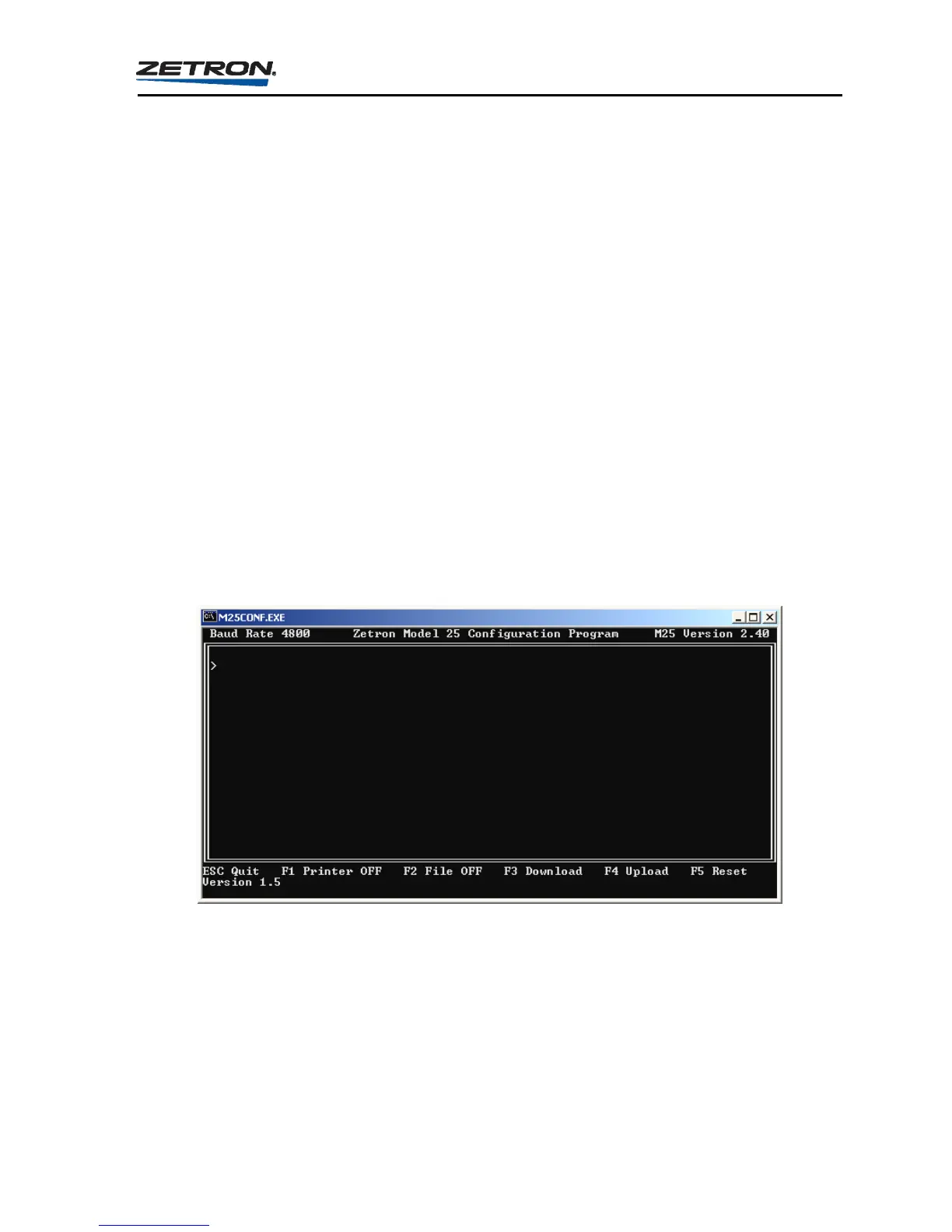
Once the computer has established communications with the Model 25 the current baud rate,
Model 25 Software Version and Configuration Program Version will be displayed as shown
in Figure 14.
Figure 14. Model 25 Configuration Program When Idle
The Model 25 firmware version is displayed in the upper right of the window (2.40) and the
Configuration Program version is displayed at the lower left (1.5).
The program is now operational and in the “Idle” state. Entering the letter “P” instructs the
Model 25 to respond with the Main Program Menu. Information on programming the Model
25 is provided in the remainder of this section.



 To Next Page