Encoder Installation
34 025-9567E
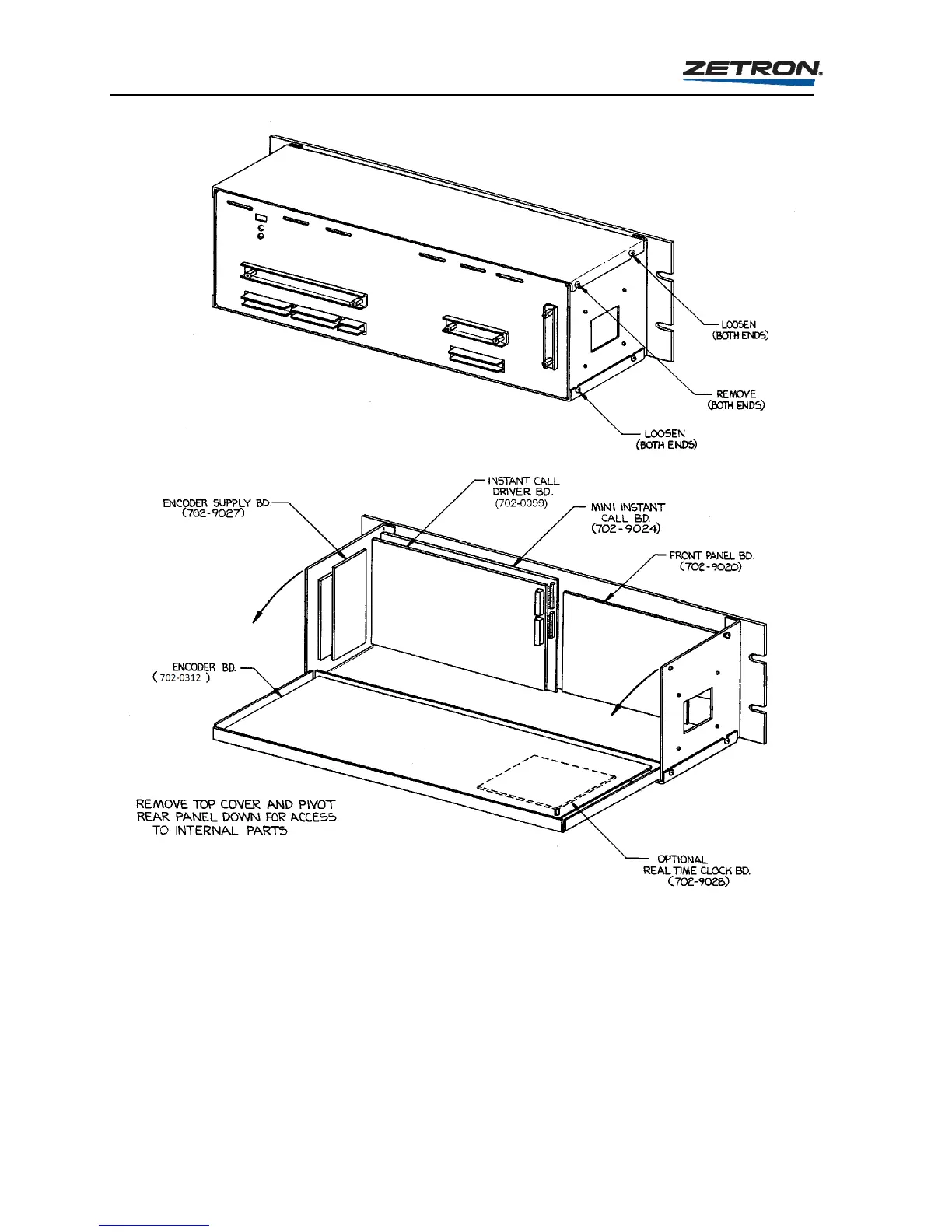
Figure 6. Disassembly Diagram for the Model 25
Keypad Enable/Disable
The keypad of the encoder may either be enabled or disabled by the placement of the jumper,
JP2, on the encoder board (702-0312). If use of the keypad is necessary then the jumper must
be in the “enabled” or “B” position. If you wish input from the keypad to be ignored then the
jumper must be placed in the “disabled” or “A” position. Note that the RESET key on the
front panel cannot be disabled.



 To Next Page