Programming - Front Panel
66 025-9567E
Note: If while answering a question within a section, a mistake is made, you may:
1.) Press the CLEAR ENTRY key to cancel the last digit entry. Continue on
and complete the question loop again.
2.) Or press RESET which will return you to the idle state.
The Question Loop
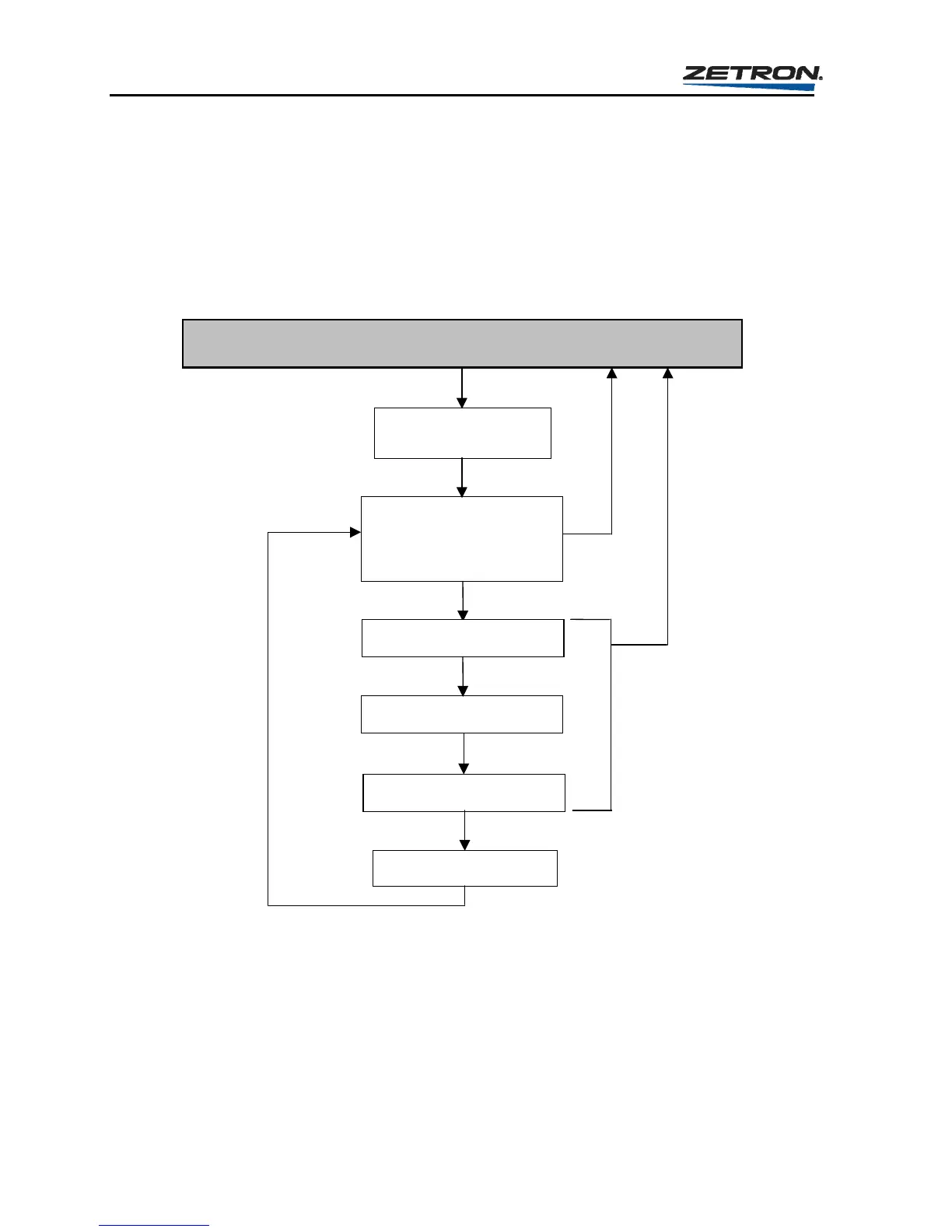
Figure 12 is an example of a generic question loop used in any of the six programming
sections of the Model 25.
The Idle State
Enter the Programming
Section
Question 1
1 - Change Settings
2 - Print All Settings
3 - Print Selected Settings
Question 2
Question 3
Question 4
Load Changes to Memory
Return to First
Question
Press RESET
to return to
Idle state
If RESET is
pressed prior to
completing the
question loop, no
changes are
made and the
Model 25 returns
to the Idle state.
Figure 12. The Question Loop for Model 25 Programming
THE IDLE STATE
To enter one of the programming sections the Model 25 must first be in the “Idle State”. The
idle state is when the Model 25 is not performing any operation but rather “waiting” for the
press of an Instant Call button, entry from the keypad, or entry from a remote CRT or
computer. To insure the encoder is in the idle state press RESET. The display should appear
as shown here.



 To Next Page