Programming - Front Panel
74 025-9567E
Question 4 - Group Call or Diagonal Tone
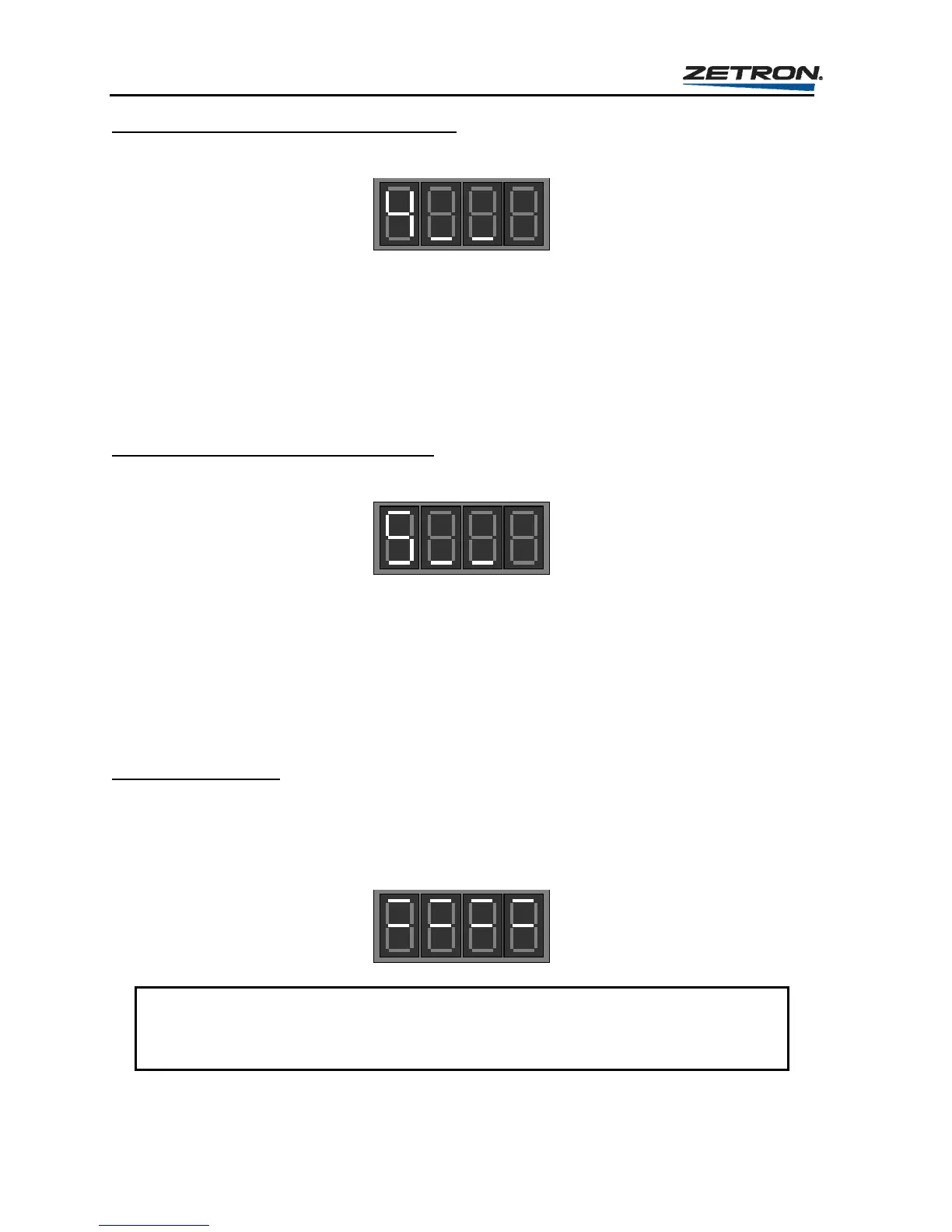
Once you respond to “Question 3”, the unit will now display the prompt for “Question 4”:
The response to this question determines whether a diagonal tone will be used or a log group
call tone is sent. The valid responses are:
0 = Group Call
1 = 569.1 Hz diagonal tone
2 = 979.9 Hz diagonal tone
3 = 742.5 Hz diagonal tone
Question 5 - Diagonal Tone Placement
Once you respond to “Question 4”, the unit will now display the prompt for “Question 5”:
If the diagonal tone option was selected in question “4”, then the position of the diagonal
tone (first tone or second tone) must be set. If the group call option was selected, the answer
to this question will have no effect; however, something must be entered in order to complete
the question loop. The valid responses are:
0 = Send diagonal tone first
1 = Send diagonal tone second
Saving the Changes
Once the single-digit response for “Question 5” has been entered, the Model 25 will
immediately begin to load all changes made in this section to memory to be used until new
changes are made. During the time that the Model 25 is loading this information to memory,
the display will appear as shown here.
CAUTION
Do not remove power or press the RESET button while the Model 25 is loading the
memory, otherwise incorrect information could be loaded requiring reprogramming.



 To Next Page