SOUND PAD knob
Use to adjust SOUND PAD levels.
PHONES knobs 1–4
Use to adjust the volumes of signals output from PHONES jacks 1–4.
Display
This shows the recorder status and Menu Screen.
When the
P4
is running on battery power, the display will automatically dim if it is not operated for 15
seconds. Operating the unit will restore the display to its normal brightness.
PLAY indicator
This lights during playback and blinks when paused.
REC indicator
This lights during recording and blinks when recording is paused.
MENU button
Use to open the Menu Screen and to return to the previous screen.
PLAY/PAUSE/
button
Use to play/pause recorded les.
Use to move the cursor up on the Menu Screen.
STOP/
button
Use to stop recording/playback.
Use to move the cursor down on the Menu Screen.
REC/ENTER button
Use to start/stop recording.
Use to conrm a selection on the Menu Screen.
■
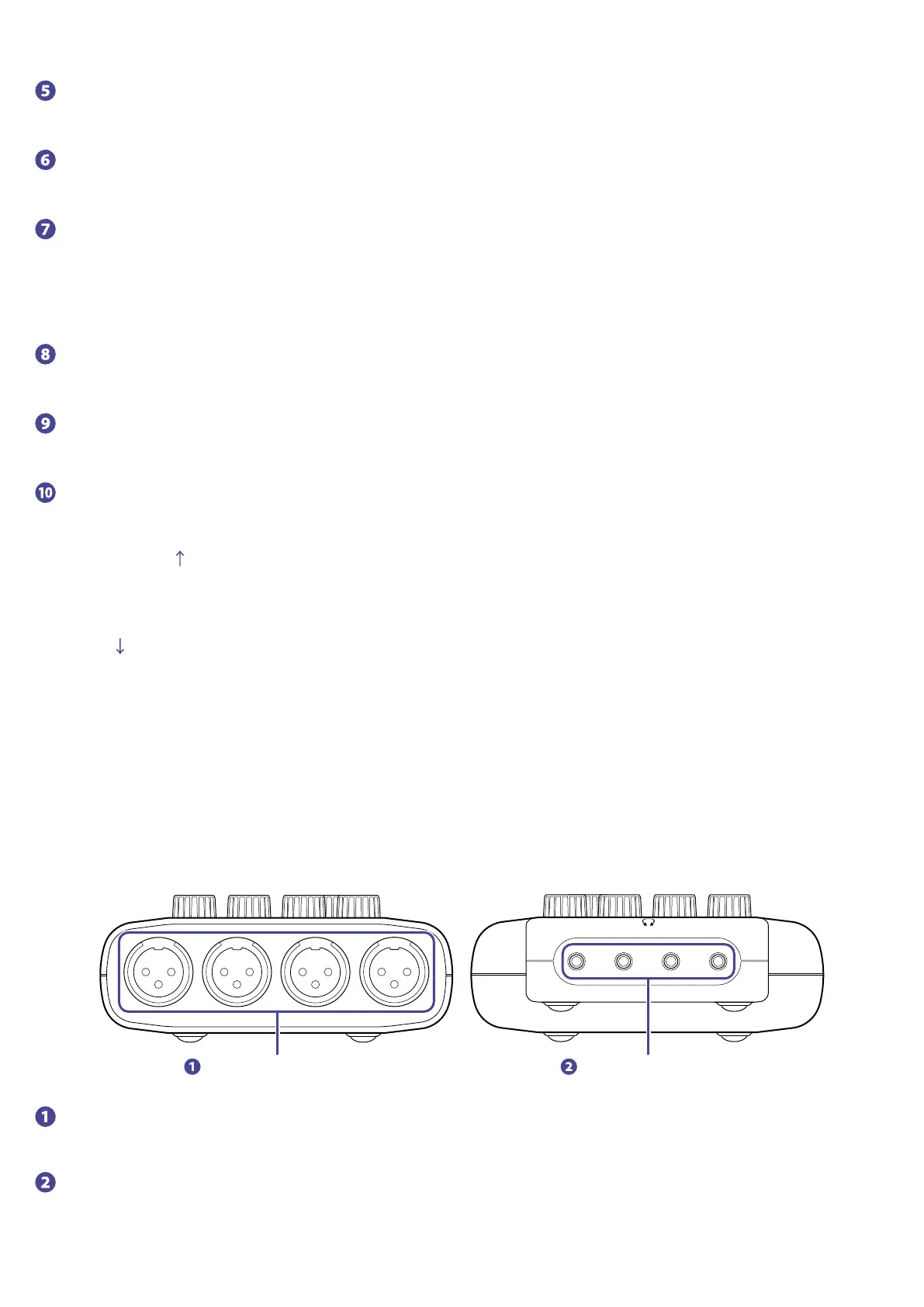
Back/front
INPUT jacks 1–4 PHONES jacks 1–4
INPUT jacks 1–4
These input jacks have built-in mic preamps.
PHONES jacks 1–4
These output the signals adjusted by PHONES knobs 1–4.
7



 To Next Page