ZPrinter
®
350 / ZPrinter
®
450 User Manual Printer Maintenance
3dscentral.3dsystems.com 55 All Rights Reserved
10/31/12
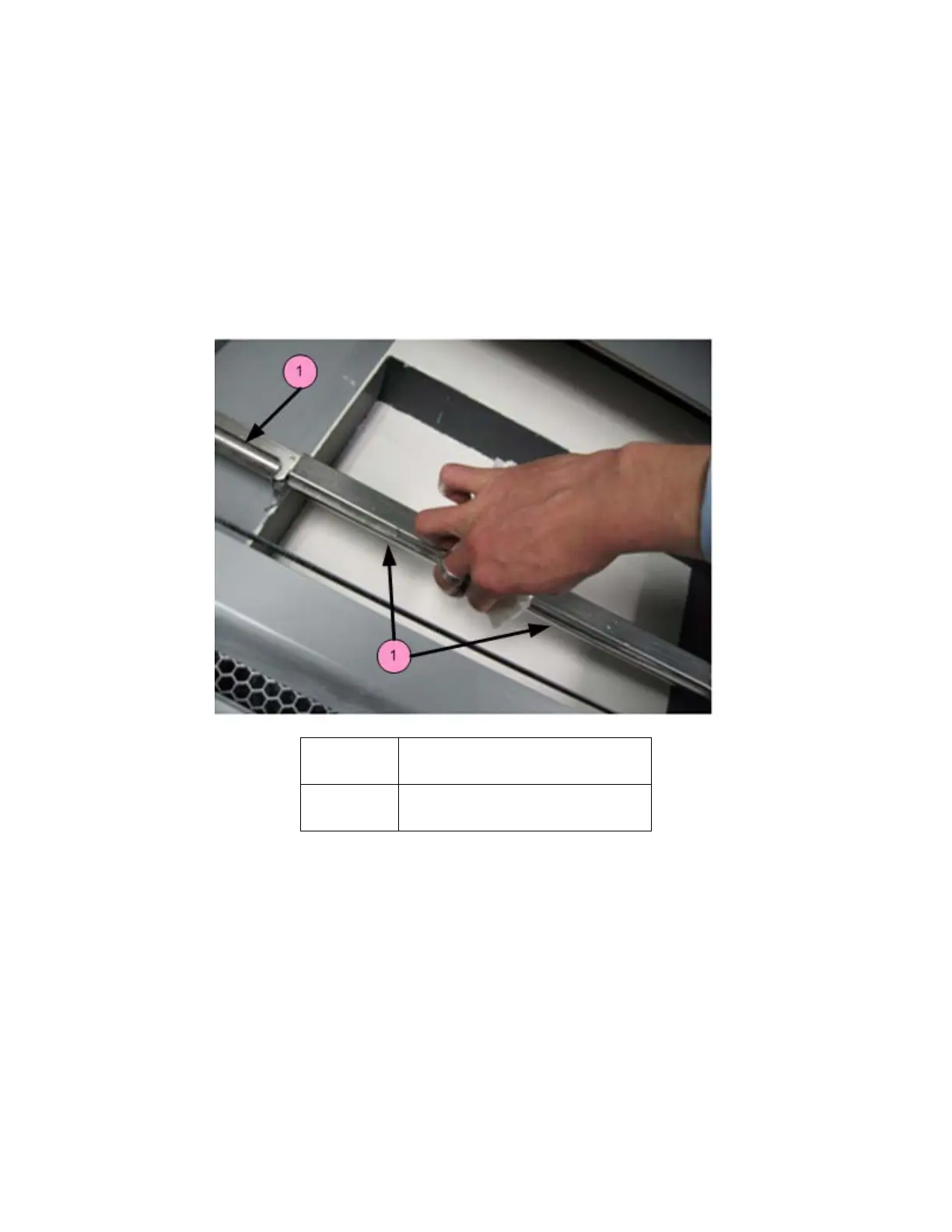
6.5 Clean The Spreader Roller
Frequency: On a regular schedule, depending on your usage. Or, whenever the printer has problems
related to the surface finish of horizontal surfaces.
1. On the LCD, select
BUILD CHAMBER then LOWER PLATFORM. Lower the build bed by 4-5 inches.
2. Move the Fast Axis out over the build bed.
3. On the LCD, select
BUILD CHAMBER then CONTROL ROLLER.
4. On the LCD, select
ROLLER ON/OFF to turn the Spreader Roller on.
5. Using a paper towel dampened with distilled water, clean the Spreader Roller thoroughly by reaching
up from underneath.
6. Dry the roller thoroughly with a clean dry paper towel.
7. On the LCD, select
ROLLER ON/OFF to turn the Spreader Roller off.
8. When finished, select
EXIT (ROLLER OFF) to return to the Main Menu.
9. Make sure the roller is completely dry before attempting to spread any powder.
Number Component
1 Spreader Roller



 To Next Page