ZPrinter
®
350 / ZPrinter
®
450 User Manual Troubleshooting the ZPrinter 350/450
3dscentral.3dsystems.com 62 All Rights Reserved
10/31/12
7.3.2 Troubleshoot Print Head/Weak Parts
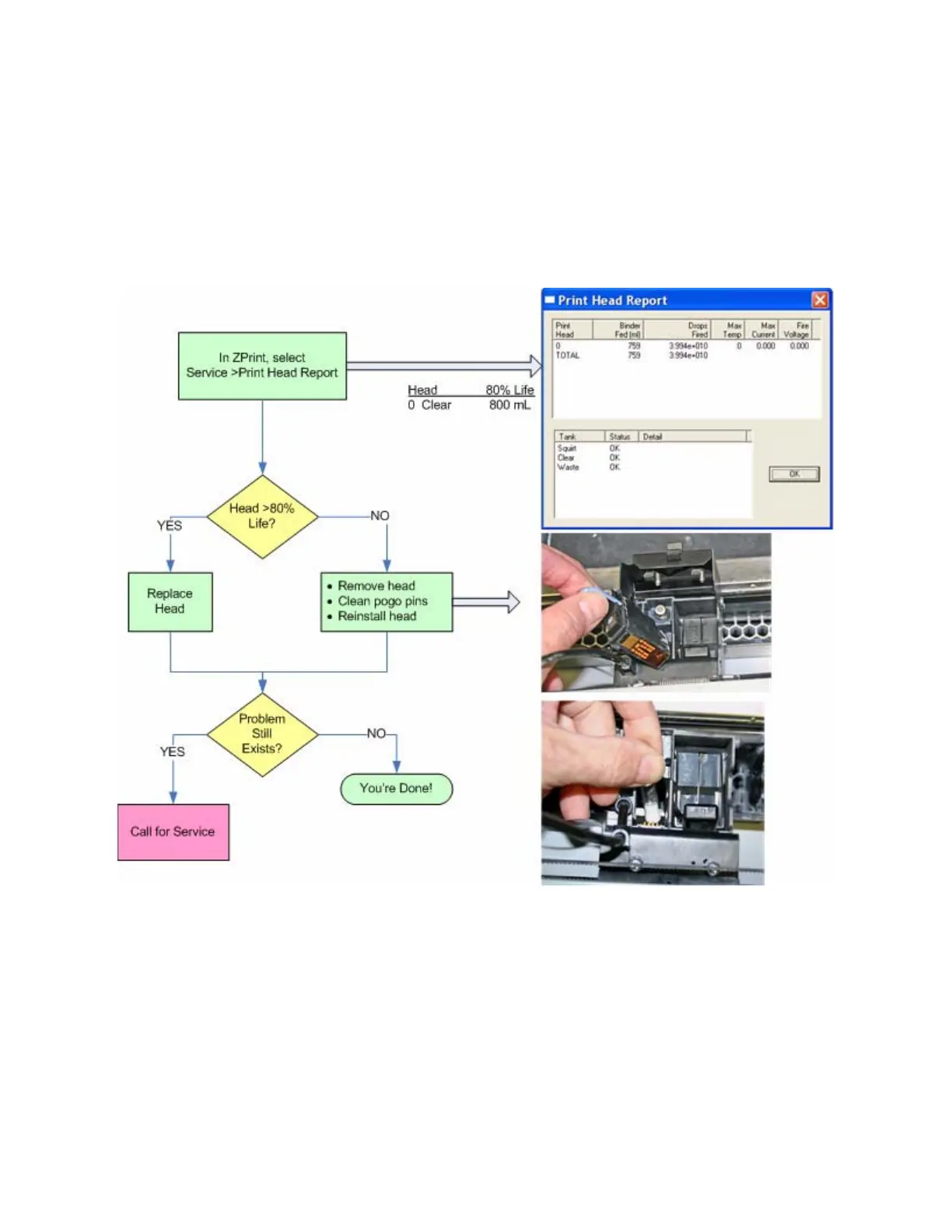
If your printer is reporting print head errors, or is building parts that break too easily, follow the flowchart
below. Also see Section 7.8, ’Part Quality Issues Streaky/Striped Parts, Delamination, Weak Parts’.
How to do it
To remove the printhead and clean the pogo pins, follow the steps in Section 5.3, ’Change Print Head’.



 To Next Page