User’s Manual
Enterprise Access Point ENGLISH
Copyright © 4IPNET, INC. All rights reserved.
7.2.5 Repeater
4ipnet Access Points are capable of utilizing WDS or Universal Repeater (EAP210 and OWL530 only) to
extend wireless network coverage.
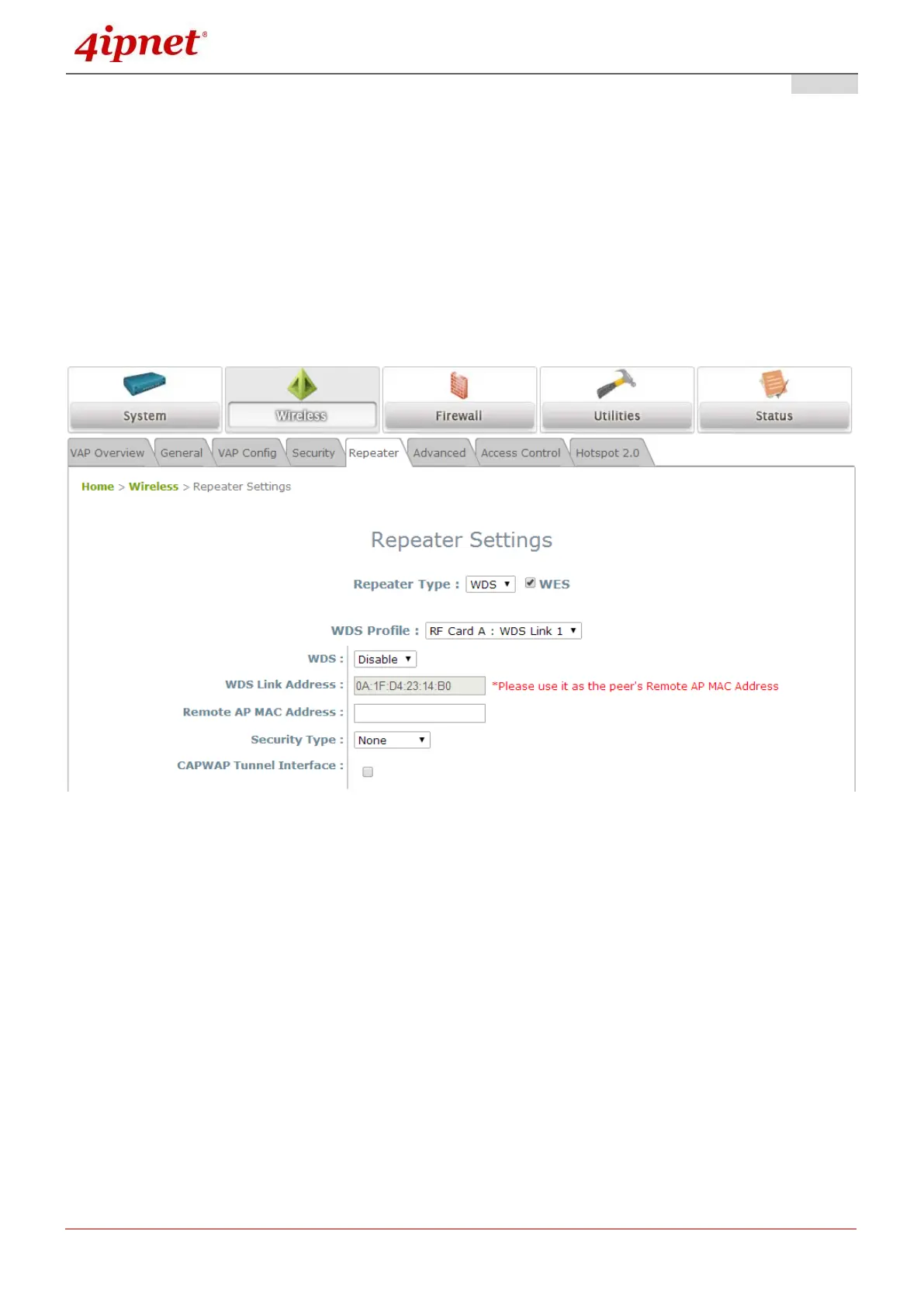
If WDS is enabled, the AP can support up to 8 WDS links to its peer APs per radio. Security Type
(None, WEP, or WPA/PSK) can be configured to decide which encryption is to be used for WDS
connections respectively. Please fill in remote peer’s MAC address and click SAVE to proceed; if
setting revision is necessary, the CLEAR button can be used to clear the contents in the above WDS
connection list.
Repeater Settings: WDS
o WDS: Select Enable to enable the respective WDS links; Select Disable to remove them.
o WDS Link Address (Selected AP Models): The MAC address for this interface
o Remote AP MAC Address: To input remote peer’s MAC address.
o Security Type: None, WEP, or WPA-PSK.
o CAPWAP Tunnel Interface: Select Checkbox to designate WDS traffic to pass through
CAPWAP Tunnel established between the AP and the controller.



 To Next Page