User’s Manual
Enterprise Access Point ENGLISH
Copyright © 4IPNET, INC. All rights reserved.
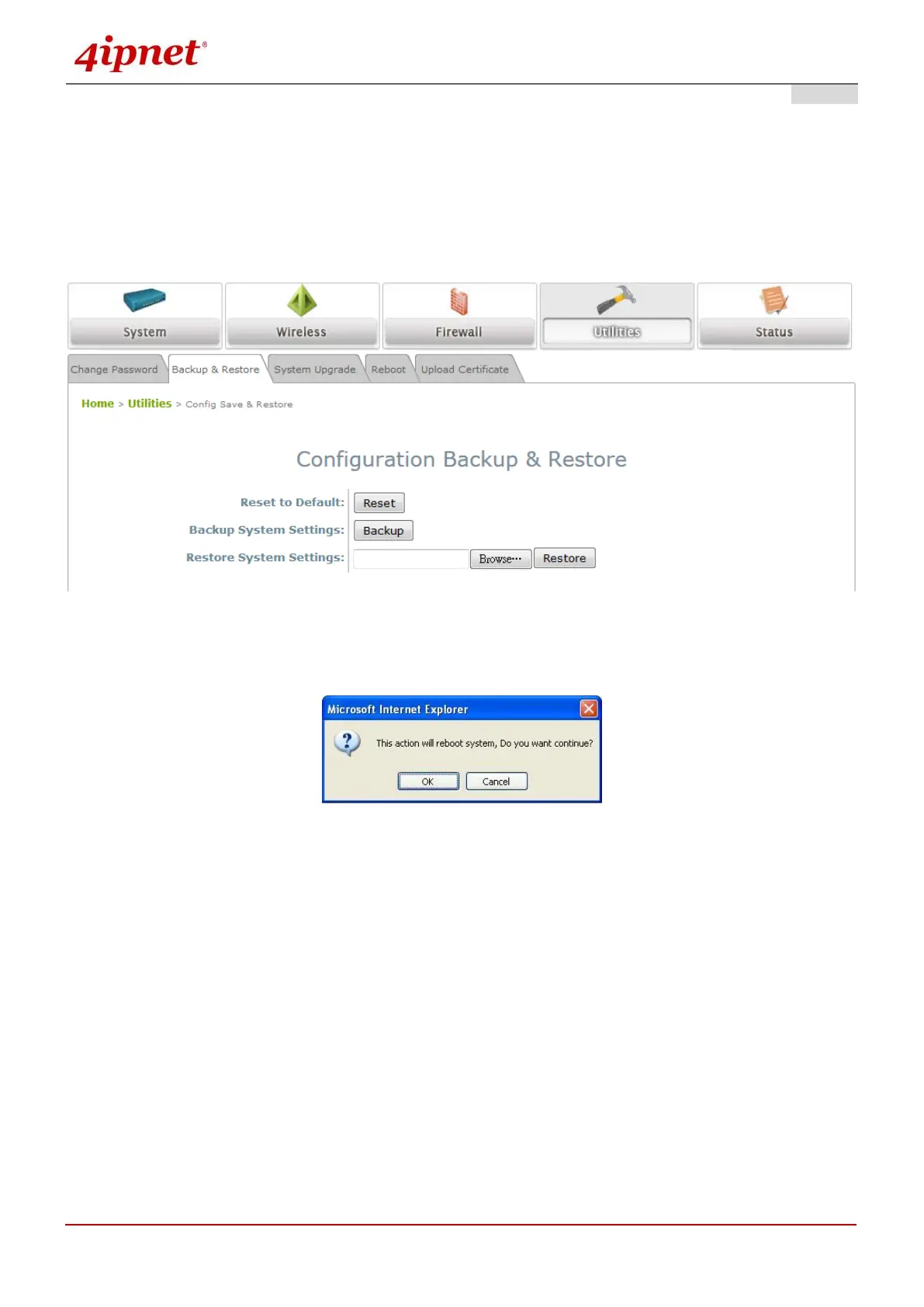
8.4.2 Backup & Restore
This function is used to backup or restore the current settings. The system can be restored to the default
setting by clicking on Reset. The setting of the device can be backup to a file. It can be used to duplicate
setting to the other OWL530 devices.
Reset to Default:
Click Reset to load the factory default settings of OWL530. A pop-up will appear to re-confirm the
request to restart the system. Click OK to proceed, or click Cancel to cancel the restart request.
A warning message as displayed below will appear during the reboot period. The system power
must be turned on before the completion of the reboot process.
The System Overview page will appear upon the completion of reboot.
Backup Settings: Click Save to save the current system settings to a local disk such as the hard disk
drive (HDD) of a local computer or a compact disc (CD).
Restore Settings: Click Browse to search for a previously saved backup file, and then click Upload to
restore the settings. The backup file will replace the active configuration file currently running on the
system.



 To Next Page