User’s Manual
Enterprise Access Point ENGLISH
Copyright © 4IPNET, INC. All rights reserved.
7.2.2 General
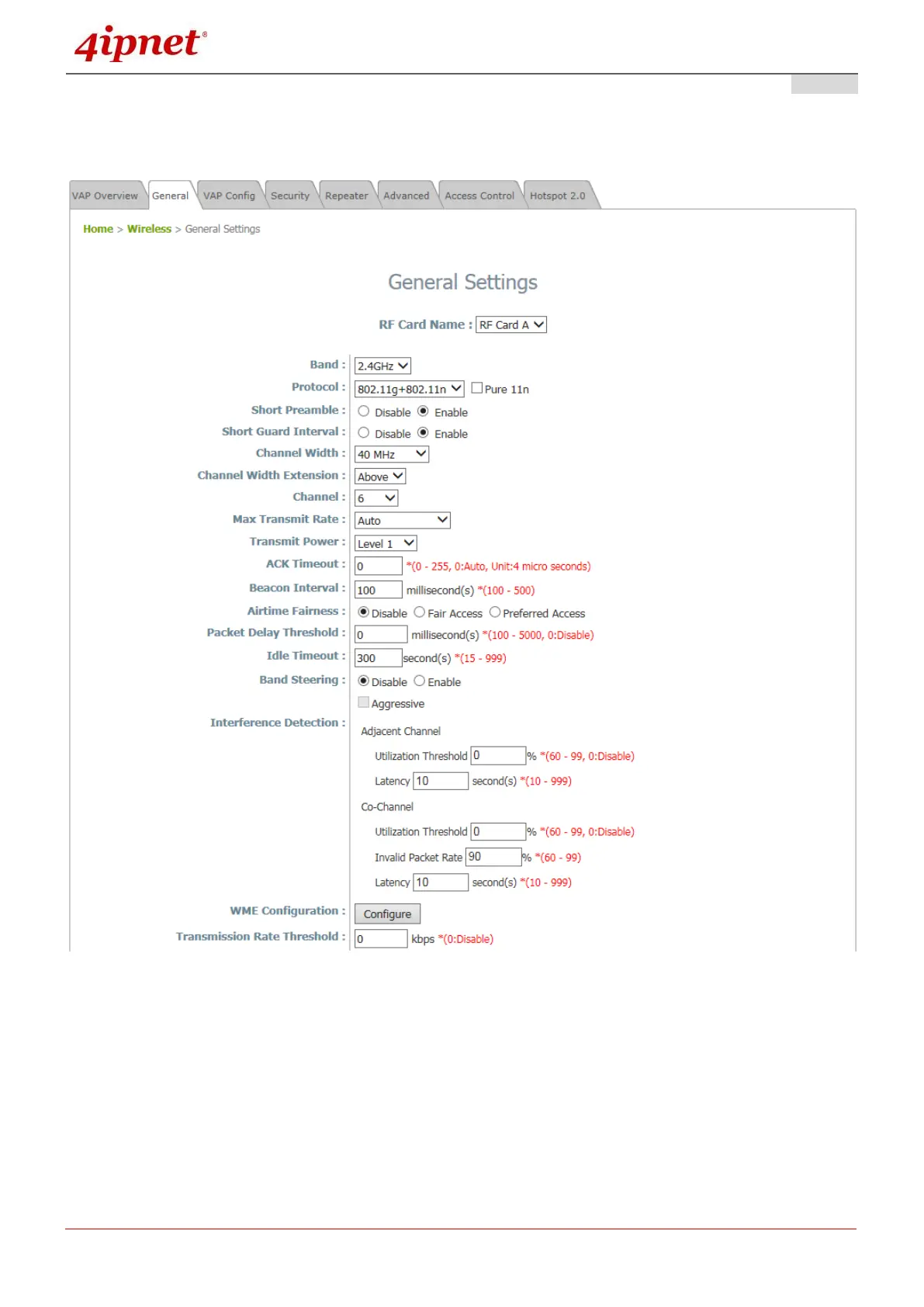
AP’s general wireless settings can be configured here:
AP General Settings Page
RF Card Name: Select one RF card for further configuration.
Band: Select Disable if the wireless function is not required.
Protocol: Select an appropriate wireless protocol: 802.11a, 802.11a+802.11n, 802.11ac or 802.11b,
802.11g, 802.11b+802.11g, 802.11g+802.11n. The protocol is dependent or the Band of the RF
Card.
Pure 11n: Enable 802.11n network only.
Short Preamble: The short preamble with a 56-bit synchronization field can improve WLAN



 To Next Page