User’s Manual
Enterprise Access Point ENGLISH
Copyright © 4IPNET, INC. All rights reserved.
7.1.2 Network Interface
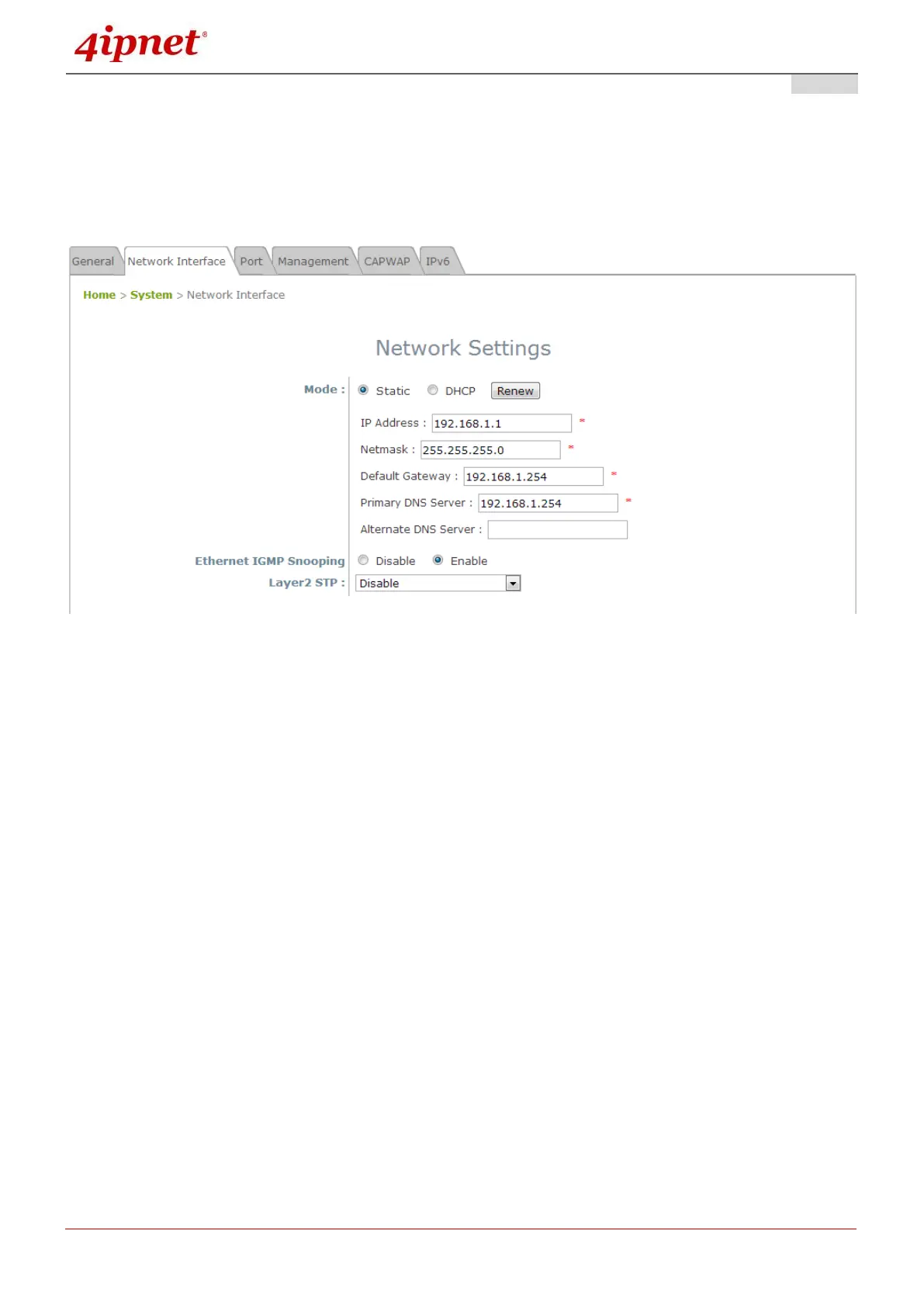
On this page, the network settings of the device can be configured; fields with a red asterisk (i.e. IP
Address, Netmask, Default Gateway, and Primary DNS Server) are mandatory.
Network Settings Page
Mode: Determine the way to obtain the IP address, by DHCP or Static.
Static: The administrator can manually set up the static LAN IP address. All required fields are
marked with a red asterisk.
o IP Address: The IP address of the LAN port.
o Netmask: The Subnet mask of the LAN port.
o Default Gateway: The Gateway IP address of the LAN port.
o Primary DNS Server: The IP address of the primary DNS (Domain Name System) server.
o Alternate DNS Server: The IP address of the substitute DNS server.
DHCP: This configuration type is applicable when the system is connected to a network with the
presence of a DHCP server; all related IP information required will be provided by the DHCP server
automatically.
Ethernet IGMP Snooping: When Enabled, the switch forwards traffic IGMP packets are transferred via
the Access Point’s network interface and the IP multicast host. Registration information is recorded and
sorted into multicast groups. The internal switch forwards traffic only to those ports that request multicast
traffic. Adversely, without IGMP snooping, multicast traffic is treated like broadcast traffic, with packets
forwarded to all ports causing network inefficiencies.



 To Next Page