User’s Manual
Enterprise Access Point ENGLISH
Copyright © 4IPNET, INC. All rights reserved.
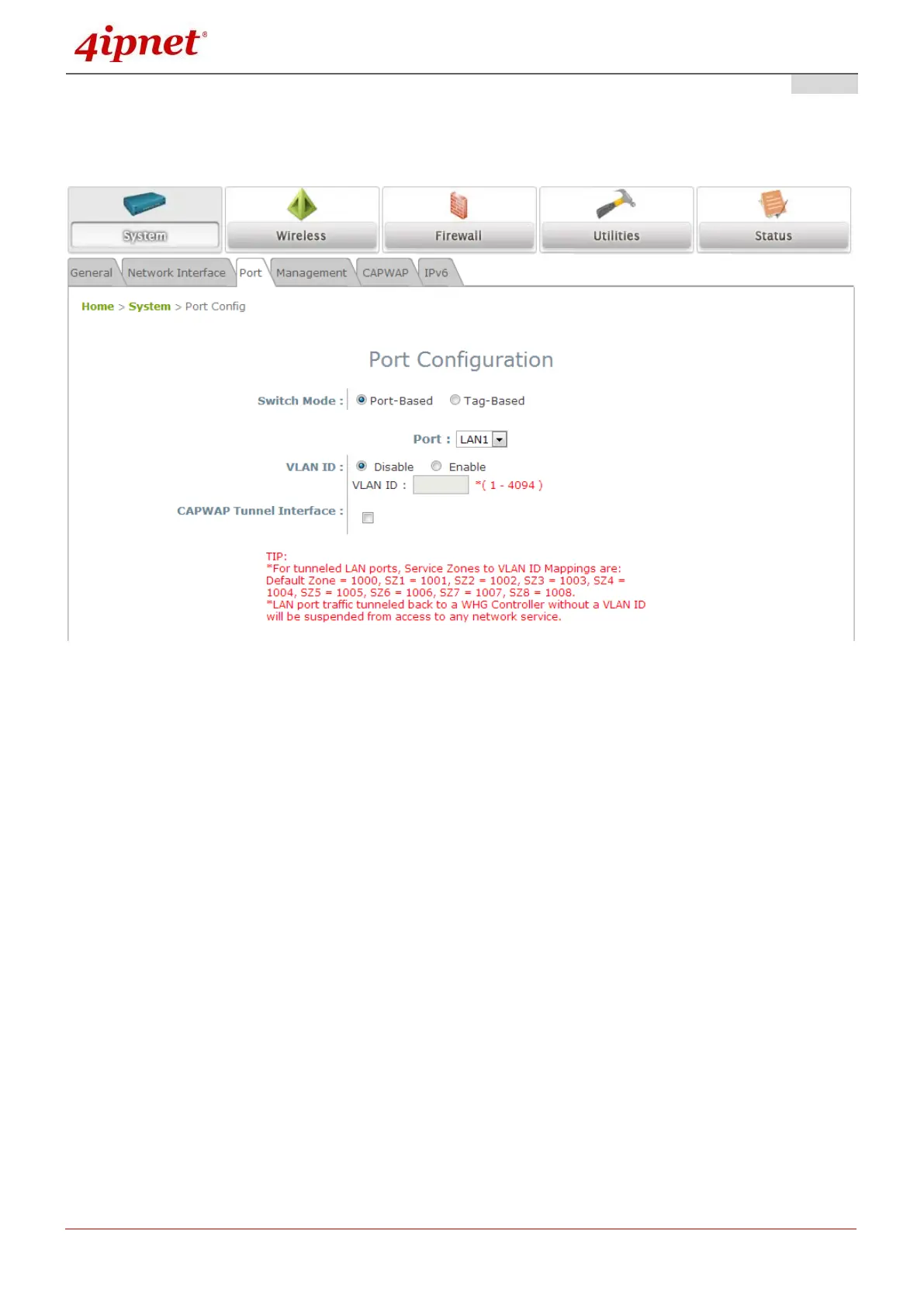
7.1.3 Port
The physical Ethernet ports of the AP can be configured to append a VLAN tag for upstream delivery.
*Switch Mode: Select Port-Based to set VLAN IDs on physical LAN ports. Select Tag-Based
for uplink traffic to recognize unlimited VLAN tags.
VLAN ID: Enable selected implies that network traffic sent upstream from this LAN port will
be tagged with the VLAN ID configured in the field below. Disable selected implies that traffic
from this LAN port will not be tagged with a VLAN ID.
CAPWAP Tunnel Interface: Select a LAN, VAP or WDS interface to designate its traffic to
pass through the CAPWAP Tunnel established between the AP and the controller. For
network interfaces that are unchecked, their traffic will be forwarded locally into the internet if
this AP is deployed remotely on the WAN side of a controller.
The ‘TIP’ in red at the bottom of the page explains that each service zone, from default to
Service Zone 8, has its fixed, pre-determined VLAN ID number when utilizing CAPWAP.
Admin needs to enter one of the numbers in order to direct traffic back to a certain Service
Zone.
*Applicable to EAP220 only. When Port-Based is selected and VLAN IDs are set on physical ports, the
uplink traffic recognizes ONLY the VLANs set, all other VLAN tags will be dropped (such as traffic from
an Access Point linked via WDS).



 To Next Page