User’s Manual
Enterprise Access Point ENGLISH
Copyright © 4IPNET, INC. All rights reserved.
7.4.2 Backup & Restore
This function is used to backup and restore the Access Point’s settings. The AP can also be restored to
factory default using this function. It can be used to duplicate settings to other access points (backup
settings of this system and then restore on another AP).
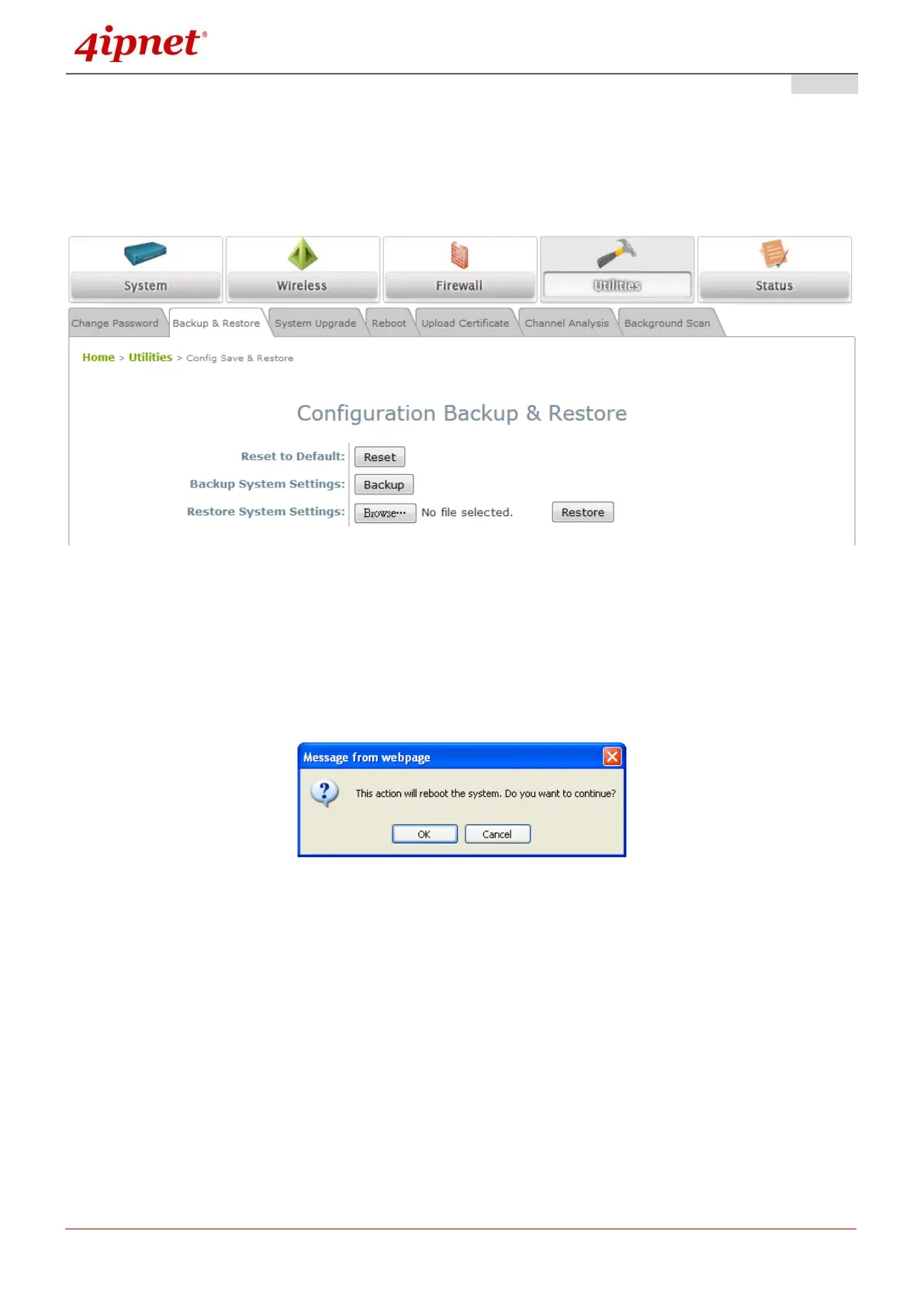
Backup & Restore Page
Reset to Default:
Click Reset to load the factory default settings of the Access Point. A pop-up Page will appear to re-
confirm the request to reboot the system. Click OK to proceed, or click Cancel to cancel the reboot
request.
Reboot Confirmation Prompt
A warning message as displayed below will appear during the reboot period. The system power
must be kept on before the completion of the reboot process.
The System Overview page will appear upon reboot completion.
Additionally, there are two ways to reset the system to factory default settings from the console
interface:
1) COM Port connection - Should the administrator forget the AP’s IP address, with the right baud
rate and a termination simulation program such as PuTTy or Hyper Terminal, a login prompt
should be seen as such:



 To Next Page