User’s Manual
Enterprise Access Point ENGLISH
Copyright © 4IPNET, INC. All rights reserved.
5. Securing the AP
Different VAP may require different levels of security. These instructions will guide the user through
setting up different types of security for a particular VAP. Simply repeat the following steps for other VAP
with security requirement.
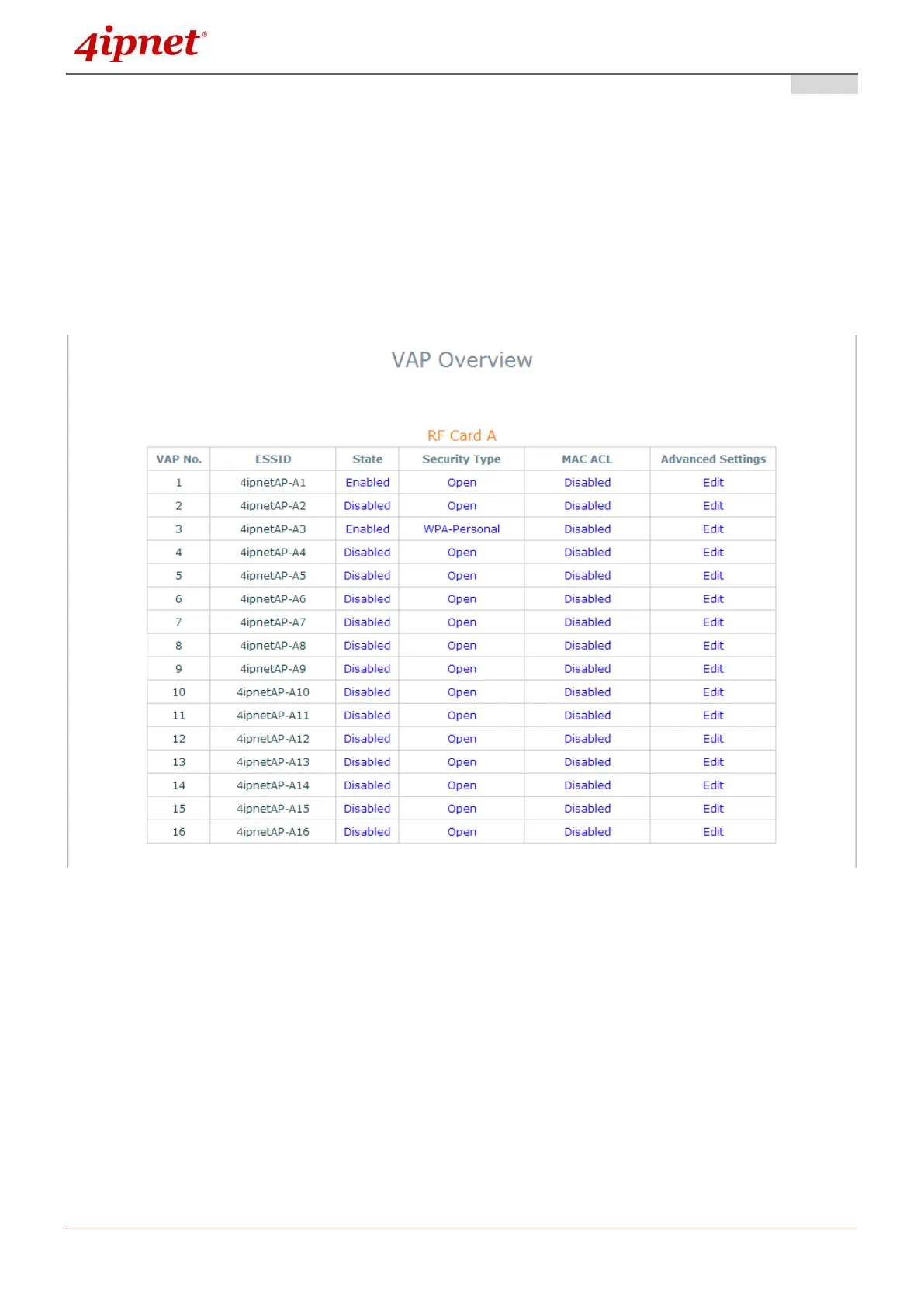
Step 1: Ensure the intended VAP is Enabled
VAP Overview Page
On the VAP Overview page, check the table to confirm the VAP State. If it is Enabled, skip to Step 2.
If not, click on to proceed with VAP Configuration for that particular VAP.



 To Next Page